
Is There an App That Identifies Wine From a Picture?
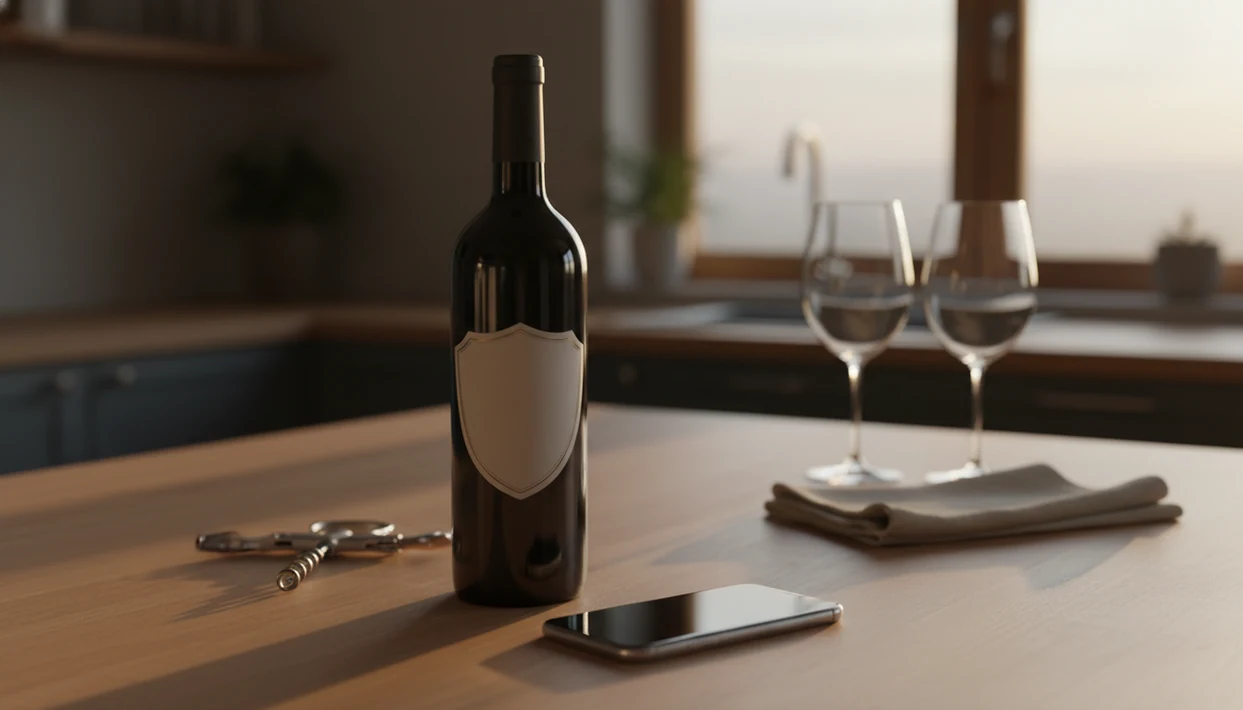
Yes, an app that identifies wine from picture can scan a bottle label, match it against a wine database, and return the producer, vintage, ratings, tasting notes, and price. DiVino goes further by adding AI sommelier guidance, food pairings, cellar tracking, and personalized recommendations after the label scan.
A wine identification app is a mobile tool that uses image recognition to match a photo of a wine bottle label against a large database, returning the wine's name, producer, vintage, community ratings, tasting notes, and average price.
- Modern apps can reliably identify most wines from a clear, front-on label photo in good lighting.
- Recognition fails more often on obscure producers, damaged labels, and very old vintages. Manual correction may be needed.
- DiVino adds AI sommelier chat, food pairing suggestions, and cellar tracking beyond basic label scanning.
At a Glance: What a Wine Bottle Picture App Can and Cannot Do
- A wine bottle picture app matches a label photo against databases that may contain millions of wine records.
- Common supermarket and restaurant-list bottles are often identified quickly; rare domaines, private labels, and torn labels are less reliable.
- Typical results include producer, cuvée, vintage, region, ratings, tasting notes, price ranges, and food pairing ideas.
- No consumer app can identify wine from a glass alone. The label, capsule, back label, or menu text carries the useful evidence.
- In-store phone lookup is normal behavior now. A large U.S. consumer survey found that 79% of online grocery shoppers used phones in stores to check product information, reviews, or prices (PYMNTS).
For a beginner, the useful shortcut is simple: start with the label, then verify the vintage. I’ve watched people scan a bottle with a price tag dangling from the neck and miss the tiny year printed below the producer name.
How Wine Label Image Recognition Works
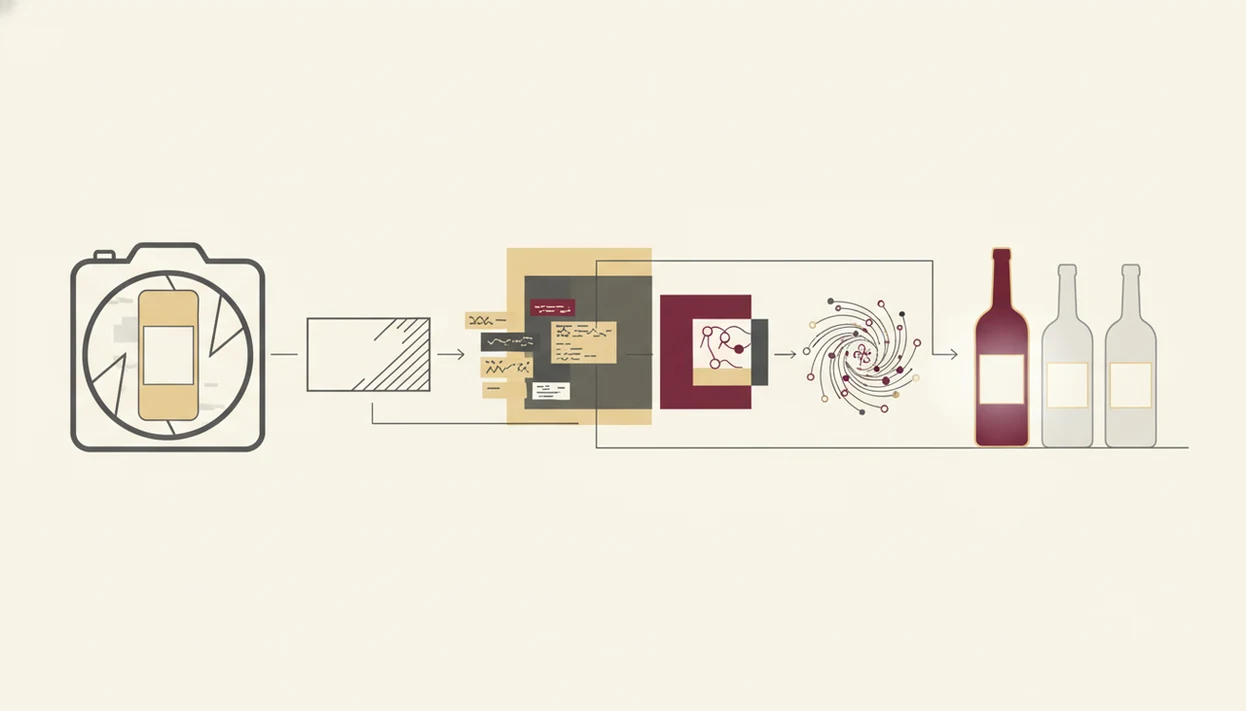
- The camera captures the bottle label, then the app cleans the image through preprocessing, such as straightening, contrast adjustment, and glare reduction.
- Optical character recognition, or OCR, reads printed words like producer, region, grape, vintage, and appellation.
- Visual features, including layout, crest, color blocks, and label shape, are compared with database records.
- Confidence scoring ranks the likely matches; a good app may show more than one candidate when the evidence is mixed.
- After the match, AI tools can use natural language processing to explain style, pairings, and likely taste in plain language.
In practical terms, the app is not “seeing” wine. It is comparing evidence. First the grape or producer, then the place, then the exact bottling. Pew Research Center reported that 81% of U.S. adults owned a smartphone in 2019 (Pew Research Center), which helps explain why camera-based product lookup feels ordinary rather than technical.
Label Matching vs. AI Sommelier Layer
Label matching tells you what the bottle is. A sommelier layer explains what you are actually tasting, such as bright acidity, soft tannins, or ripe fruit, not just sweet fruit. Tools like Wine Identifier App add this second layer after the database match.
What You Need Before You Identify Wine From a Photo
You need a working phone camera, a clear label, and internet access before you identify wine from photo uploads. The app can only match what it can read.
Have these ready:
- An iOS or Android phone with a clean camera lens.
- A wine identification app installed, such as Wine Identifier App, Vivino, CellarTracker, or Wine-Searcher.
- A front label that is well lit and not covered by fingers, foil, stickers, or condensation.
- A steady hand, table edge, or flat counter to reduce blur.
- A data or Wi-Fi connection for the database lookup.
The pendant light matters. I often turn the bottle slowly under mine to find the tiny appellation line before I trust the scan.
How to Use an App That Identifies Wine From a Picture
Use an app that identifies wine from a picture by taking a clear front-label photo, checking the match, and saving the result with any corrections. For label-photo basics, the same camera habits apply as in a wine label scanner app.
- Open Wine Identifier App, or your chosen app, and tap the camera or scan icon.
- Position the full front label inside the frame in even lighting.
- Hold steady and capture the photo. Avoid glare from glossy paper, mirrors, or overhead bulbs.
- Review the matched result and confirm the producer, region, cuvée, and vintage.
- Explore ratings, tasting notes, food pairings, and price data.
- Save the bottle to your cellar, wish list, or tasting journal for future reference.
Do not rush step four. I once scanned a Rioja at dinner, then someone whispered, “Is Rioja the grape or the place?” The app matched the region correctly, but the vintage needed a manual tap.
Common Mistakes When Scanning a Wine Bottle Label
Most bad scans come from bad photos, not bad wine knowledge. A front-on, well-lit label gives the database far better evidence than a dramatic table shot.
Common mistakes include photographing the bottle at a sharp angle, shooting in low light, and catching glare on glossy labels. Cropping out the appellation line is another quiet problem. So is including three bottles in one frame and expecting the app to guess which one matters.
Small errors add up.
Check the vintage before accepting the first result. Apps may match the producer and cuvée, then default to a more common year. Also, treat community scores as community scores. They are useful, but they are not expert consensus. If you want a tighter scan routine, the step-by-step camera setup in how to scan wine label with phone covers distance, lighting, and focus.
Common Myths About Wine Identification Apps
- Myth: A wine identification app can identify any bottle 100% of the time. Reality: obscure producers, damaged labels, and old vintages often fail.
- Myth: The app can taste the wine and judge quality. Reality: it shows database details, user ratings, critic references, and tasting descriptions.
- Myth: Any artistic bottle photo will work. Reality: front-on label shots in steady light produce better matches.
- Myth: The first match always shows the exact vintage in your hand. Reality: the app may choose a nearby or popular year.
- Myth: Wine apps are only for collectors. Reality: among U.S. adults who drink alcohol, 31.5% reported drinking wine in the past year in U.S. survey data (NIAAA), so the use case is broad.
The salty edge with oysters nearby will not help the scanner. The label will. Taste comes after identification, when you compare the app’s notes with your own glass.
For beginners, a wine bottle picture app is often easier than manual search because the label supplies spelling, region, and producer clues in one capture.
What Happens After You Identify Wine From a Photo
After identification, the real value is interpretation: what the bottle is, what it may taste like, what to eat with it, and whether you want to remember it. A strong wine identifier app delivers label recognition, pairing context, and cellar memory, not a guarantee that every bottle is valuable or exactly to your taste.
AI Sommelier Chat and Taste Profile
AI sommelier chat can turn a scan into a plain-English explanation. If you dislike heavy oak or love lemon-zest acidity with goat cheese, the app can store that preference and make the next suggestion less generic. The best AI sommelier app question is less about flair and more about whether it remembers what you actually enjoy.
Cellar Tracking and Wine Discovery
Cellar tracking matters once bottles stop being single purchases. Bottle neck tags swinging in rows are charming until you forget which 2018 is ready. Wine Identifier App divino ai wine identification and sommelier app can save scans with tasting notes, quantities, locations, and similar-bottle suggestions based on your profile rather than popularity alone.
How to Verify Your Wine Photo Scan Is Correct
Verify a wine photo scan by comparing the app result with the physical label before you rely on ratings, price, or pairing advice. The scan is a strong first pass, not the final authority.
Check the producer name first, then the region. Look for the vintage year, because apps sometimes default to a nearby year with more database activity. Compare alcohol percentage and appellation if they appear on the label. If the confidence score looks weak, use manual search inside the app.
A smudged back label can still help. After condensation softens the paper, I look for the importer sticker on curved green glass, then search that clue with the producer name. Rare bottles deserve a second source, such as the winery website.
A correct scan usually matches producer, cuvée, region, and vintage; if one of those four is wrong, verify manually before saving the bottle.
Limitations
- New releases, tiny producers, and local-only wines may not exist in the app database yet.
- Wet, crumpled, torn, or restaurant-stickered labels reduce recognition accuracy.
- Crowdsourced ratings often skew toward popular styles, familiar regions, and widely available bottles.
- No consumer app can identify wine from a photo of the glass alone.
- Account-based cellar tracking may use scan history, saved bottles, and preferences for personalization or marketing.
- Handwritten vintages, special cuvée stickers, and limited-release labels can confuse image recognition.
- Global smartphone shipments reached about 1.17 billion units in 2023, according to IDC (IDC), which shows the scale of mobile access but also the challenge of keeping product databases current.
There is also a taste limitation. A scan can tell you that young Nebbiolo often has firm tannin, but it cannot feel that chalky grip on your gums. For app comparisons, a best wine identifier app guide should weigh both match accuracy and what happens after the scan.
Read more
FAQ
Can I identify wine from a glass photo?
No. Current wine identification apps need a bottle label, back label, capsule, or menu text to identify the wine.
Are wine identification apps free to download?
Some wine identification apps offer a free download, while premium features such as cellar tracking, advanced recommendations, or sommelier chat may require a subscription. Check the current app store listing before downloading.
Does the wine scanner work offline?
Usually no. Wine scanners need an internet connection to compare your photo with a wine database and return current results.
How accurate are wine label scanning apps?
They are often accurate for common, clear labels in good lighting. Accuracy drops for rare bottles, damaged labels, handwritten vintages, and private-label wines.
Which app works best on iPhone?
iPhone users should choose an app with strong camera scanning, vintage verification, and useful post-scan details. DiVino supports iPhone wine identification.
Can the app read a restaurant wine menu?
Some apps can scan restaurant menus as well as bottle labels. DiVino can help interpret menu wines and compare pairing options.
Are wine app ratings trustworthy?
Wine app ratings are useful as crowd signals, but they do not equal expert consensus. Popular styles and familiar regions can be overrepresented.
What if the app matches the wrong vintage?
Manually check the year on the physical label and correct it inside the app if possible. If the vintage is missing, search by producer, cuvée, and region.