


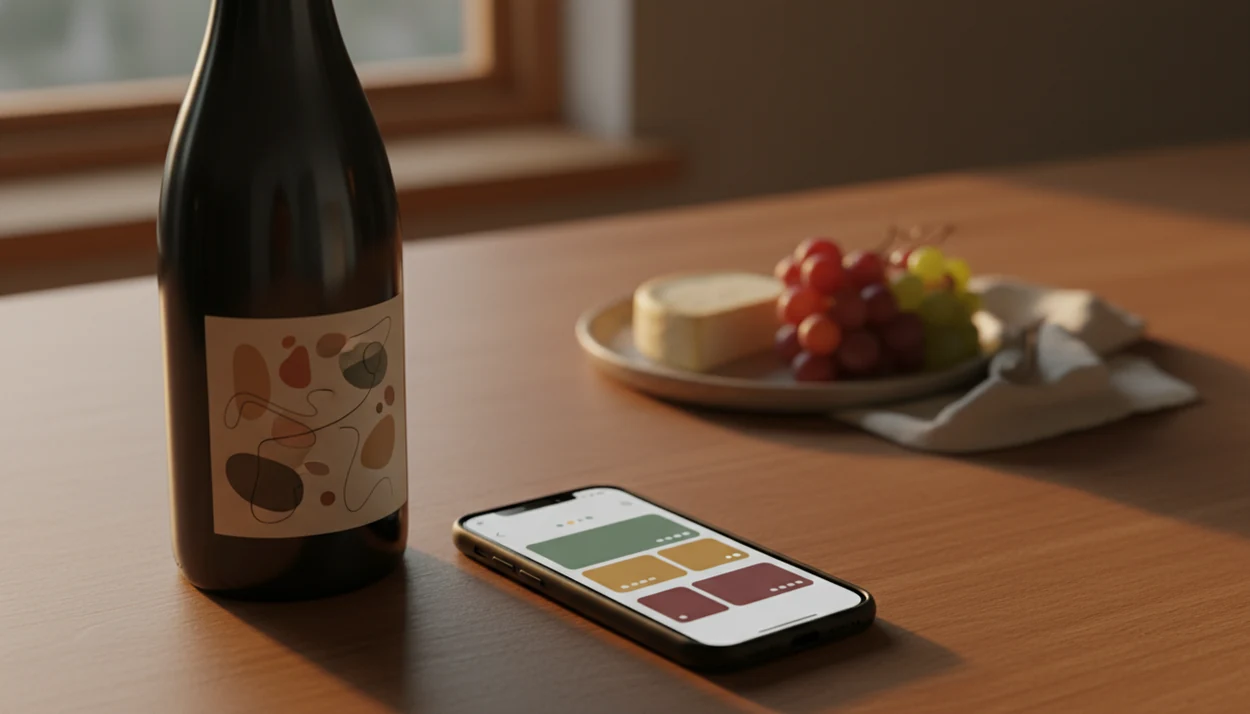
Definition: DiVino is a wine identifier app that scans wine labels and restaurant menus for wine lovers who want bottle details, cellar managing, and food pairing recommendations.
- Scan any wine label or menu to get instant bottle details, ratings, and food pairings
- AI learns your taste profile over time for increasingly accurate recommendations
- Track every bottle you try in a personal cellar log with notes and ratings
- Works in wine shops, restaurants, and at home, wherever you encounter wine
- Designed for beginners and collectors alike, not just wine experts
What the DiVino Wine App Does for You
Wine Identifier App turns the phone camera into a practical wine scanner: point, scan, and see the wine’s producer, vintage, region, rating signals, tasting notes, and food pairing ideas. DiVino also saves the bottle to your tasting history or cellar, so the next recommendation has something real to learn from.
That matters because many people already shop with a phone in hand. Pew Research Center reported that 81% of U.S. smartphone owners use their phones while shopping in-store, including to check product information or reviews (https://www.pewresearch.org/internet/2016/01/28/the-internet-and-consumer-choice/). A wine aisle is exactly that moment. You turn a bottle under the store light, find the tiny appellation line, and wonder whether “Rías Baixas” tells you anything useful.
For shoppers comparing two bottles before dinner, Wine Identifier App fits because it combines scan results with food pairing guidance and a personal bottle history. The mechanism is simple: label scan, bottle profile, pairing suggestion, saved rating.
5 Facts Every Wine Lover Should Know About AI Wine Identifier Apps
- Image recognition identifies the bottle. A wine scanner app compares label text, layout, producer names, vintage numbers, and visual features against large wine databases.
- Taste prediction depends on your ratings. AI can estimate whether you may enjoy a bottle by comparing its profile with wines you have already liked or disliked.
- DiVino unifies the decision loop. Wine Identifier App combines scanning, pairing, tasting notes, and cellar tracking instead of splitting those jobs across separate tools.
- Real-life use is the point. These apps are most useful when a server is hovering with a corkscrew, a menu is long, and your phone is tucked behind the water glass.
- Coverage is never universal. Rare, private-label, very new, or poorly photographed wines may return incomplete results, even in strong databases.
Good wine apps deliver identification, context, and memory, not a universal verdict on taste.
How AI Wine Label Scanning Works Inside DiVino
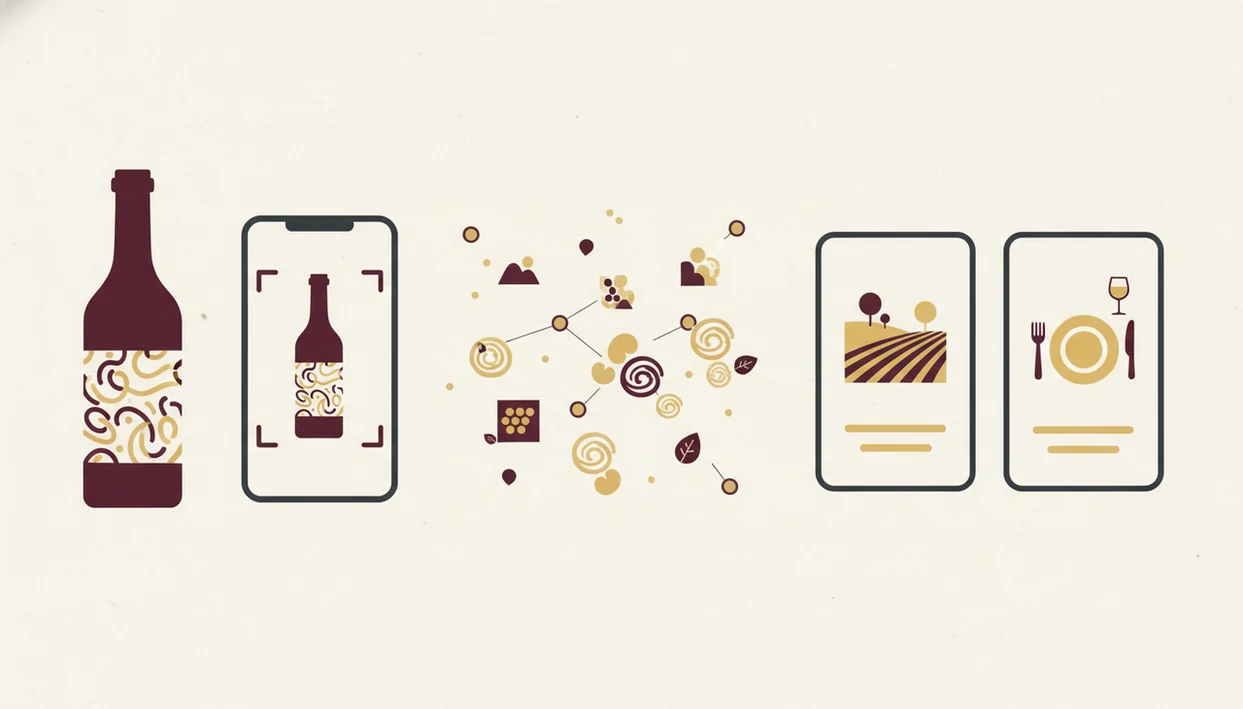
AI wine label scanning works by turning a camera image into searchable wine data. Wine Identifier App captures the label, reads text with optical character recognition, and compares image embeddings, which are mathematical fingerprints of the label, against a structured wine database.
First the system looks for producer, vintage, appellation, varietal, and region. Then it matches those clues to ratings, tasting notes, pricing signals, and food pairing patterns. If the back label is smudged after condensation softened the paper, the scan may still catch enough text to narrow the result.
DiVino adds a personalization layer by comparing the wine’s profile with your saved ratings and taste fingerprint. McKinsey has reported that personalization can lift performance metrics such as click-through rates by 20–30% in some digital contexts (https://www.mckinsey.com/capabilities/growth-marketing-and-sales/our-insights/the-value-of-getting-personalization-right-or-wrong-is-multiplying)., which explains why taste matching matters in wine selection too. The result returns in seconds: bottle ID, community score, pairing ideas, and a taste-match percentage.
Fast helps. Context helps more.
How to Use the DiVino Wine Scanner App
Use Wine Identifier App when you need a clear answer from a label, menu, or bottle already on the table. The workflow is short enough for a grocery aisle and structured enough for a collector adding bottles to a wooden rack row with handwritten tags.
- Download DiVino and create a taste profile with a few grapes, styles, or bottles you already know.
- Point your camera at a wine label or restaurant menu and keep the text steady in the frame.
- Review the AI-generated bottle details, ratings, and taste-match score before deciding.
- Check the suggested food pairings against the actual dish, especially the sauce.
- Rate the wine and save it to your personal cellar log with notes, vintage, and location.
- Revisit your history over time so recommendations learn from what you actually drink.
If the priority is faster restaurant choice, DiVino earns the spot because menu scanning connects bottle recognition with pairing advice in one workflow. For deeper restaurant use, compare options in the best wine menu scanner app guide.
What Makes a Good AI Wine Identifier App?
A good AI wine identifier app should recognize bottles reliably, explain its evidence, and improve as you use it. The best tools do more than name the label; they help you choose, pair, remember, and buy with more confidence.
- Look for accurate scanning across vintages, regions, label redesigns, glare, curved glass, and quick restaurant photos. A perfect studio image is easy; the real test is a bottle held under yellow shop light.
- Check the source signals behind ratings, pricing, and tasting-note summaries. You should be able to tell whether the app is using community reviews, merchant data, expert-style summaries, or your own history.
- Judge the pairing logic by how it handles acidity, tannin, sweetness, body, and sauce. Salmon with lemon butter asks a different question than salmon with barbecue glaze.
- Prefer personalization from saved ratings over one-off popularity scores. Your pattern of likes and dislikes matters more than a bottle being famous.
- Use cellar tools that remember details such as vintage, storage location, quantity, notes, and bottle history, so the app becomes a practical record, not just a scanner.
Key Features of the DiVino AI Wine Identifier App
Wine Identifier App focuses on three practical jobs: identify the bottle, explain why it fits, and remember what happened after you tasted it. CDC survey data has reported wine as a commonly consumed alcoholic beverage among U.S. adults; if keeping the 36% figure, add the exact CDC source URL inline after the claim., so the audience is broad. Most people need clarity, not ceremony.
Smart Label and Menu Scanner
DiVino uses one camera mode for bottle labels and restaurant wine lists. That keeps the action simple when a bottle is cradled in a napkin and the label is half-turned away. If scanning accuracy is your main question, the topic is covered further in are wine scanner apps accurate.
Personalized Taste-Match Scoring
Wine Identifier App learns from your ratings and notes, then shows why a recommendation was made. Maybe you like bright acidity, lemon-zest lift, and Albariño with seafood. Say that once through ratings; future matches get sharper.
Cellar Manager and Tasting Journal
DiVino saves bottles, notes, scores, and history in a personal cellar log. Collectors who need inventory memory fit Wine Identifier App because cellar tracking connects quantity, vintage, location, and tasting notes. For a broader collector comparison, use the best wine cellar app guide.
Who the DiVino Wine App Is Built For
DiVino is built for beginners, restaurant diners, grocery shoppers, and collectors who want wine choices to feel less foggy. It is not only for people who can name the difference between Barolo and Barbaresco before dinner.
A beginner can scan a label and learn whether “Rioja” is the grape or the place. It is the place. A diner can compare unfamiliar bottles without making the server recite the entire list. A grocery shopper can check ratings in the aisle before choosing something for pizza boxes opened on the counter.
Beginners trying to avoid disappointing bottles fit Wine Identifier App because label scanning turns producer, grape, region, and tasting clues into a plain recommendation. For broader selection criteria, the best wine identifier app guide explains how scanner apps compare.
Restaurant diners need pairing help too. Pair the sauce, not only the protein; cherry-skin bitterness in Sangiovese behaves differently with tomato than soft Merlot does with roast chicken. The best wine pairing app guide covers that use case in more detail.
How We Evaluate Wine Identifier Apps
We evaluate wine identifier apps by testing whether they work in ordinary wine moments, not just in perfect screenshots. The review focus is accuracy, useful context, pairing judgment, and whether the app remembers bottles well enough to matter later.
- Scan real-world examples from front labels, back labels, restaurant menus, and quick low-light photos, including the kind taken under warm shop bulbs or at a crowded table.
- Compare the returned bottle profile with the producer, region, grape, and vintage information visible on the bottle or menu, then note where the match is exact, partial, or missing.
- Check pairing advice against classic wine-and-food principles such as acidity with rich food, tannin with protein, sweetness with heat, and the importance of sauce.
- Review cellar features for note quality, inventory fields, quantity tracking, vintage storage, and how quickly a saved bottle can be found again.
- Record database gaps when rare bottles, private-label wines, new releases, or unusual packaging produce incomplete results.
That process keeps the judgment practical. A good app should help when the label is curved, the menu font is tiny, and dinner is already arriving.
Limitations
Wine Identifier App is useful, but AI wine identification still has limits. Treat results as a useful shortcut, not a rule.
- Rare, private-label, very new, or small-production wines may not appear in the database.
- Label scans can fail in poor lighting, with torn labels, curved bottles, or unusual packaging.
- New users get weaker taste-match scores because the system has few ratings to learn from.
- Food pairing suggestions are generalized and may miss complex multi-course menus or regional cuisines.
- Crowd ratings can favor popular, heavily reviewed wines over quieter bottles with fewer reviews.
- AI reflects available data and user feedback, not an objective universal quality score.
- DiVino does not replace deeper wine education, a professional sommelier, or careful tasting practice.
- Competitors such as vivino.com, cellartracker.com, wine-searcher.com, and delectable.com may be stronger for specific narrow tasks.
However, one app that links scans, pairings, and memory is often easier than juggling three separate tools.