
Find Wine From Label Photo With Better Results Every Time
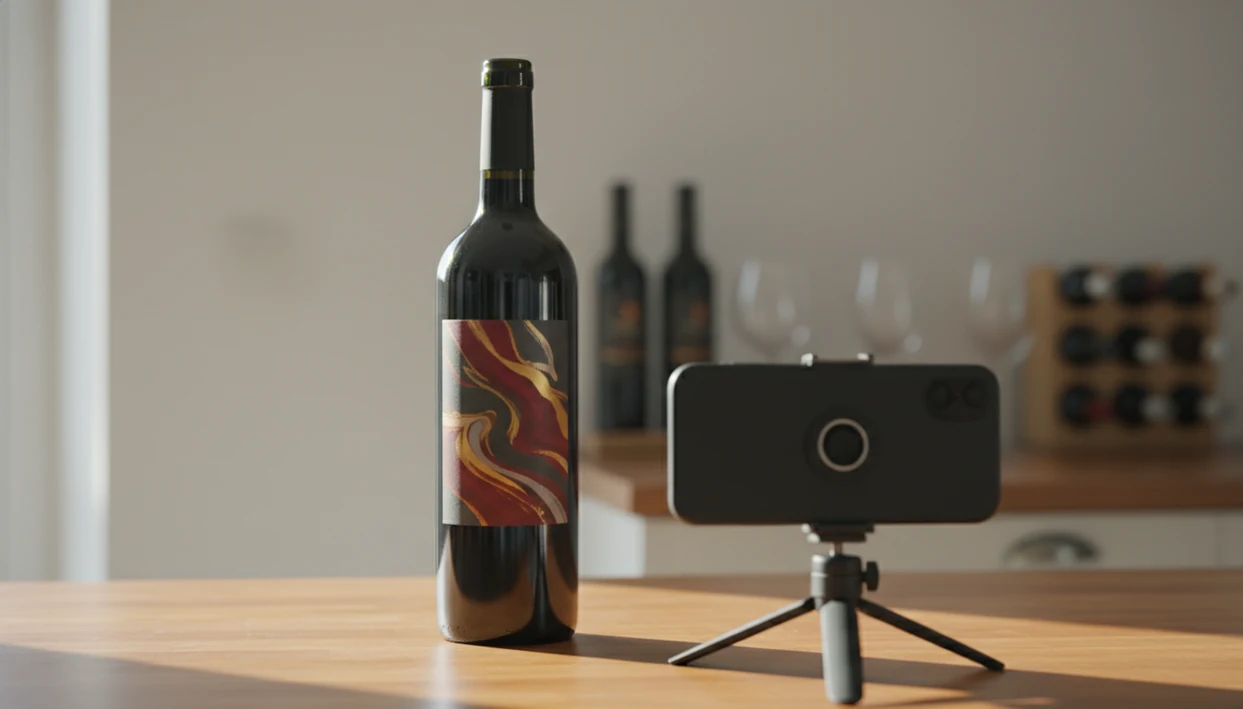
To find wine from label photo reliably, capture a clear, well-lit, front-on shot of the full front label showing producer, vintage, and region, then verify the app's match against those details before saving. Blurry angles, glare, and cropped text are the top reasons scans fail.
Wine label photo identification is the process of using computer vision and OCR on a smartphone photo of a wine bottle's label to match it against a database and return the exact wine name, producer, vintage, region, and grape variety.
- A sharp, straight-on photo of the full front label is the single biggest factor in accurate wine identification.
- Always verify the app's match by checking producer name, cuvée, region, and vintage against the physical bottle.
- Tools like DiVino go beyond label matching by letting you ask AI sommelier follow-up questions about pairings and alternatives.
Why Wine Label Photo Scans Fail in Stores and Cellars
Wine label scans usually fail because the photo gives the app incomplete information. Glare, tilted bottles, cropped producer names, and price stickers can hide the exact clues needed to identify bottle from label.
Phone lookup is now normal in wine shopping. In a 2021 U.S. alcohol consumer survey, 39% used smartphones in-store to look up product information, reviews, or prices before buying (https://www.winebusiness.com/news/article/245579), and Wine Market Council research found that 32% of regular wine drinkers checked reviews or ratings on their phone while shopping (https://www.winebusiness.com/news/article/238448).
The shelf moment is rarely tidy. A grocery aisle bottle tilted toward the phone catches ceiling glare, and suddenly “Chianti Classico” becomes three pale letters and a gold rooster. No app is 100% accurate in that situation.
Start with the label. Then make the photo boring: straight, bright, complete, and readable. For most shoppers, a clean photo is often more useful than taking three rushed scans from bad angles.
How Wine Photo Lookup Technology Uses OCR and Computer Vision
Wine photo lookup works by combining computer vision with OCR, then comparing the result against stored wine label records. Computer vision reads the image pattern; OCR reads the printed words.
The visual model extracts features such as logo shape, color layout, capsule style, and font placement. OCR, short for optical character recognition, turns text into searchable strings: producer, appellation, vintage, vineyard name, alcohol percentage, and sometimes importer details.
After that, the app checks cloud databases of stored label images and wine records. A confidence score helps decide between similar bottles. That score may drop if two vintages share the same design or if a private label uses generic typography.
Results differ across apps because the parts differ. Database size matters, but so do AI model quality, text cleanup, and what happens after the match. A basic scanner may stop at the wine name; a fuller wine label scanner app may add cellar notes, price context, or pairing prompts.
Five Facts About Identifying a Wine Bottle From Its Label
- Modern wine scanner apps use computer vision and OCR together; the image shape and the label text both help identify the bottle.
- Photo quality is the user’s main controllable variable. Lighting, angle, distance, and glare matter more than people expect.
- Look-alike labels and vintage confusion are real risks. One year off can mean a different release, price, or drinking window.
- Leading apps often let you scan, rate, save, and sometimes buy after a match. That is useful, but the saved record is only as good as the verified match.
- Good divino ai wine identification and sommelier app results deliver bottle recognition plus food-pairing context, not a guaranteed judgment of whether the wine is “good.”
A restaurant bottle cradled in a napkin is a harder scan than a bottle on a table. Rotate it gently if you can, and look for the region before the romance.
For people comparing app options, a best wine identifier app guide is most useful when it tests both recognition and what the app does after recognition.
How to Find Wine From a Label Photo in 5 Steps
To find wine from a label photo, give the app the same clues a careful human would use: producer, cuvée, region, vintage, and label design. Do the scan first, then verify before you save or buy.
- Position the bottle on a plain, non-reflective surface so the label is not fighting patterned tile, glass glare, or a crowded shelf.
- Capture a straight-on photo of the entire front label in steady light, with the phone parallel to the bottle.
- Let the app process the image, then review the top match instead of accepting it automatically.
- Verify producer, cuvée, region, and vintage against the physical bottle before adding it to a list or cellar.
- Ask follow-up questions in DiVino’s AI sommelier about pairings, similar bottles, or aging potential once the match looks right.
The awkward dinner-table whisper, “Is Rioja the grape or the place?” is exactly where the follow-up step helps. First the place. Then the style.
Photo Capture Tips That Improve Wine Label Recognition
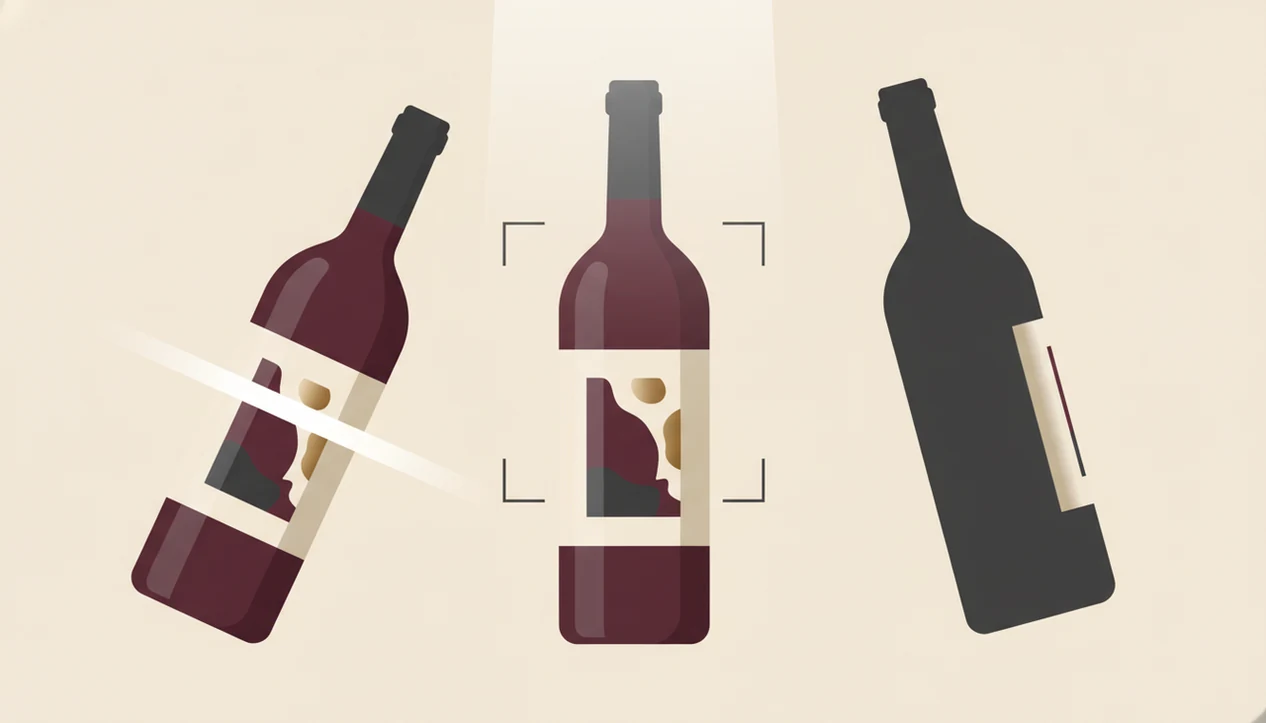
Better wine label recognition starts with removing visual noise. Avoid direct flash and harsh overhead fluorescent lighting, since both bounce off curved glass and wash out small type.
Fill about 70% to 80% of the frame with the label. Keep the phone parallel to the bottle, not pointed down from above. If a shelf tag or discount sticker covers the producer name, move it if you own the bottle. If you do not, take a second angle.
Small type matters.
If the front label fails, photograph the back label and barcode as backup. I often turn a bottle under a kitchen pendant light just to find the tiny appellation line, because that line can separate a regional wine from a named vineyard.
Pew Research Center reports that smartphone ownership is above 90% for many U.S. adult age groups, so the hardware is usually not the problem; technique is. Source: https://www.pewresearch.org/internet/fact-sheet/mobile/
Post-Scan Wine Verification: Confirm the Right Bottle Before You Save
Post-scan verification means checking the app’s result against the bottle before trusting it. This step matters most when the wine is expensive, old, rare, or being added to a cellar.
Start with the winery name and cuvée spelling. Then confirm the vintage year. A 2018 and 2019 label may look almost identical, but the wine can differ in price, maturity, and availability. Next, check appellation or region text. “Napa Valley” is not the same as a single vineyard within Napa.
Use alcohol percentage and bottle volume as secondary clues. They are not glamorous, but they help when labels are nearly twins. Auction bottles wrapped in tissue paper deserve extra patience here. One wrong saved record can follow the bottle for years.
For collector workflows, how to scan wine label with phone should include verification, not just the camera step.
Common Myths About Wine Photo Lookup Apps
The first myth is that an app should identify every label on the first try. Reality is less tidy. Cropped text, condensation, foil glare, and stylized labels can all lower confidence.
The second myth is that the app is tasting the wine. It is not. It is matching the label image and text to known records, then using stored data and recommendation logic to explain style, ratings, pairings, or alternatives.
Another myth says no match means the wine is fake or bad. Often, it just means the bottle is new, local, private-label, or missing from that database.
Last, not all apps work the same way. Vivino, Wine-Searcher, CellarTracker, and Delectable each emphasize different jobs: reviews, prices, cellars, or image recognition. If you want natural-language help after the scan, the best AI sommelier app category matters more than the first match alone.
Limitations
Wine label scanning is useful, but it has real limits. Treat the result as a strong starting point, not a final certificate.
- No app achieves 100% accuracy, especially with generic, damaged, stained, or heavily stylized labels.
- AI can confuse similar label designs and nearby vintages. Manual double-checks are essential for high-value bottles.
- New releases, micro-producers, and private-label wines may not exist in any database yet.
- Lighting, glass reflections, curved bottles, and busy backgrounds can reduce recognition accuracy.
- Ratings, prices, and availability after a match may be region-specific or outdated.
- Back-label-only wines, non-Roman scripts, and smudged importer stickers add another layer of difficulty.
- Barcode matches can help, but some barcodes point to a producer or product family rather than one exact vintage.
A scan after condensation has softened the back label paper is not the same as a clean studio image. Slow down, wipe the bottle, and try again.
Read more
FAQ
Is there an app that identifies wine labels?
Yes. Apps such as DiVino, Vivino, Delectable, and others can identify wine labels from a phone photo and return bottle details.
Can I find wine from a photo for free?
Yes, some apps offer free wine photo lookup with limits on features, history, ratings, or advanced recommendations. A free wine label scanner app may be enough for occasional bottle identification.
How accurate are wine label scanners?
Accuracy depends on photo quality, label condition, database coverage, and how similar the bottle is to other wines. A clear front label with visible producer, region, and vintage gives the best chance of a correct match.
Does wine photo lookup work on iPhone?
Yes, wine photo lookup works on iPhone through apps that use the camera for label recognition. A Wine Identifier App can scan the label first, then help you check producer, region, and vintage before saving the bottle.
Can I scan a barcode instead of a label?
Yes, barcode scanning can help identify some bottles. Front-label photos usually provide richer wine details because they show producer, cuvée, region, and vintage.
Why does the app show the wrong vintage?
Similar labels across vintages can confuse OCR and image matching. Always compare the displayed year with the vintage printed on the physical bottle.
Do wine scanner apps work offline?
Most wine scanner apps need internet access because image matching usually happens against cloud databases. Offline use may be limited to saved bottles or manual notes.
What if my wine label is damaged or faded?
Try the back label, barcode, capsule text, or manual text search. If key details are missing, the app may only return a partial or uncertain match.