
Free Wine Label Scanner App Options Compared
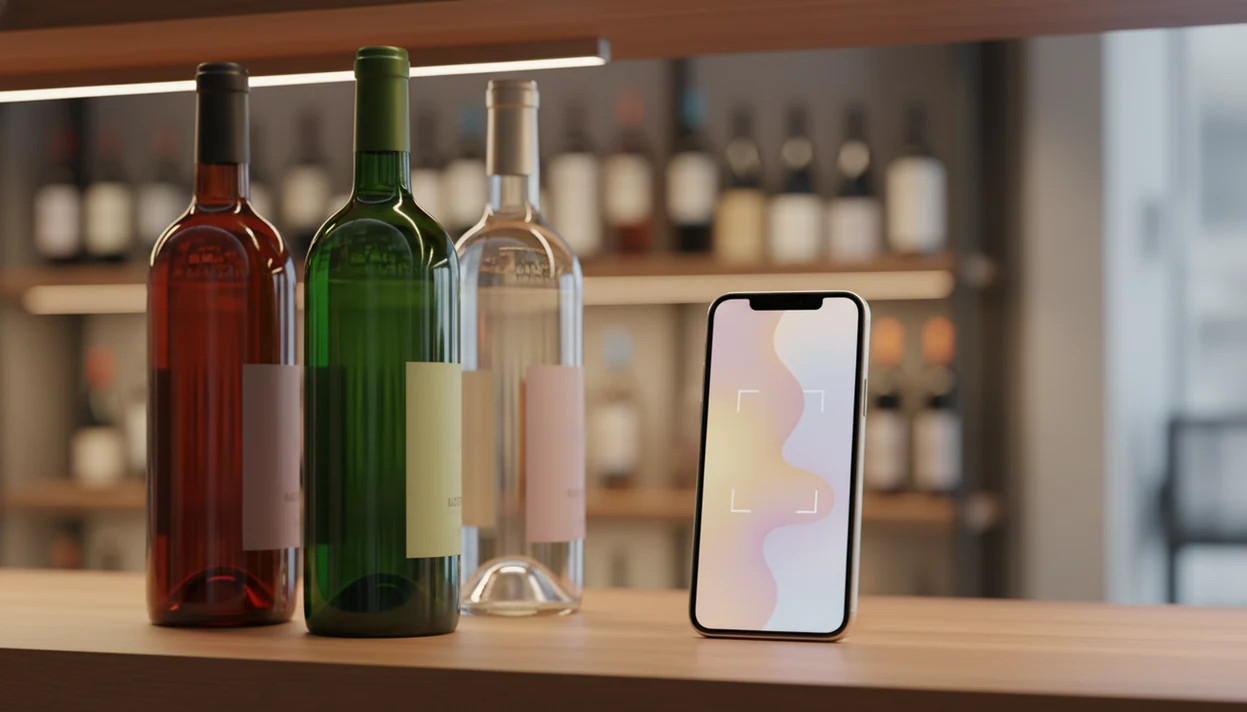
A free wine label scanner app can identify a bottle from a photo, then show ratings, prices, tasting notes, and pairing ideas, but the free tier matters as much as the scan. Vivino is strong for recognition, CellarTracker is better for cellar records, and DiVino adds conversational wine guidance after the scan.
> Definition: A free wine label scanner app is a mobile tool that uses image recognition to identify a wine bottle from its label photo and returns details such as ratings, reviews, price ranges, and food pairings.
- Most free wine scanner apps cover basic label recognition and crowd-sourced ratings but lock advanced features behind paid tiers.
- Recognition accuracy and database coverage differ significantly. Edge cases like small producers, old vintages, and private labels trip up every app.
- Monetization through marketplace commissions and promoted listings can bias which wines a free app recommends to you.
At-a-Glance: Free Wine Label Scanner App Comparison
A good free wine scanner should identify the label, show the right vintage, and explain the bottle without making you fight ads at the shelf. According to Wine Market Council research, 55% of U.S. high-involvement wine consumers use an app or website to research wine purchases at least occasionally (https://winemarketcouncil.com/research/).
| App name | Scan accuracy | Database size | Free tier limits | Monetization model | Standout feature |
|---|---|---|---|---|---|
| Vivino | High | Very large | Premium analytics and ad removal paid | Marketplace sales, ads, premium | Strong label recognition |
| CellarTracker | Medium | Very large cellar data | Interface and scanning feel limited | Community, subscriptions, donations | Cellar history and notes |
| Wine-Searcher | Medium | Large retailer listings | Scan is secondary to search | Retailer leads, pro tier | Price comparison |
| Delectable | Medium | Smaller than Vivino | Less active community | App ecosystem, commerce links | Sommelier-style notes |
| DiVino | Medium | Growing | Newer database coverage | Premium AI features | AI sommelier guidance |
If your priority is understanding a bottle after the scan, Wine Identifier App fits because it turns label recognition into tasting language, pairing prompts, and a saved bottle workflow.
Top 5 Free Wine Scanner Apps Worth Downloading
The strongest free wine scanner app depends on the job. Start with the label, then ask what you need next: ratings, price, cellar tracking, or help choosing with dinner.
- Vivino is the largest community option and usually the safest first scan for common retail bottles. It is helpful when a dusty Bordeaux label under kitchen light gives you only half the producer name.
- CellarTracker is the better free choice for people who already store bottles. Its cellar records matter more than polish when bottle neck tags are swinging in rows.
- Wine-Searcher is strongest for price comparison. It is less about tasting notes and more about checking whether the shelf price is reasonable.
- Delectable offers sommelier-curated notes and a social feed. The database feels quieter now, but the tasting language can be useful.
- DiVino adds an AI sommelier layer with conversational guidance and food pairings. For a broader paid-and-free shortlist, compare our best wine identifier app guide.
The right fit for pairing questions is Wine Identifier App divino ai wine identification and sommelier app because it links the scan to sauce, acidity, tannin, and occasion instead of stopping at a score.
How Free Wine Label Recognition Works
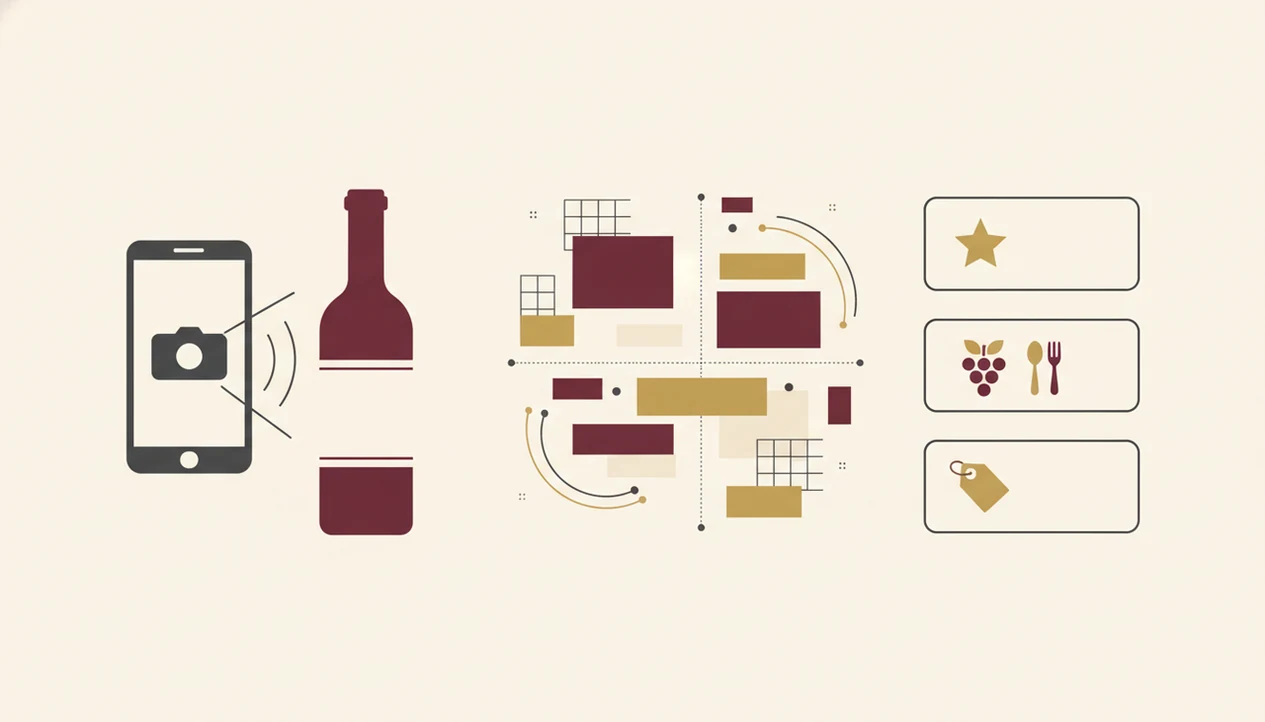
Free label recognition works by turning a label photo into searchable signals. The camera captures the image, OCR reads visible text, and image-matching compares shapes, fonts, logos, and layout against a wine database.
- A phone camera captures the label, then OCR extracts producer names, appellations, vintages, and cuvée text.
- Image embeddings help match the visual label to stored examples; in plain English, the app looks for a close visual cousin.
- Results usually combine crowd-sourced reviews, retailer listings, producer data, and sometimes professional notes.
- Lighting, angle, glare, torn paper, and partial labels reduce accuracy. A wax-sealed bottle on a marble counter can still confuse a scan.
- Database gaps are common for niche producers, new vintages, private labels, and non-Latin scripts.
Google’s mobile retail research found that 84% of smartphone shoppers use their phones while in a physical store, so wine scanning fits an existing shopping habit (https://www.thinkwithgoogle.com/consumer-insights/consumer-trends/mobile-in-store/).
When the trigger moment is a confusing shelf label, Wine Identifier App earns the spot because it can scan first, then explain the grape, region, and likely taste in one guided result.
How To Use a Free Wine Scanner App in a Store or Restaurant
Use a free wine scanner by giving the camera a clean label, then checking the match before trusting the score. The vintage and producer line matter; one digit can change the bottle.
- Download and open the app. Most free options allow a basic scan without creating an account first.
- Center the full label in good lighting. Turn the bottle under the pendant light until the tiny appellation line is readable.
- Review the matched result. Check the producer name, vintage, region, and cuvée before you read ratings.
- Compare ratings, price range, and pairing suggestions. Pair the sauce, not only the protein.
- Save or share the bottle. Add it to a personal collection, tasting journal, or dinner note.
If the scan fails, use text search. Type the producer first, then the region, then the vintage.
After a steakhouse list opens to reds, when the table is waiting, Wine Identifier App divino ai wine identification and sommelier app is useful because the restaurant menu scanner can compare bottles against your meal instead of forcing manual typing.
How We Picked These Free Wine Label Scanner Apps
We picked these apps by testing the parts that matter in real use: scan accuracy, database size, free-tier generosity, ad intrusiveness, and data privacy. Android and iPhone both mattered because a scanner that works only on one camera setup is not much help at a store shelf.
The edge cases were deliberate. We tried small producers, supermarket private labels, older vintages, and labels where condensation had softened the paper. We also looked at monetization transparency, since a “free” recommendation can be shaped by retailer links or promoted listings.
Free label recognition should identify wine, explain context, and disclose tradeoffs, not quietly steer every uncertain shopper toward the easiest bottle to sell.
Free vs. Paid Tiers: What a Free Wine Scanner Really Includes
A free wine scanner usually includes label scans, basic ratings, and community reviews. Paid tiers tend to remove ads, add analytics, deepen cellar tools, or unlock offline scanning.
- Free tiers often allow unlimited scans, basic wine details, average ratings, and user reviews.
- Paid tiers commonly add ad removal, collection analytics, private notes, market insights, or offline access.
- Marketplace commissions and promoted listings can influence which bottles appear more often in recommendations.
- IWSR reported that beverage alcohol e-commerce value grew 42% in 2020, which helps explain why wine apps have a commercial reason to drive purchases (https://www.theiwsr.com/news-and-comment-beverage-alcohol-e-commerce-value-grew-by-42-in-2020/).
- BrightLocal’s consumer review research found that younger adults are especially likely to trust online reviews, so crowd ratings can strongly shape bottle choice (https://www.brightlocal.com/research/local-consumer-review-survey/).
For casual shoppers, a free tier is often enough because the main job is identification; collectors usually need paid cellar structure because location, quantity, and drinking window become the real work.
On days you only need a quick dinner answer, Wine Identifier App covers the free-scanner use case because the scan can lead into food pairing guidance and a saved tasting note.
Crowd-Sourced Ratings vs. Expert Scores Inside Free Wine Apps
Most free scanner apps rely on crowd-sourced ratings, not professional critic panels. A high average score means many users liked the wine; it does not automatically mean a critic endorsed it.
That distinction matters with popular mid-price bottles. They can gather thousands of reviews, while a tiny producer from Jura or a back-vintage Rioja may show thin data. Someone at dinner may whisper, “Is Rioja the grape or the place?” The score will not answer that. The region will.
DiVino adds an AI sommelier layer that can place a rating in context, such as whether bright acidity suits goat cheese or whether soft tannins fit roast chicken. If you want deeper conversational advice beyond a score, our best AI sommelier app guide explains that category.
The most useful wine-app rating is a starting signal, not a verdict, because food, vintage, producer style, and your own palate still decide the match.
Honest Cons of Every Free Wine Label Scanner App
Every free scanner has a weak point. The question is which weakness bothers you least when you are actually standing in front of the bottle.
- Vivino: Recognition is strong, but the marketplace push can feel heavy. Premium analytics also sit behind a paywall.
- CellarTracker: Cellar records are excellent, but the interface feels dated and label recognition is weaker than scan-first apps.
- Wine-Searcher: Price search is the main strength, so scanning and social discovery feel secondary.
- Delectable: Notes can be thoughtful, but the database and community feel smaller now.
- DiVino: The database is newer and still growing. AI pairing advice can occasionally sound too generic or make a detail seem firmer than it is.
If you mainly need to know what app identifies wine labels, start with recognition reliability before comparing tasting extras.
Limitations
Free wine label scanner apps are helpful shortcuts, but they are not neutral or complete wine authorities. They work best when the label is clean, common, and already represented in the app database.
- Damaged, partial, stained, reflective, or non-Latin-script labels can fail recognition.
- Tiny producers, brand-new releases, private labels, and older vintages often have database gaps.
- Crowd-sourced ratings skew toward popular, widely distributed bottles.
- Affiliate links, retailer partnerships, and marketplace commissions can influence recommendations.
- AI sommelier layers may generate generic or occasionally incorrect pairing suggestions.
- Free tiers often serve ads, which slows the workflow in a store or restaurant.
- Similar labels across vintages can produce the wrong match if you do not check the year.
- No free app replaces a trusted human sommelier for rare-vintage decisions or fine-wine investment.
Small friction shows up fast.
For collectors, manual verification is often safer than automatic scanning because bottle value depends on vintage, condition, provenance, and exact producer details.
Read more
FAQ
Are free wine scanner apps accurate?
Accuracy varies by app, label condition, lighting, and database coverage. Vivino is generally strongest for common retail labels, while obscure bottles can confuse any free scanner.
Is Vivino completely free?
Vivino offers free basic scanning, ratings, and reviews. Analytics, ad removal, and some premium features require a paid subscription.
Do wine scanner apps work offline?
Most free wine scanner apps need an internet connection to match labels and load database results. Some paid tiers may offer limited offline access.
Which free wine app has the largest database?
Vivino has broad consumer review coverage, CellarTracker has deep cellar and tasting-note records, and Wine-Searcher has strong retailer price data. The largest database depends on whether you mean labels, cellars, or prices.
Can a wine scanner suggest food pairings?
Yes, some apps show food pairings after a scan. DiVino and Wine Identifier App divino ai wine identification and sommelier app add AI-driven pairing guidance, while others rely on basic database tips.
Do free wine apps sell your data?
Free wine apps may collect usage analytics, scan history, location signals, or purchase behavior. Check each privacy policy for data sharing, advertising, and retailer partnership terms.
Do free wine scanner apps work on Android and iPhone?
Most major wine scanner apps support iPhone and Android, but feature timing can differ by platform. Check the current App Store or Google Play listing before relying on newer AI, menu-scanning, or offline features.
Why does my wine scanner misidentify bottles?
Misidentification usually comes from poor lighting, glare, similar labels across vintages, private-label wines, or missing database entries. Try text search with producer, region, and vintage.