
Is There an App That Scans a Restaurant Wine List?
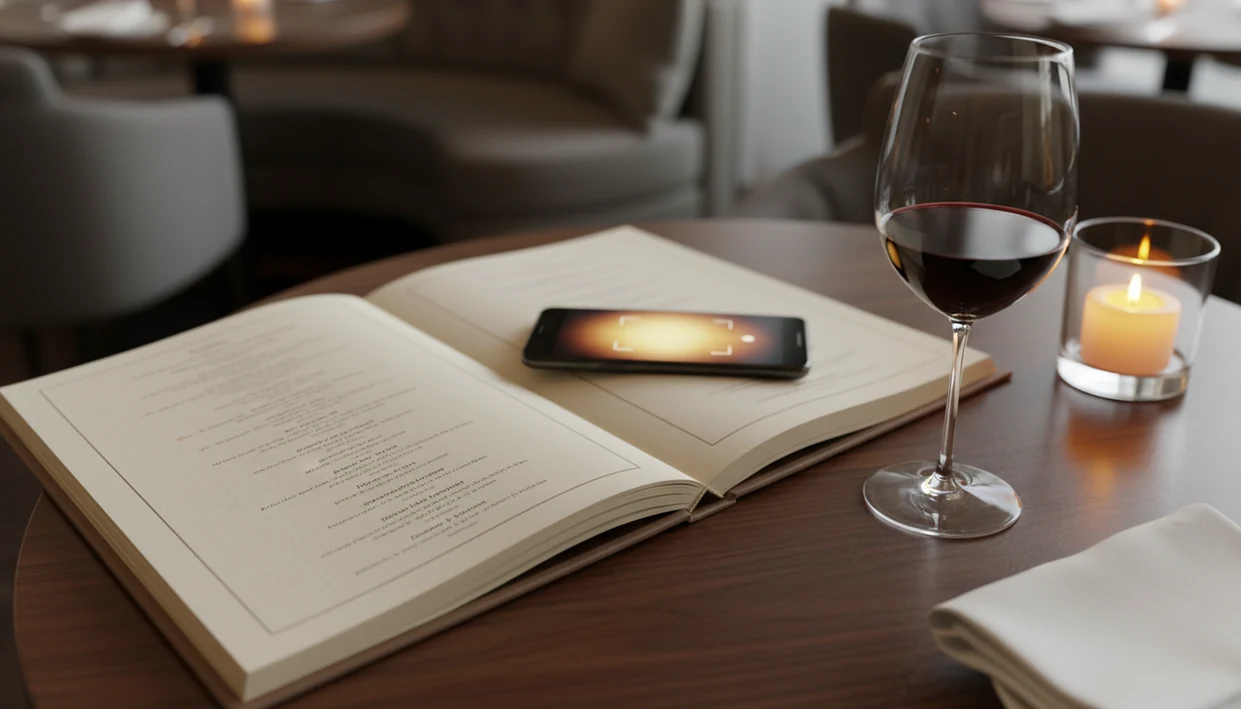
Yes, there is an app that scans restaurant wine list pages. DiVino uses your phone camera to read wine names from printed menus, match them against a wine database, and return ratings, tasting notes, and food pairing suggestions in seconds. Other apps like Vivino also offer wine list scanning, though accuracy depends on image quality and menu formatting.
Definition: An app that scans a restaurant wine list is a mobile tool that uses OCR (optical character recognition) and AI to read wine names from a printed menu, match them to a wine database, and display ratings, reviews, and pairing recommendations at the table.
TL;DR
- Wine-scanning apps use OCR to read restaurant menus and match wine names to databases with ratings and tasting notes.
- Accuracy varies based on lighting, font, layout, and database coverage, not every wine will be recognized.
- DiVino combines wine identification with an AI sommelier that lets you ask follow-up questions about any scanned wine.
What a Restaurant Wine List Scanner App Actually Does
A restaurant wine list scanner app reads printed wine names with OCR, then matches that text to a wine database so you can compare bottles quickly. It usually returns ratings, reviews, tasting notes, origin, grape clues, and pairing ideas.
Start with the label, even when the “label” is really a menu line. A typical result might separate producer, region, vintage, and cuvée name from one compressed restaurant entry. That matters when someone at the table whispers, “Is Rioja the grape or the place?”
Menu scanning is harder than bottle scanning. A bottle label has one object and a predictable photo target. A restaurant list may have columns, prices, vintages, abbreviations, and tiny type on cream paper. For a deeper comparison of menu-focused tools, the best wine menu scanner app guide covers the category in more detail.
A scan is a useful shortcut, not a rule.
At a Glance: 5 Facts About Restaurant Wine OCR
- Label scans are usually easier than menu scans. Bottle labels give the camera one wine at a time, while restaurant menus vary by font, spacing, paper texture, and lighting.
- Post-scan results are database-driven. Most apps show ratings, reviews, tasting notes, origin, and pairing suggestions after matching the wine name.
- Image quality affects recognition. A flat, sharp photo in steady light works better than a tilted shot under a low pendant.
- Speed is the main restaurant benefit. For diners, scanning is often easier than typing five long producer names because the menu decision happens while other people are ordering appetizers.
- AI sommelier features add a second layer. They turn recognition into a conversation, such as asking whether a Sangiovese’s cherry-skin bitterness will suit tomato sauce.
A good Wine Identifier App should deliver quick identification and guided questions, not guaranteed taste certainty.
How Restaurant Wine OCR Works Behind the Scenes
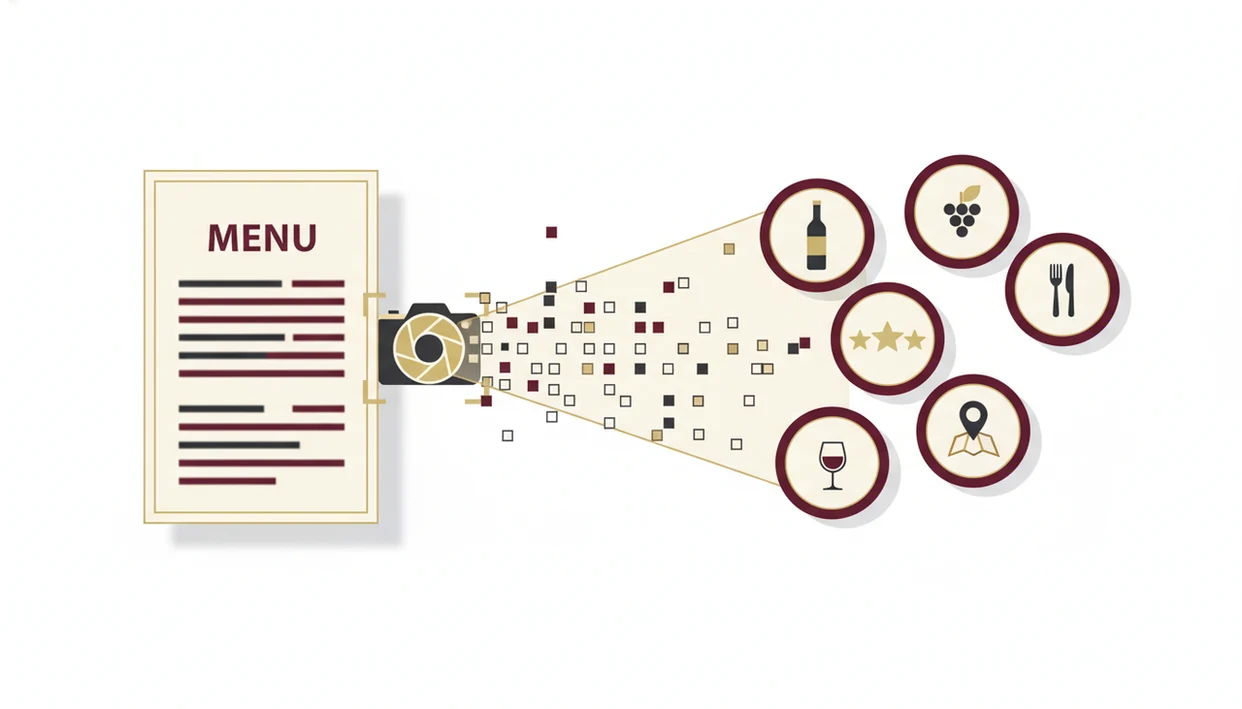
Restaurant wine OCR works by turning a camera image into text, then matching that text against structured wine records. The technical path is camera capture, OCR extraction, database matching, and recommendation output.
First, the phone captures the wine list or bottle label. The OCR engine extracts likely words, including producers, appellations, cuvée names, and vintages. Then the app compares those text fragments with a wine database. Vivino, for example, says it serves more than 70 million users through its scanner, ratings, recommendations, and community source.
After the match, an AI layer can summarize crowd reviews, tasting profiles, and pairing logic. Tools like Wine Identifier App add conversational follow-up, so you can ask whether a bright, lemon-zest white will work with goat cheese. The camera reads. The model interprets.
Before You Scan a Restaurant Wine List
Before you scan a restaurant wine list, set up the phone, the page, and your decision goal. A little preparation gives OCR cleaner text and gives the recommendation something useful to answer.
- Check access first by confirming the app can use your camera and that your phone has an internet connection. Most restaurant wine scans need the web to match text against a database.
- Choose one section instead of photographing the whole list. Reds by the glass, Loire whites, or the sparkling page will usually scan better than a crowded two-page spread.
- Move the menu away from glare, candles, and the shadow of a folded page. Flat paper and steady light matter more than dramatic tableside ambience.
- Decide your pairing goal before reading results. Are you trying to soften spicy food, lift a creamy sauce, or find a red that will not bully fish?
- Plan to verify the producer, vintage, and menu price with the server before ordering. The scan can guide the choice, but the bottle in the cellar is the one you are buying.
How to Use an App That Scans a Restaurant Wine List
To use an app that scans a restaurant wine list, photograph a sharp section of the menu, review the matched wines, then verify the bottle before ordering. Smaller, cleaner scans usually beat one ambitious photo of the whole list.
- Open the app and select the scan or camera function.
- Hold the phone steady over the wine list in good lighting, as flat to the page as possible.
- Capture the image after checking that the text is sharp and not covered by glare.
- Review the matched wines with ratings, tasting notes, origin, and food pairing ideas.
- Ask the AI sommelier follow-up questions about any bottle, especially for sauce, spice, sweetness, or tannin.
If the app misses a wine, retry with a tighter crop or search manually. I’ve had better results scanning one Burgundy section than a full leather-bound wine list beside bread plates. For a phone-by-phone walkthrough, use the how to scan wine menu with phone guide.
Common Myths About Wine List Scanning Apps
The biggest myth is that a scan wine list app can identify every bottle from any photo. It can’t. Blurry images, angled pages, ornate fonts, and smudged ink can confuse the OCR before the wine database even gets involved.
Another myth is that the app replaces a live sommelier. It doesn’t know the chef’s current sauce, the last bottle left in the cellar, or whether the by-the-glass pour has been open too long. It can guide, compare, and explain.
Restaurant wine OCR also is not limited to bottle labels. Some apps can scan menus, shelves, and printed lists, although menu scanning is the harder task. Finally, a recommendation is not a promise that you’ll like the wine. Ripe fruit is not the same as sweetness, and soft tannins still may not fit your preference.
For diners who want help choosing rather than decoding alone, an app to help choose wine at restaurant can be more useful than a simple label scanner.
Common Mistakes When Scanning Wine Lists at Restaurants
Most failed scans come from the photo, not the wine. Shoot flat-on rather than from the side, and avoid catching the shine from laminated menus or polished table lights.
Dim candlelight is the usual culprit. Use flash if it won’t bother the table, or borrow light from your screen and scan a smaller section. Don’t try to capture a multi-page list in one frame. The app needs readable text, not proof that the list is long.
One more mistake: assuming the app’s price data equals the restaurant price. Retail value and restaurant markup are different questions. If OCR fails, manually search the producer or wine name. Turning a bottle around under a kitchen pendant light works for labels; menus need the same patience, just with flatter framing.
Verifying Your Wine Scan Results Before Ordering
Verify a wine scan by checking producer, vintage, region, and price against the actual menu before you order. Identification accuracy and recommendation quality are related, but they are not the same thing.
Confirm that the producer name matches the menu listing, especially with family domaines and similar cuvée names. Check the vintage too. A young Nebbiolo may have a chalky grip on the gums that an older bottle has already softened.
Look at the rating count before treating a score as meaningful. A wine with many reviews gives a steadier signal than a rare bottle with only a few notes. Then ask the AI sommelier about your actual dish. Pair the sauce, not only the protein. If you’re trying to find best wine on menu, compare the scanned price data with the restaurant’s listed price before judging value.
Limitations
Wine list scanning apps are useful, but they still have clear limits at the table. OCR quality commonly drops with blur, glare, low contrast, and rotated or stylized text; Microsoft’s OCR documentation lists image quality and orientation as recognition factors source.
- Poor lighting, glare, small type, folded pages, and dense columns reduce OCR accuracy.
- A scan retrieves database data; it is not a verified sommelier-level recommendation.
- Coverage is uneven for rare vintages, small producers, and restaurant-only allocations.
- Restaurant wine OCR may miss context, such as dish details, bottle condition, or by-the-glass value.
- AI sommelier features are decision-support tools, not replacements for expert service.
- Multi-language menus, handwritten chalkboard lists, and heavily stylized fonts may fail entirely.
- Price comparisons can be misleading because apps may show retail references, not restaurant markup.
- Personal taste still matters. Bright acidity with goat cheese is helpful, unless you dislike sharp whites.
The safest use is simple: scan, compare, ask a focused question, then verify with the server or sommelier.
Read more
FAQ
Can a wine identifier app scan restaurant wine lists?
Yes. DiVino can scan restaurant wine lists and wine labels, then return matched wine details, tasting notes, and pairing suggestions.
Is there a free wine list scanner?
Some wine apps offer free scanning features, though advanced AI sommelier tools, cellar tracking, or deeper recommendations may require a paid plan. Check each app’s current pricing before relying on it at dinner.
Can wine apps scan blurry menus?
Wine apps may read slightly imperfect menu photos, but blurry text lowers OCR accuracy. A sharp, flat photo in good light gives the app a much better chance.
Does wine OCR work on handwritten lists?
Wine OCR works best on printed text. Handwritten wine lists, chalkboards, and stylized scripts may fail or require manual search.
How accurate are wine scanning apps?
Accuracy depends on photo quality, menu formatting, and database coverage. Correct identification does not guarantee that the recommendation matches your personal taste.
Can a wine scanning app replace a sommelier?
No. A wine scanning app can support decisions, but it cannot fully replace a sommelier who knows the restaurant’s food, cellar, and service context.
Do wine scanning apps show restaurant prices?
Some apps may show price references or value comparisons, but those often differ from restaurant menu prices. Always use the printed menu price when deciding.
Does wine list scanning work offline?
Most wine list scanning requires internet access to match the scanned text against a wine database. Offline use is usually limited or unavailable.