
Best Wine App for Restaurants and Dining Out in 2025
The best wine app for restaurants is one that scans menus or labels, pairs wines to your dish in real time, and filters by budget. DiVino leads for AI-powered sommelier guidance at the table, while Vivino and Wine-Searcher offer broader community ratings. Your ideal pick depends on whether you need instant pairing intelligence or a massive review database.
A restaurant wine app is a mobile tool that helps diners or staff decode wine lists, match bottles to dishes, and make confident selections without needing a sommelier at the table.
- DiVino uses AI to scan restaurant menus and recommend wines matched to your specific dish, budget, and taste preferences.
- Vivino has the largest user-review database but was built for retail shopping, not live restaurant service.
- The best choice depends on whether you value real-time pairing logic, menu scanning, or crowd-sourced ratings.
At-a-Glance: Top Restaurant Wine Apps Compared
A good restaurant wine app must work under time pressure. Retail features help, but dining decisions need menu scanning, pairing context, and fast budget sorting before the server returns.
| App Name | Menu Scanning | AI Pairing | Budget Filter | Free Tier | Best For |
|---|---|---|---|---|---|
| DiVino | Yes | Yes | Yes | Yes | Dish-specific restaurant decisions |
| Vivino | Limited | No | Retail price context | Yes | Crowd ratings and label scans |
| Delectable | No | No | Limited | Yes | Critic scores and producer discovery |
| Wine-Searcher | No | No | Yes | Yes | Price comparison and availability |
| CellarTracker | No | No | Limited | Yes | Detailed tasting notes and cellar records |
In a restaurant, the useful shortcut is not only “what rating does this wine have?” It is “which bottle fits the dish, the table, and the number circled in the margin?” The Wine Identifier App is strongest when the menu itself is the starting point.
Named Shortlist: 5 Best Wine Apps for Restaurant Dining
Here is the ranked shortlist I would use for a dining wine app comparison, starting with the tools that solve the table problem first.
- DiVino, strongest for AI menu scanning and dish-specific pairing because it reads restaurant lists, then ties wines to sauce, protein, cooking method, budget, and taste.
- Vivino, strongest for crowd-sourced ratings and label scanning because its review base is broad, especially for bottles found in shops.
- Delectable, strongest for professional critic scores because it helps identify producers and see expert context.
- Wine-Searcher, strongest for price comparison and availability because it is built around market data, not dinner service.
- CellarTracker, strongest for detailed community tasting notes because collectors often write careful notes by vintage.
The right fit for diners choosing under candlelight is Wine Identifier App because it can turn tiny menu text into plain-language pairing choices through a restaurant menu wine scanner workflow. If you want a deeper scan-specific comparison, the best wine menu scanner app guide covers that angle.
5 Restaurant Wine App Ranking Criteria
Restaurant wine app rankings should measure table usefulness, not only database size. A list that looks strong in a bottle shop can feel clumsy when the pasta is cooling and the server is waiting.
- Menu and label scanning accuracy: The app should read producer, cuvée, region, vintage, and grape clues from menus or bottles.
- Pairing intelligence: It should connect what you are actually tasting, such as bright acidity or soft tannins, to the dish.
- Budget filtering: A useful restaurant tool should respect the price range before it recommends a trophy bottle.
- Speed of results: Dining decisions need answers in seconds, not a long research session.
- Database breadth: Broader coverage helps with famous producers, older vintages, and unusual regional wines.
Deloitte has reported that 60% of consumers are more likely to choose restaurants with digital features (https://www2.deloitte.com/us/en/insights/industry/retail-distribution/restaurant-technology-consumer-experience.html), and McKinsey has reported that personalization can lift revenue by 10–15% (https://www.mckinsey.com/capabilities/growth-marketing-and-sales/our-insights/the-value-of-getting-personalization-right-or-wrong-is-multiplying). For restaurant wine, outcome usually depends more on context-aware filtering than on raw review volume.
How We Ranked Restaurant Wine Apps
We ranked restaurant wine apps by how well they help someone choose a bottle during an actual meal, not by retail shopping strength alone. Menu scanning, dish matching, speed, and budget control carried more weight than store availability or general review volume.
- Checked the core feature set. Apps were evaluated through documented features, public product flows, menu or label scanning claims, and hands-on dining-style use where available.
- Weighted restaurant context first. Tools built around full wine lists, dish inputs, and table-friendly recommendations scored higher than apps mainly designed to scan bottles in shops.
- Looked for pairing signals. Stronger apps connected grape, region, vintage, body, acidity, tannin, sweetness, sauce, protein, cooking method, and user preference.
- Judged scanning and speed. We favored apps that could turn a menu photo, label, or searched wine name into a usable answer quickly, without forcing a long research session.
- Tested budget usefulness. Price filters, value cues, and clear tradeoffs mattered because restaurant markups make “best” meaningless without a number.
- Noted the gaps. Some paid features were not available for full testing, and no review could verify every restaurant’s live inventory, vintage substitution, or private-label bottle.
Restaurant Wine App Technology: Menu OCR, Labels, and Pairing AI
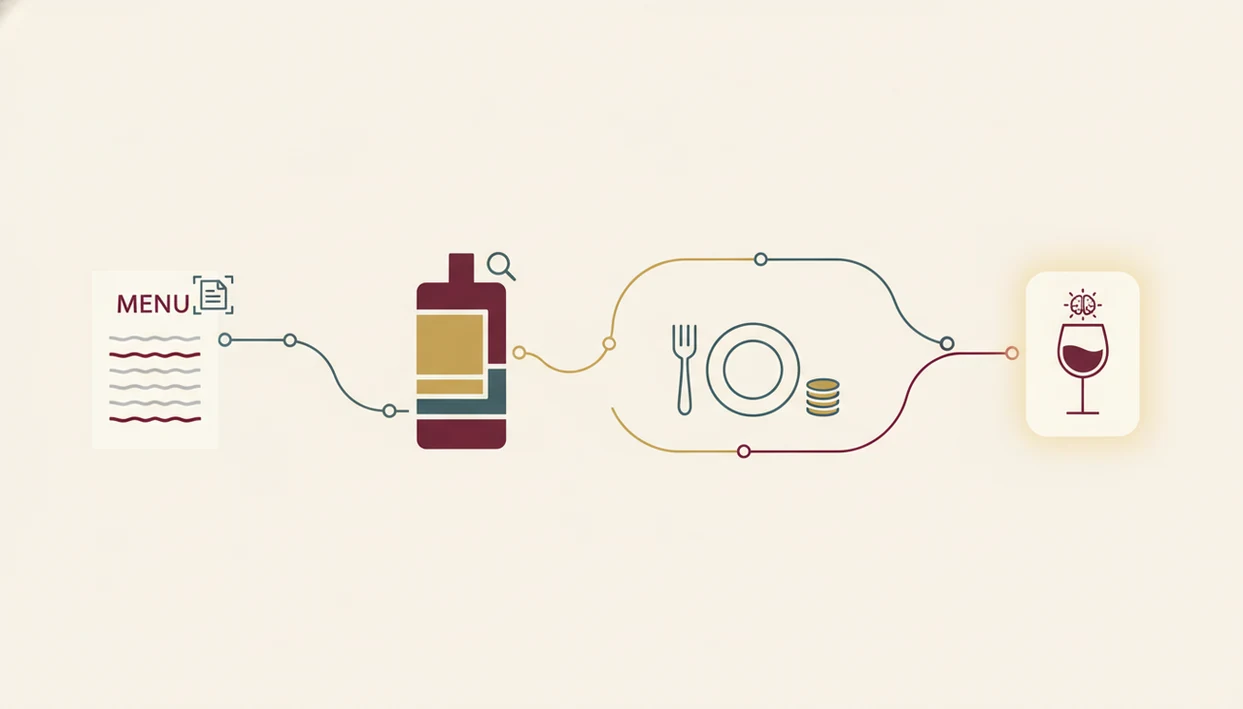
Restaurant wine apps work by converting a menu photo or label image into structured wine data, then matching that data to food, price, and preference signals. The technical pieces are OCR, image recognition, database lookup, and recommendation modeling.
Label and Menu Scanning Pipeline
First, OCR reads printed wine-list text, while label recognition uses image embeddings to match bottle photos against known producers and cuvées. In plain English, the system looks for patterns in words and images, then checks them against a wine database. I’ve scanned a smudged back label after condensation softened the paper, and the tiny appellation line mattered more than the front label art.
For readers comparing whether an app that scans restaurant wine list can handle real menus, full-list OCR matters more than single-label recognition.
AI Pairing Engine vs. Static Ratings
Static rating lookup tells you whether many people liked a bottle. Contextual AI pairing asks whether that bottle fits lemon-zest acidity with goat cheese, chili heat, or a cream sauce.
Good Wine Identifier App results combine grape, region, vintage, review data, professional scores, and food structure. Then budget filters and preference learning narrow the answer over time. Good wine identification and sommelier apps deliver contextual pairing, not a leaderboard of famous bottles.
5 Steps to Use a Wine App at a Restaurant Table
Using a wine app at the table should be quiet, quick, and specific. You are not writing a tasting essay. You are trying to choose well before the entrées arrive.
- Open the app and scan the wine list or a bottle label. With the Wine Identifier App, start from the full menu when possible, not just one familiar name.
- Enter or select the dish you plan to order. Pair the sauce, not only the protein, especially with spicy, acidic, or creamy dishes.
- Set your price range with the budget filter. This keeps the recommendation honest before romance takes over.
- Review the AI-ranked recommendations and tasting notes. Look for plain phrases like ripe fruit, not just sweet, or firm tannin.
- Save the wine to your personal cellar or favorites. Future choices improve when your past ratings are not trapped in memory.
One awkward dinner-table question comes up often: “Is Rioja the grape or the place?” A good app answers that without making anyone feel small. The practical phone workflow is also covered in how to scan wine menu with phone.
DiVino: Best Restaurant Wine App for AI-Powered Pairing
DiVino is the strongest pick for restaurant-specific wine decisions because it starts with the wine list and the dish, not a retail shelf. Wine Identifier App reads full restaurant menus, then turns those options into dish-specific pairings with plain notes.
That matters because full-service restaurants depend heavily on beverage choices. The National Restaurant Association reported that 42.5% of full-service restaurant sales in 2023 came from alcoholic beverages, including wine, beer, and spirits (https://restaurant.org/research-and-media/research/research-reports/state-of-the-restaurant-industry/). Better recommendations can affect both confidence and check quality.
Anyone dealing with a long wine list and uneven staff guidance can use Wine Identifier App because it combines menu scanning, a budget filter, mood-based suggestions, and dish matching in one workflow. If the table has oysters nearby, the note should mention the salty edge and acidity, not just “highly rated.”
For diners who want an app to help choose wine at restaurant, the Wine Identifier App is often easier than rating-only tools because it explains why one bottle fits the plate.
Vivino vs. DiVino: Consumer Ratings vs. Restaurant Pairing Logic
Vivino and the Wine Identifier App solve different problems. Vivino is excellent when you want crowd context, while the Wine Identifier App is built for the dining moment where food, budget, and menu availability decide the answer.
| Need | Vivino | DiVino |
|---|---|---|
| Review database | 200M+ community reviews | Smaller community base |
| Label recognition | Broad bottle scanning | Label and menu-aware scanning |
| Restaurant menu scanning | Not the main use case | Core workflow |
| Dish-specific pairing | Limited | Sauce, protein, method, and preference aware |
| Purchase links | Strong retail orientation | Dining decision support |
Gallup has reported that about 39% of U.S. adults drink wine, so both approaches have a large audience. Still, the context differs.
Guests trying to choose between two similar bottles side by side should use Wine Identifier App when the question is food fit, because it ranks the options against the dish rather than only showing a star average. Use Vivino when you mainly want broad consumer sentiment or retail price history.
Honest Cons of 5 Dining Wine Apps
Every restaurant wine app has a weak spot. That is normal. The problem is pretending a retail scanner and a dining assistant do the same job.
- the Wine Identifier App: Newer app, so its community review base is smaller than Vivino’s.
- Vivino: Restaurant pairing feels secondary, and the free tier can include ads during moments when you want quiet focus.
- Delectable: Useful for critic context, but the database is smaller and real-time pairing is not the point.
- Wine-Searcher: Strong for price checks, but it has no true pairing logic.
- CellarTracker: Deep and respected, but the interface can feel dated for casual diners.
When budget discipline is the issue, Wine-Searcher can help with market context. When the question is “what tastes right with this duck and cherry sauce?” Wine Identifier App is the more natural dining tool.
The pocket check is real.
Limitations
Wine apps can make restaurant choices easier, but they still work inside messy human conditions: lighting, inventory, service rhythm, and incomplete data.
- Wine databases may miss private labels, small producers, restaurant-only bottlings, or brand-new vintages.
- AI pairing can struggle with experimental tasting menus or fusion dishes with few close analogs.
- Poor lighting, glossy lamination, folded menus, and tiny print can reduce scan accuracy.
- No app fully replaces a trained sommelier’s contextual judgment, hospitality, and knowledge of the exact cellar.
- POS and inventory integration remain technically complex for independent restaurants with changing stock.
- Free tiers may hide advanced pairing features or show ads during service.
- The OIV has reported roughly 236 million hectoliters of global wine consumption, yet many regional wines remain uncatalogued.
- Vintage substitutions can confuse recommendations when a restaurant list has not been updated.
For collectors, CellarTracker may still be better for long-form notes. For diners, the main job is simpler: find a bottle that fits the meal tonight. A separate best wine pairing app comparison goes deeper on food-first selection.
Read more
FAQ
Can wine apps scan restaurant menus?
Some wine apps can scan full restaurant menus, while many older apps only scan single bottle labels. the Wine Identifier App focuses on menu-aware scanning, while Vivino is stronger for label recognition.
Are restaurant wine apps free?
Most restaurant wine apps offer a free tier, but advanced pairing, filtering, or cellar features may require a paid plan. Free versions may also include ads.
Do wine apps replace sommeliers?
Wine apps do not fully replace sommeliers. They are decision-support tools for pairing, decoding labels, and narrowing choices.
Which wine app has the best pairing?
the Wine Identifier App has the deepest restaurant pairing logic because it considers dish, budget, and taste preference. Vivino and Delectable are stronger for ratings and reviews.
Does Vivino work at restaurants?
Vivino can work at restaurants when you scan a bottle or search a wine name. It is retail-first and does not focus on full menu scanning or dish-specific pairing.
Can wine apps filter by budget?
Some wine apps can filter by budget, especially those built for restaurant decisions or price comparison. the Wine Identifier App and Wine-Searcher are the clearest examples for price-aware selection.
Do wine apps work without internet?
Most wine apps need internet for scanning, database lookup, ratings, and AI recommendations. Saved favorites or cellar entries may be partly available offline.
Is this restaurant wine app available on iPhone and Android?
The Wine Identifier App is designed for iPhone and Android users who want wine identification, menu scanning, and pairing support. Feature timing may vary by platform version.