

> An AI sommelier app is a mobile application that uses image recognition and wine databases to identify bottles, surface tasting notes and ratings, suggest food pairings, and remember your personal preferences, supplementing human wine advice at the store or restaurant.
- DiVino is free to download on iOS and Android; scan a label or menu photo to get instant wine details.
- The app pairs AI identification with personal taste memory so recommendations improve over time.
- Label scanning, food pairing, cellar tracking, and note-taking help in restaurants, shops, and at home.
What You Get When You Download the AI Sommelier App
- Label identification: Wine Identifier App reads the front label, producer name, vintage, region, and grape clues so you can start with the label instead of guessing from shelf talkers.
- Food pairing help: Pairing suggestions connect bottle style with dinner context, from lemon-zest acidity beside goat cheese to softer reds for roast chicken.
- Taste memory: Ratings and notes build a record of what you are actually tasting, not just what the crowd liked.
- Cellar tracking: Saved bottles can be organized by vintage, quantity, location, and drinking window, useful when the cool cellar door clicks shut and you forget the exact shelf.
- Restaurant menu reading: A menu photo can turn a long wine list into sortable options before the server circles back.
Anyone dealing with a wall of unfamiliar bottles fits Wine Identifier App because the first workflow is simple: scan, identify, review, and save.
Good AI wine app download choices deliver identification, pairings, and memory, not a vague “fancy wine answer” with no saved history.
How AI Wine Label Scanning Works in DiVino
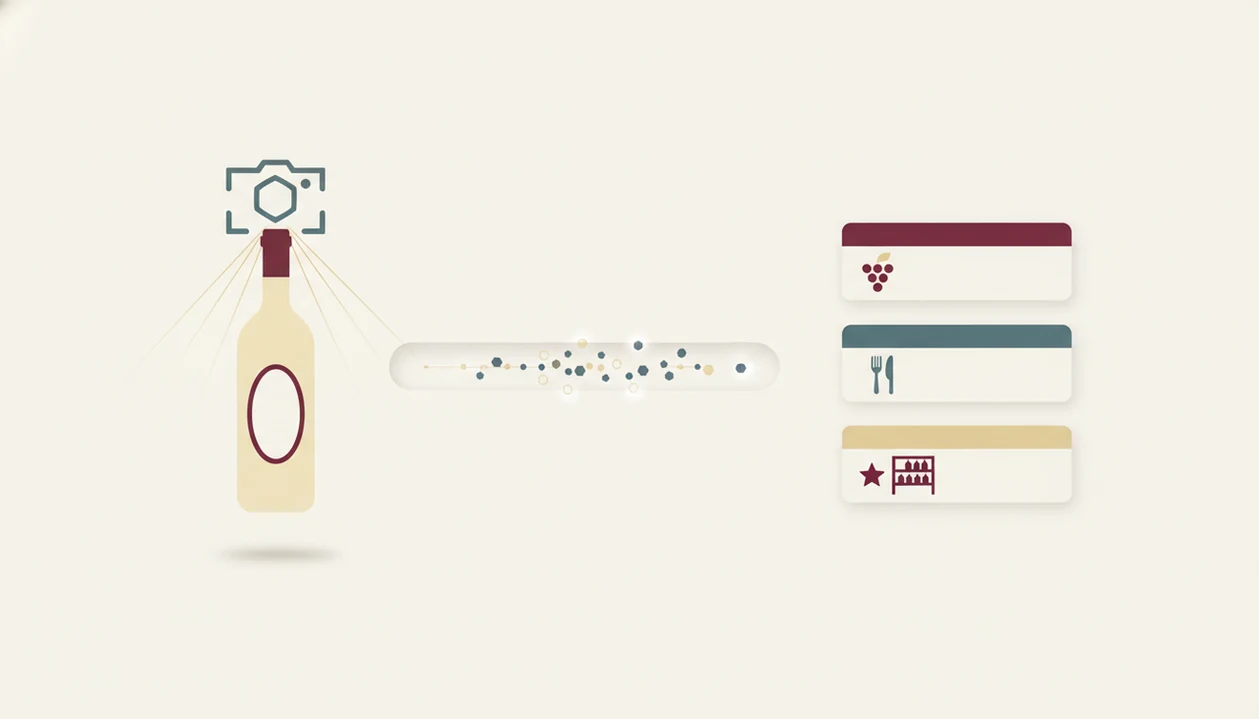
AI wine label scanning works by turning a camera image into searchable signals, then matching those signals against wine records. Wine Identifier App captures text and visual features, such as producer name, appellation line, vintage year, and label layout. In plainer terms, it looks at the bottle the way you would, but faster.
The matching step uses image recognition, optical character recognition, and database lookup. Once a likely match appears, the result can include ratings, tasting notes, grape information, regional context, and pairing ideas. Your saved ratings then shape later recommendations, so a preference for cherry-skin bitterness in Sangiovese matters more over time.
Scale callout: Vivino says its database covers more than 16 million wines, which shows why database depth matters in this category: https://www.vivino.com/
Someone looking for an AI wine recommendation app should care about both recognition and memory because a correct match is only the first step.
How to Download and Use the AI Sommelier App
Follow these steps for a clean sommelier app download and first scan:
- Open App Store or Google Play on your iPhone or Android phone.
- Search DiVino and tap Install after checking the publisher name and app details.
- Create a free account or sign in so your ratings, notes, and saved wines stay attached to you.
- Point the camera at a wine label or menu in steady light, not at a sharp angle.
- Review results for ratings, tasting notes, grape clues, region, and food pairings.
- Save the wine to your personal cellar or wishlist if you want to remember it later.
A small thing helps. Turn the bottle under a kitchen pendant light until the tiny appellation line is readable.
The right fit for first-time scanning is Wine Identifier App because the path from photo to saved bottle uses one scan-and-save workflow.
Minimum Requirements for the Sommelier App Download
For the current iPhone requirement, check the App Store listing before installing because iOS minimums can change with app updates. For Android, confirm the Google Play listing on your device, since compatibility depends on the version listed there and your phone model.
You need a working camera for label and menu scanning. Internet access is also important because bottle identification depends on database lookup, ratings, and regional records. Saved notes may remain available after you have created them, but new scans usually need a connection.
Storage footprint should be checked on the official app store page at download time. App size changes after updates, added languages, and image-handling changes.
If you are asking does AI sommelier app work, the practical answer often starts with camera quality, lighting, and database coverage.
DiVino AI Wine App Download vs Other Sommelier Apps
Wine Identification Apps vs Wine Community Platforms
The main difference is purpose: identification-first apps help you understand a bottle quickly, while community platforms lean on ratings, reviews, and marketplace behavior. Wine Identifier App focuses on scans, personal notes, cellar tracking, and food pairings rather than making every choice feel like a popularity contest.
| App or category | Main focus | Useful when | Watch for |
|---|---|---|---|
| DiVino | Identification, pairings, notes, cellar memory | You want to scan, learn, and remember | Database coverage can vary |
| Vivino | Community ratings, marketplace, large database | You want crowd signals at scale | Ratings can favor popular styles |
| WineIQ | Wine learning and quizzes | You want education first | Less focused on cellar workflows |
| Pocket Sommelier | Pairing-style guidance | You want quick food matches | May not identify every bottle |
| CellarTracker | Collection records and community notes | You manage many bottles | Interface can feel dense for beginners |
Vivino says tens of millions of wine lovers use its platform, so its community scale is a real advantage: https://www.vivino.com/about Still, database depth and regional coverage matter more than brand size when you are scanning a small producer from Etna or a new private label.
Best Situations to Use an AI Sommelier App
Use an AI sommelier app when the wine decision is small, fast, and easy to forget. At a shop, scan the bottle before buying and compare the region, grape, ratings, and tasting style. At dinner, a menu photo can help separate familiar grapes from unfamiliar places.
Phone tucked behind the water glass. That moment is exactly why menu scanning exists.
Home cooks can use pairing ideas before guests arrive, especially when the sauce matters more than the protein. Pair the sauce, not only the protein. Travelers can also save bottles enjoyed on vacation, so a good glass in Lisbon does not become “that red with the blue label.”
Hosts looking for fast pairing help fit Wine Identifier App because the pairing workflow starts from the bottle or the dish and saves the result for next time.
Download DiVino AI Sommelier App Now
Download DiVino from the official App Store listing for iPhone or the official Google Play listing for Android. It is free to start, and no credit card is needed for the basic download path.
Wine Identifier App divino ai wine identification and sommelier app is built for the phone moments where wine decisions actually happen: scan a label, read the result, learn the style, and remember whether you liked it. That rhythm is more useful than a one-time answer.
If you want a broader comparison before installing, the best AI sommelier app guide explains how scan quality, pairings, and saved taste history differ across options.
Evidence and Source Notes for AI Sommelier App Downloads
Use the official iOS and Android store listings as the live source of truth for DiVino download availability. This page describes the tested scan-and-save workflow, while store pages and competitor pages can change faster than a static guide.
- Check availability in the App Store or Google Play before installing, especially if your phone is older or managed by work settings.
- Compare scale claims against public competitor statements, such as Vivino’s wine database and community-size notes already cited above, because database depth affects obscure bottles.
- Separate tested features from listing language: label scans, menu reading, notes, cellar saves, and pairing prompts are described here from DiVino use, while pricing, compatibility, screenshots, and premium tiers should be verified in the current store listing.
- Review privacy details before uploading labels, restaurant menus, tasting notes, or profile information, since photos and personal wine history can reveal habits or locations.
- Recheck terms later if you rely on premium features, because free access, subscriptions, device support, and included tools may shift after updates.
Limitations
AI sommelier apps are useful shortcuts, not wine authorities. A trained human still sees context that a phone can miss.
- AI does not replace a trained sommelier for rare bottles, damaged labels, complex service questions, or blind tasting.
- Database coverage varies, so obscure local wines, private labels, and brand-new releases may not scan cleanly.
- Community ratings are subjective. A plush, ripe red may rate highly even if you prefer bright acidity and leaner fruit.
- Some apps marketed as AI rely mostly on basic database lookup and reviews, not advanced reasoning.
- Clone or thin-wrapper apps exist, so verify the publisher before installing.
- Food pairing suggestions are algorithmic approximations, not guaranteed matches for every sauce, spice level, or texture.
- Offline use may limit identification accuracy because fresh database lookup usually needs an internet connection.
Collectors who already use CellarTracker may prefer its deep record structure, while Wine Identifier App fits people who want faster scanning plus tasting memory.