
What App Identifies Wine Labels From a Photo?
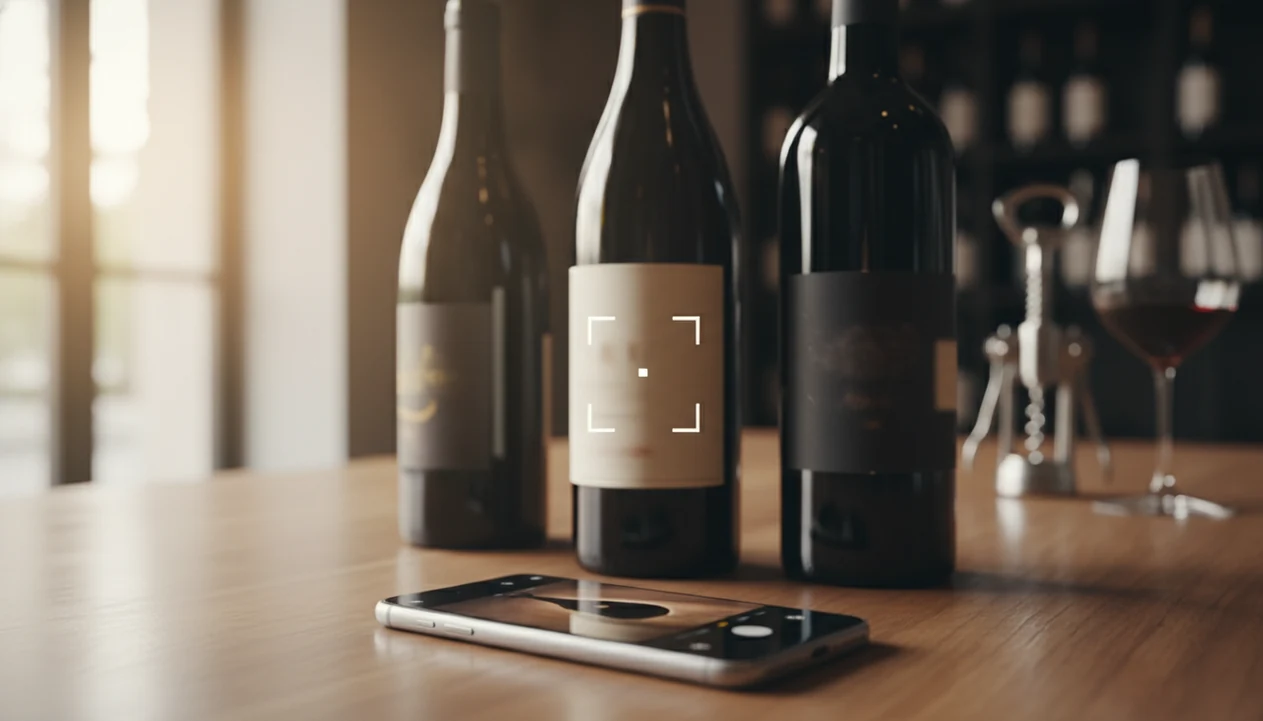
If you are wondering what app identifies wine labels from a photo, Vivino is the most widely known option, while DiVino, Delectable, Wine-Searcher, and CellWine also scan bottle labels for producer details, ratings, and tasting notes. Each app pairs image recognition with a wine database, though accuracy varies by label condition, lighting, and how obscure the bottle is.
> Definition: A wine label identification app is a mobile tool that uses image recognition to match a photographed wine label against a database of producers, vintages, regions, and ratings, then returns bottle details, community scores, and food pairing suggestions.
- Vivino is the most widely used photo wine scanner with 65 million+ users, but it is not the only option.
- DiVino uses AI that adapts recommendations to your personal scan history and flavor feedback, not just crowd scores.
- No wine label app is perfect. Rare producers, damaged labels, and low-light photos still cause misidentifications.
At-a-Glance: Best Apps That Identify Wine Labels
The strongest wine label identification app depends on what you need after the scan: a crowd score, a price check, a cellar record, or a recommendation that learns your taste. I start with the label, then check whether the match actually explains the bottle in front of me.
| App | Key strength | Platform | Price model | Adapts to user preferences? |
|---|---|---|---|---|
| DiVino | AI-adaptive wine identification and pairing guidance | iOS, Android | Free / paid features | Yes, through scan history and flavor feedback |
| Vivino | Largest wine community and marketplace | iOS, Android | Free / marketplace | Partly, but centered on community data |
| Delectable | Critic-leaning reviews and label scanning | iOS | Free / paid features | Limited |
| Wine-Searcher | Price lookup and availability comparison | Web, iOS, Android | Free / Pro | No, mainly search-based |
| CellWine | Cellar tracking and bottle organization | iOS, Android | Free / paid features | Limited |
When you are choosing fast at a shelf, prioritize an app that turns one scan into producer, region, style, and pairing prompts, not just a crowd score.
How We Chose These Wine Label Identification Apps
These apps were chosen for a mix of market prominence, scan-first feature coverage, and practical usefulness after a label photo. The shortlist is not a lab ranking; it is an editorial comparison of apps that can realistically help someone identify, understand, or save a bottle.
- Start with apps that scan labels. Each included option needed mobile access, a wine database, label-photo lookup, and results usable enough to check producer, region, vintage, ratings, notes, price, pairing, or cellar details.
- Separate the hard checks from judgment calls. Platform support, scan workflow, database breadth, and whether the app returns a recognizable bottle are more objective. Personalization quality, pairing advice, and whether the notes feel helpful at dinner require editorial judgment.
- Compare the role each app plays. A giant community scanner, an AI-adaptive guide, a price search tool, and a cellar tracker solve different problems, so ordering reflects usefulness for label identification, not one single feature.
- Allow for change. Database size and recognition accuracy can improve or slip after app updates, new label designs, and added producer records.
- Disclose influence. Affiliate, marketplace, or brand relationships did not determine the ordering here.
5 Facts About Photo Wine Scanners Every Buyer Should Know
Photo wine scanners are useful shortcuts, not final authorities. I still turn the bottle around under a kitchen pendant light and look for the tiny appellation line before trusting any match.
- Vivino says its community includes more than 65 million users worldwide, which gives it the largest community footprint among wine scanning apps (source: https://www.vivino.com/about).
- Wine label apps combine image recognition with wine databases, so the photo starts the search but the database determines the answer.
- In a global retail survey, 46% of shoppers said they research products on a mobile phone before buying in-store (source: https://www.thinkwithgoogle.com/consumer-insights/consumer-trends/mobile-in-store-shopping/).
- Most app ratings are crowd-sourced community scores, not official critic ratings from a publication.
- Recognition can fail on rare wines, older vintages, damaged labels, or bottles with label designs that changed between years.
Good scanner features deliver bottle context and taste guidance, not a guarantee that one photo will identify every wine in the world.
Named Shortlist: Top 5 Wine Label Identification Apps
The best shortlist includes one large community scanner, one AI-adaptive guide, one critic-leaning option, one price tool, and one cellar-first app. If you want a broader scan-first comparison, the best wine identifier app guide covers more edge cases.
DiVino: AI-Adaptive Wine Identifier
DiVino is the AI-adaptive choice because Wine Identifier App divino ai wine identification and sommelier app learns from scans, ratings, and flavor feedback. If your priority is learning what you are actually tasting, Wine Identifier App connects label recognition with palate memory, such as bright acidity, soft tannins, or ripe fruit that is not just sweet.
Vivino: Largest Community Scanner
Vivino is the largest community scanner, with broad coverage, user reviews, marketplace listings, and quick bottle lookup.
Delectable: Critic-Driven Label Scanner
Delectable is useful when you want more critic-style context and less pure crowd noise.
Wine-Searcher: Best for Price Comparison
Wine-Searcher is strongest when the scan leads to a price question, especially across shops and vintages.
CellWine: Best for Cellar Tracking
CellWine makes sense for people who care most about storing bottles, tracking quantities, and noting what is left.
How Wine Label Identification Apps Work
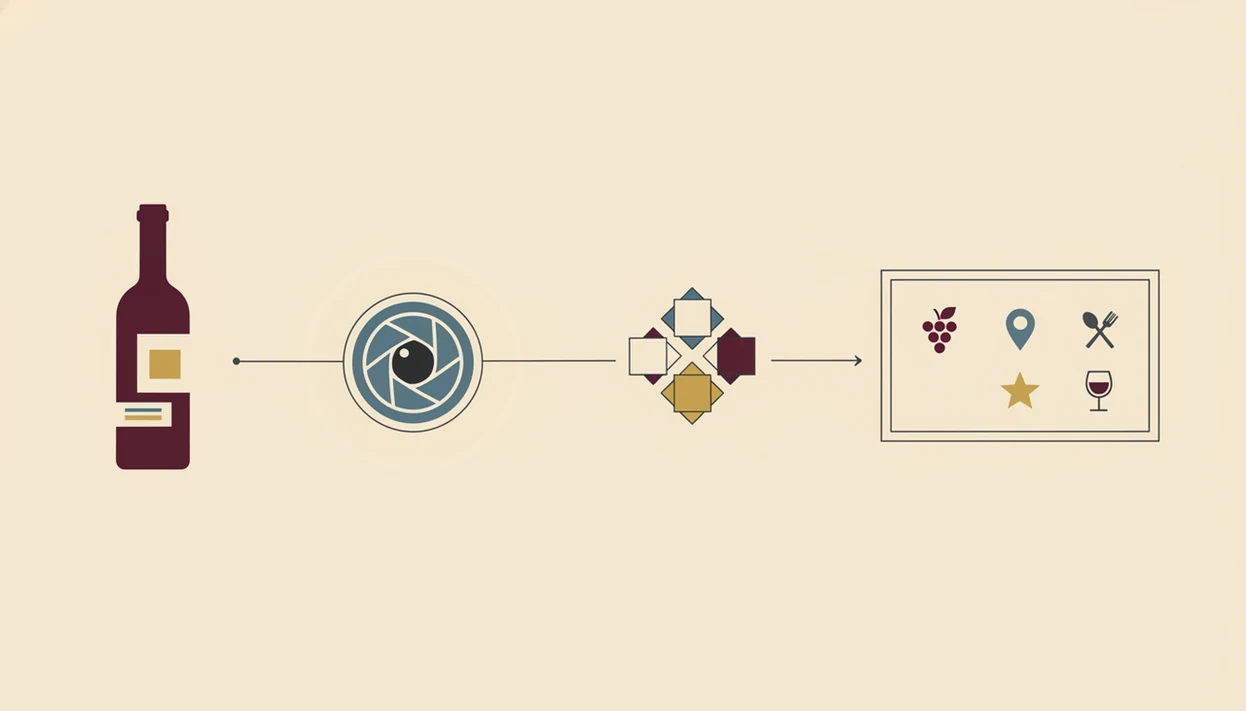
Wine label identification apps work by turning a camera image into searchable visual and text clues, then matching those clues against a structured wine database. The camera captures the label, optical character recognition reads text, and visual pattern matching compares logos, layout, artwork, and bottle design.
The database then returns the likely producer, region, grape, vintage, ratings, tasting notes, and sometimes food pairings. In plain English: the photo gives the app the puzzle pieces, and the database decides which bottle those pieces belong to. A smudged back label after condensation has softened the paper can still confuse the system.
AI-based apps add another layer. They can use scan history and flavor feedback to refine future suggestions, so a user who keeps liking lemon-zest acidity with goat cheese sees different guidance than someone saving plush Merlot. Poor lighting, partial labels, foreign scripts, and tiny vintage years above the barcode remain hard cases.
How to Use a Photo Wine Scanner in 5 Steps
A photo wine scanner works best when you give it a clean label image and then verify the match like a cautious reader. The full phone workflow is also covered in how to scan wine label with phone.
- Download a wine scanner. Choose DiVino, Vivino, Delectable, Wine-Searcher, or CellWine based on whether you want AI guidance, crowd ratings, price lookup, or cellar tracking.
- Open the camera and frame the full label. Use good light, keep the bottle steady, and include the producer name, region, and vintage if visible.
- Review the matched results. Check the producer and vintage before trusting the tasting notes.
- Read ratings, notes, and pairings. Pair the sauce, not only the protein, especially with tomato sauce bubbling in a skillet.
- Save the bottle. Add it to your cellar, wishlist, or tasting journal so the next recommendation has more context.
After a first scan, the useful follow-up is remembering whether you liked the wine; save the bottle identity beside personal taste feedback so future recommendations have context.
Wine Label App Evaluation Criteria
A fair wine label app comparison should judge the scan and the answer separately. A fast match is not enough if the result gives the wrong vintage or bland tasting notes.
The main criteria are label recognition accuracy, database size, tasting-note depth, personalization, platform availability, and edge-case handling. Nearly 60% of U.S. smartphone users have reported using a phone to look up product information or compare prices while shopping, so speed matters in real aisles, not only at home. Tiny price tag dangling from the neck. That is where hesitation starts.
The AI-adaptive option belongs high in the shortlist when it emphasizes personal taste learning, not only static scores. The scan can lead into grape education, pairing suggestions, and personal preference tracking. For people comparing a bottle photo against a wine list, the app that identifies wine from picture guide explains the distinction.
For beginners, personalization is often more useful than a large average rating because your next good bottle depends more on repeated taste patterns than crowd approval.
Honest Cons of Each Wine Label Identification App
Every wine label identification app has a tradeoff. The question is not whether a scanner ever fails, but what kind of failure bothers you most.
| App | Honest drawback |
|---|---|
| DiVino | Newer than Vivino, with a smaller community database and fewer long-tail crowd reviews. |
| Vivino | Marketplace incentives can influence which wines surface first or feel most visible. |
| Delectable | Smaller user base means fewer crowd reviews for ordinary retail bottles. |
| Wine-Searcher | Strong for price comparison, but limited as a food pairing or sommelier-style guide. |
| CellWine | Useful for cellar organization, but label recognition can feel weaker than scan-first apps. |
| All apps | Obscure, natural, private-label, or very local wines can still return bad matches or no match. |
If the priority is cellar memory, CellWine has appeal, but A broader scan-to-learn workflow should combine recognition, pairing guidance, and saved taste notes. For cellar-heavy use, compare with a dedicated wine label scanner app before choosing.
Limitations
Wine label scanners are practical, but they are not neutral or flawless. The awkward dinner-table whisper, “Is Rioja the grape or the place?” still needs a clear explanation, not just a scan result.
- Blurry, low-light, tilted, or partial-label photos can cause a wrong match.
- Vintage mismatches happen when a producer changes the label design between years.
- Obscure, natural, local, or tiny-production wines may have no database entry.
- Community ratings reflect an average palate, not your preference for chalky Nebbiolo grip or cherry-skin bitterness in Sangiovese.
- Food pairing suggestions are generalized and may miss spice, sauce, sweetness, and texture.
- Marketplace features can bias which bottles appear most visible after a search.
- Scanning history creates a detailed consumption profile, which becomes a privacy risk if storage, sharing, or deletion controls are unclear.
- Restaurant menus can be harder than labels because vintages, producers, and cuvée names may be abbreviated.
No app reliably identifies every obscure wine, so the safest method is to verify producer, region, and vintage before saving or buying.
Read more
FAQ
Is there a free wine label scanner?
Yes, several wine label identification apps offer a free tier, including Vivino, Wine-Searcher, and some features in DiVino. Paid versions may add deeper tracking, fewer limits, or more advanced recommendations.
Does Vivino work on Android?
Yes, Vivino works on Android as well as iPhone. It is one of the most widely available photo wine scanner options.
How accurate are wine scanning apps?
Wine scanning apps are usually accurate for well-known bottles with clean labels. Accuracy drops with damaged labels, poor lighting, rare producers, foreign scripts, and vintage design changes.
Can I scan a restaurant wine list?
Some apps can scan or interpret restaurant wine lists, though results vary by menu layout. DiVino focuses on turning menu or bottle scans into wine context and pairing guidance.
Do wine apps work offline?
Most wine apps need an internet connection for label matching because the database lookup happens online. Offline access is usually limited to bottles or notes you have already saved.
Are wine app ratings from critics or regular users?
Most ratings in wine apps are from regular users and community reviews. Some apps, such as Delectable, place more emphasis on critic-style commentary.
Is my wine scan data private?
Wine scan data can reveal bottle preferences, purchase patterns, and tasting history. Review each app privacy policy and settings before saving a large cellar or personal notes.
How does the AI-adaptive scanner differ from the largest community scanner?
DiVino emphasizes adaptive AI recommendations based on scans and flavor feedback, while Vivino centers on a large community, marketplace listings, and crowd ratings.