
Wine Identifier App For Beginners Who Want Clarity, Not Jargon
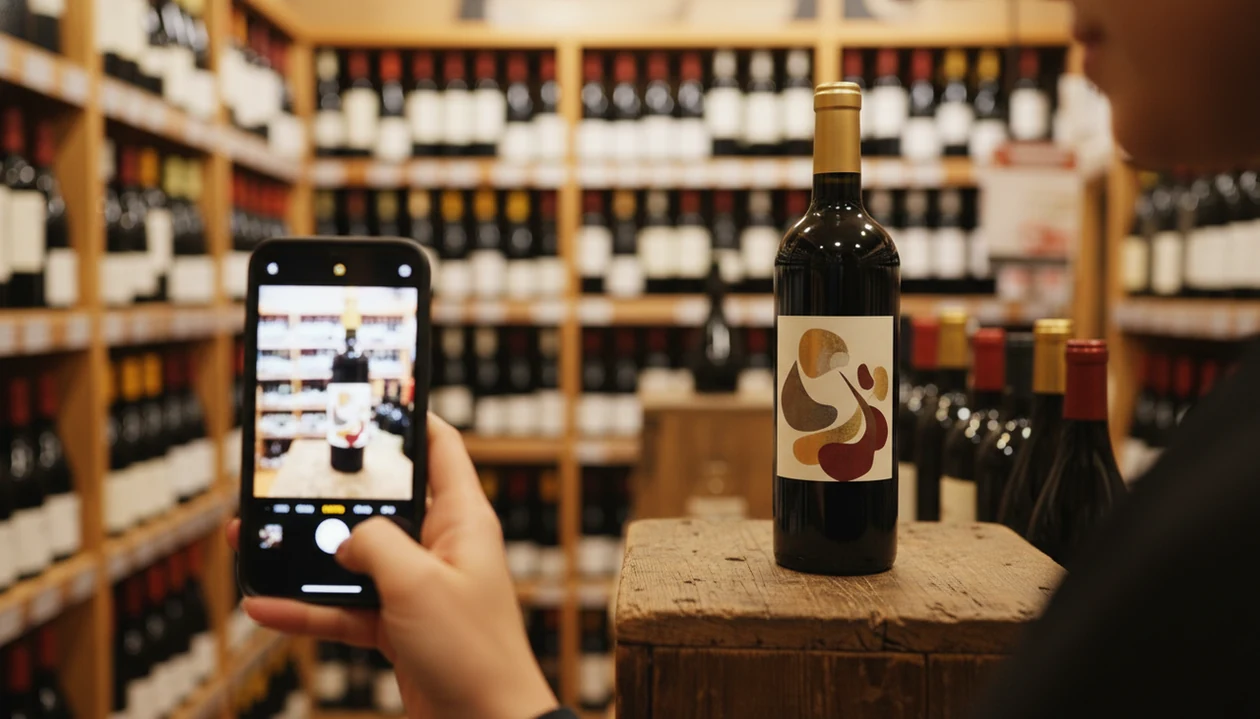
A wine identifier app for beginners lets you scan any bottle label with your phone camera to instantly see the grape, region, ratings, and food pairings in plain language. DiVino uses AI label recognition and sommelier-grade recommendations so new wine drinkers can skip the guesswork and build real confidence at the store or restaurant.
> A wine identifier app for beginners is a mobile tool that uses camera-based label scanning and AI to translate wine labels into simple details, including grape variety, region, taste profile, ratings, and food pairings, so people new to wine can make informed choices without memorizing wine terminology.
- Scan a label, get instant plain-language details on grape, region, rating, and pairing
- AI learns your taste over time so suggestions improve with every bottle you log
- Treat any beginner wine app as a guide, not a rulebook; your palate is the final judge
Why Beginners Need a Wine Identifier App at the Store and Restaurant
A wine identifier app for beginners helps when the label looks beautiful but tells you almost nothing you can use. The point is simple: start with the label, then translate grape, place, style, and pairing into a decision you can make now.
In the U.S., the CDC reports that 59% of adults drink alcohol (https://www.cdc.gov/nchs/fastats/alcohol.htm), and Gallup polling shows wine remains one of the most common adult beverage choices after beer (https://news.gallup.com/poll/353858/beer-wine-liquor-americans-adult-beverages.aspx). That means the feeling that you should already know this is shared by a lot of people.
The phone check is real.
Wine Identifier App fits beginners because it does not assume you already know whether Rioja is the grape or the place. It reads the bottle, explains what you are actually tasting, and keeps your saved wines in a taste log. For new drinkers who freeze in front of a steakhouse list opened to reds, Wine Identifier App divino ai wine identification and sommelier app gives a calmer path: scan, compare, pair, decide.
At a Glance: What a Beginner Wine App Should Do
A beginner wine app should turn a bottle into a short, useful explanation before you buy or order it. Look for features that reduce guessing, not features that make wine sound more complicated.
- Label scanning: A good wine label scanner app should recognize the front label from a normal phone photo.
- Plain tasting notes: Beginners need words like dry, fruity, smooth, crisp, or earthy before terms like malo or phenolic.
- Ratings with context: Community and AI ratings are useful when you treat them as signals, not verdicts.
- Bottle-specific pairings: Pair the sauce, not only the protein; tomato sauce bubbling in a skillet needs different help than grilled steak.
- Personal taste memory: The app should learn that you like lemon-zest acidity with goat cheese, or that heavy oak is not your thing.
How Wine Label Scanning and AI Identification Works
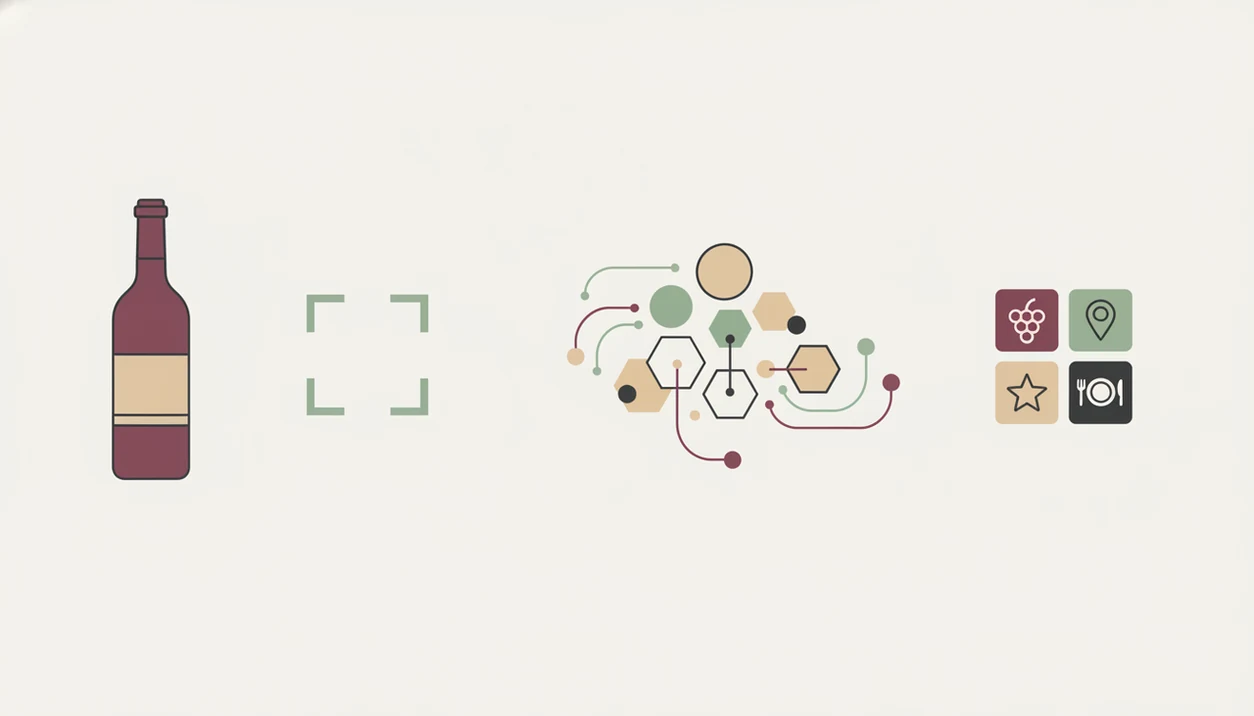
Wine label scanning works by turning a camera image into structured wine data. First, the camera captures the label; then image recognition reads text, artwork, producer names, and vintage clues; then the system matches those signals against a wine database.
Under the hood, AI tools often use image embeddings and text extraction. In plain English, the app compares the label photo to known patterns and names. It then cross-references grape, region, producer, vintage, crowd ratings, and expert data.
AI in retail is growing quickly; Fortune Business Insights estimates the market grew from about $7.4 billion in 2023 and could pass $55 billion by 2030 (https://www.fortunebusinessinsights.com/ai-in-retail-market-106594). Wine recommendations use the same broad idea: pattern matching plus personalization.
Anyone dealing with a dusty Bordeaux label under kitchen light should use Wine Identifier App because its AI sommelier layer adds food pairing logic after the bottle is identified. That matters when a scan says “Merlot blend,” but dinner says roast mushrooms and thyme.
How to Use a Wine Identifier App as a Complete Beginner
Use a wine identifier app in a short sequence, so you do not drown in ratings and tasting terms. The most useful beginner workflow is scan, skim, compare, pair, save, then rate.
- Open the app and point your camera at the front label in good light.
- Skim the instant results for grape, region, average rating, and price range.
- Read one or two reviews to see how real people describe the wine.
- Check the pairing against what you are eating or cooking.
- Save or skip the bottle; tap save when it sounds like your style.
- Rate the wine later so future recommendations learn from your palate.
A grocery aisle bottle tilted toward phone is not a formal tasting. It is a quick filter. For beginners who need a low-pressure first step, Wine Identifier App works because the scan result keeps the key facts in one place: label match, style, pairing, and personal log.
Top 3 DiVino Features That Help Beginners Learn Wine Faster
Wine Identifier App helps beginners learn faster by connecting the bottle in front of you to taste, food, and memory. Generic “best wine app” lists often rank scores; beginners need translation.
Jargon-Free Label Scan Results
Wine Identifier App explains a scan in plain terms, such as ripe fruit, bright acidity, soft tannins, or cherry-skin bitterness. That is more useful than seeing only a region and a number. If you want a broader category comparison, the best wine identifier app guide covers more scan-first options.
Meal-Matched Food Pairings
Wine Identifier App connects the scanned bottle to the meal, not just a generic grape rule. Soft cheese sweating on slate may call for acidity, not the highest-rated red.
Personal Taste Profile Builder
New wine drinkers who save bottles after each meal build a better map of their own taste because Wine Identifier App turns ratings and notes into a personal taste profile workflow.
Common Beginner Wine App Patterns That Build Confidence
Confidence comes from repeated small comparisons, not from memorizing a wine atlas. Log every bottle, including the disappointing ones, because “too bitter” teaches as much as “loved it.”
Use simple tags at first. Fruity. Not too dry. Too smoky. Later, you can connect those words to grapes and regions. A learn wine app should let you move from “smooth” to “low tannin” without making you feel corrected at dinner.
Compare your personal rating with the community average. If a popular bottle tastes flat to you, that is data, not failure. Good divino ai wine identification and sommelier app experiences deliver clearer bottle decisions and taste memory, not a script for pretending to know more than you do.
At a restaurant, scan quietly, then ask one better question. “Is this Rioja mostly Tempranillo?” lands better than guessing.
Wine Identifier Myths Beginners Should Ignore
A wine identifier app cannot guarantee the exact bottle you will love. It can suggest likely matches, but your meal, mood, budget, and past preferences still matter.
Myth 1: The app always knows your favorite bottle. It does not. It improves when you rate wines honestly.
Myth 2: Higher ratings mean objectively better wine. Ratings often reflect popularity and availability. Vivino reports more than 70 million users (https://www.vivino.com/about), which makes crowd data useful, but it still reflects crowd taste.
Myth 3: You need wine lingo first. You can start with “dry,” “fruity,” “fresh,” or “too oaky.” The vocabulary can come later.
Myth 4: AI replaces sommeliers entirely. It helps with fast pattern recognition, but a human sommelier may know the producer, the cellar condition, and the dish in more detail. If you are comparing tools built around advice, the best AI sommelier app page goes deeper.
Limitations
Wine Identifier App is useful, but it should not become the only voice in your glass. Beginners learn more when they use app data and still leave room for surprise.
- Label scans can fail in low light, with damaged labels, obscure producers, or older vintages.
- Smudged back labels after condensation can confuse text recognition.
- Community ratings tend to favor widely available wines and may underrepresent small regions.
- Food pairings are approximations; chili heat, vinegar, sweetness, and herbs can change the match.
- Over-relying on scores can stop you from trying unfamiliar wines you might love.
- Not every beginner wine app clearly explains data use or personalization logic.
- Grand View Research valued the global wine market at about $441 billion in 2023 (https://www.grandviewresearch.com/industry-analysis/wine-market), so even strong databases can miss small producers.
- CellarTracker.com may suit collectors better, while Wine-Searcher.com can be stronger for price hunting.
Read more
FAQ
Are wine identifier apps free?
Most wine identifier apps offer a free tier for basic scanning, search, ratings, and saved bottles. Premium versions may add deeper recommendations, cellar tools, or advanced pairing features.
Does this wine identifier app work on Android and iPhone?
DiVino is designed for mobile wine identification on Android and iPhone. Check the current app store listing for device and region availability.
How accurate is wine label scanning?
Wine label scanning is usually accurate with clear front-label photos and common producers. Accuracy drops with poor lighting, torn labels, rare bottles, or hard-to-read vintage text.
Can a wine app suggest food pairings?
Yes, most beginner wine apps include food pairing suggestions. Wine Identifier App divino ai wine identification and sommelier app adds AI sommelier pairing logic tied to the identified bottle.
Do I need wine knowledge first?
No prior wine knowledge is required. Beginner apps translate grapes, regions, and tasting notes into plain language.
Are app wine ratings trustworthy?
App ratings are useful as crowd preference signals, not objective quality scores. Use them with price, style, reviews, and your own taste history.
Can wine apps work offline?
Most label scans need internet access because the app must match the image to a live database. Saved bottles and notes may be available offline depending on the app.
How fast will I learn wine?
Most beginners notice sharper taste awareness after a few weeks of logging and rating wines regularly. Progress is faster when notes stay simple and consistent.