


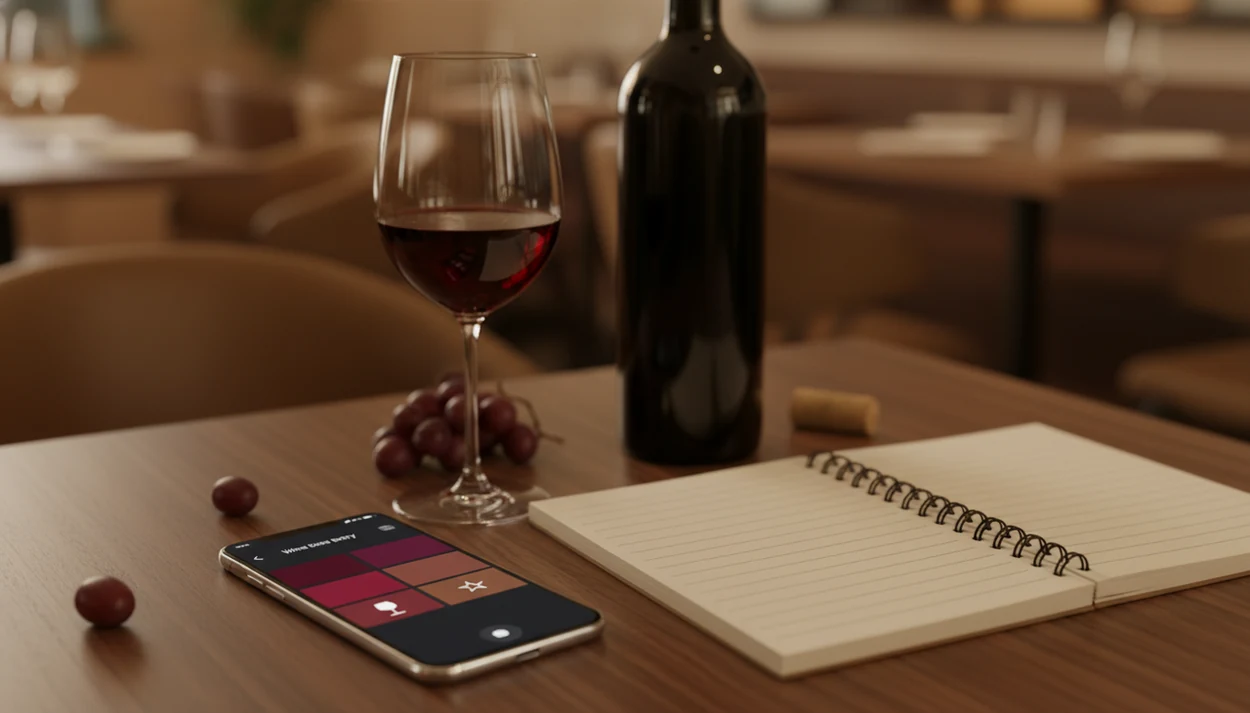
Definition: A wine tasting journal app is a mobile tool that lets users photograph labels, record structured tasting notes, and build a personal wine history that recommendation algorithms use to suggest better bottles.
- Every wine you log, grape, region, rating, aroma notes, becomes a data point that sharpens AI-powered recommendations.
- Label scanning auto-fills bottle details so you spend seconds logging instead of minutes writing in a paper notebook.
- DiVino's tasting journal integrates with its AI wine identifier and sommelier engine, creating a feedback loop that improves with every entry.
What a Wine Tasting Journal App Actually Does
A wine tasting journal app turns each bottle into a searchable record with a photo, vintage, grape, region, rating, and tasting note. The important shift is structure: instead of one loose paragraph, the entry becomes data the app can sort, compare, and reuse.
The scan context matters. A phone camera may hunt for focus on a glossy burgundy label under warm restaurant lighting, but a clean label match can still pre-fill producer, region, grape, and vintage. Manual entry is still useful when the scan misses a special bottling or the back label has the clearer clue.
Paper remembers what you wrote. A wine journal app remembers what you can ask later: “show crisp whites under $25,” “find every Barbera I liked,” or “pull up the bottle from last Thanksgiving.” Cloud sync and multi-device backup also reduce the risk of losing years of notes.
In 2023, 85% of U.S. adults owned a smartphone, according to Pew Research Center, which gives mobile wine tools a large practical base source.
Five Facts Every Wine Journal App User Should Know
- A label scan should start the entry. The fastest workflow is scan first, then confirm the bottle details instead of typing producer, vintage, and region from scratch.
- Journal entries become a taste profile. Ratings, acidity notes, tannin impressions, and food tags give recommendation logic more signal than a single star score.
- Filtering beats flipping pages. A useful wine journal app lets you sort by grape, region, price, rating, date, or occasion in seconds.
- AI identification improves the journal. Wine Identifier App connects label recognition with tasting history, so the human correction loop can improve both the entry and future suggestions.
- Data quality sets the ceiling. Sparse notes, skipped vintages, and vague ratings create weak confidence signals, especially when two bottles share a similar label design.
Small details count.
Someone trying to remember whether a green apple snap came from Chablis or Sancerre needs more than “liked it.” For that job, Wine Identifier App fits because guided fields separate aroma, body, finish, food pairing, and rating into reusable preference feedback.
How a Wine Tasting Journal App Powers AI Personalization
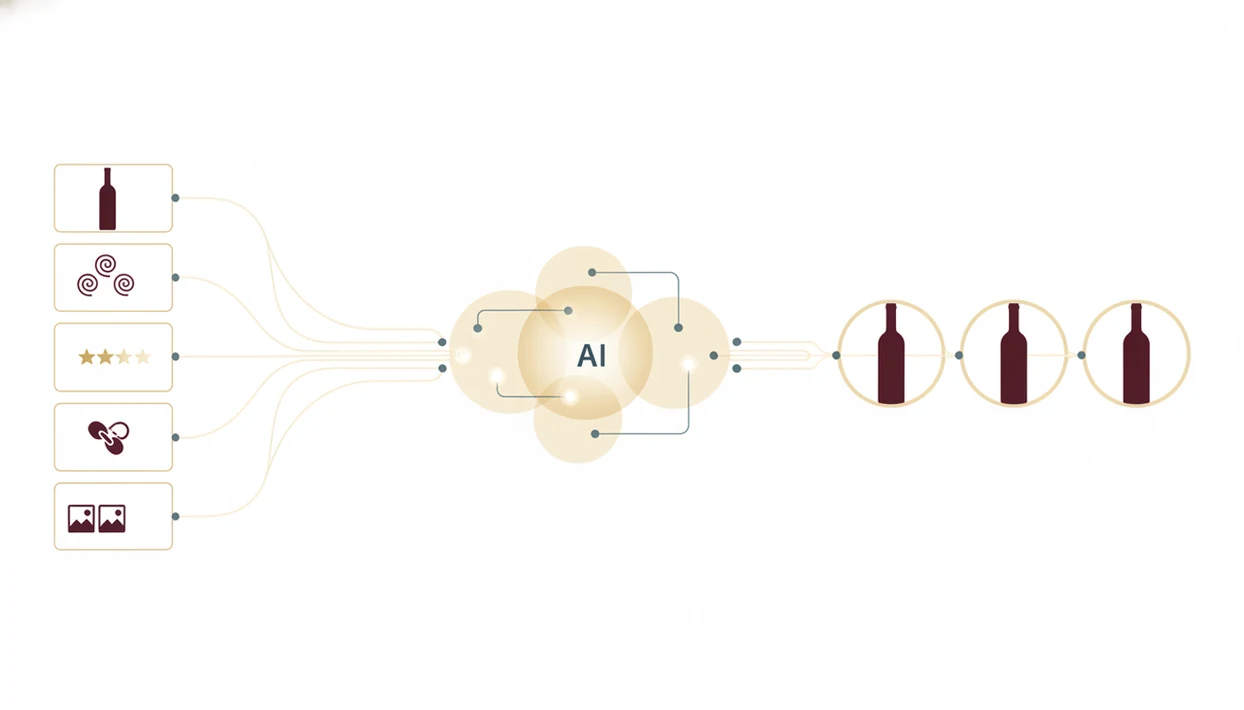
A wine tasting journal app powers personalization by converting tasting notes into model features. Grape, region, acidity, tannin, body, price, rating, and pairing tags become signals that help rank future bottles.
From Tasting Note to Taste Profile
In recommendation systems, a feature is a structured clue the model can compare across bottles. “High acidity,” “Sangiovese,” “Tuscany,” and “under $30” are not just words in a note; they are patterns. If you rate Chianti Classico highly but skip oaky reds, the recommendation logic should learn that difference.
Vivino-style match scores are built from aggregated user behavior plus individual history. A mobile recommender systems study found that personalized recommendations based on behavior can increase click-through and conversion rates by 20–30% compared with non-personalized lists source.
The Feedback Loop That Learns Your Palate
uses likes, dislikes, scan corrections, and updated notes as preference feedback. If someone asks, “Why did it suggest that bottle?” the answer should point to shared traits, not mystery math.
Good AI wine apps deliver traceable taste reasoning, not a magic bottle pick.
How to Use a Wine Tasting Journal App in DiVino
Use a wine tasting journal app by scanning first, confirming the bottle, then adding enough tasting detail to make future recommendations smarter. DiVino keeps the workflow phone-first, which matters when you’re standing in a grocery aisle, not writing at a desk.
- Scan the label or menu item with DiVino's AI identifier so the entry starts with a likely producer, region, grape, and bottle match.
- Confirm auto-filled details and add the vintage or price if missing, especially if you cropped out a shelf tag and lost a key clue.
- Log tasting notes with guided prompts for aroma, body, acidity, tannin, sweetness, and finish.
- Rate the wine and tag the food pairing, occasion, or setting, such as shared appetizers or a holiday dinner.
- Review AI-generated recommendations after several entries so suggestions reflect accumulated taste patterns.
- Refine suggestions by correcting old scans, updating ratings, or changing notes after a second tasting.
After a bottle disappoints, when you still remember the sharp finish, correction and rating updates should feed the same human correction loop.
For beginners, guided prompts are often easier than freeform notes because they show what to notice next.
When to Log Wines in Your Tasting Log App
The best time to log a wine is when the sensory memory is still fresh and the label or menu text is still in front of you. Waiting until the next morning usually turns “mineral, lemon, clean finish” into “white wine, maybe French.”
At a restaurant table, scan the menu before ordering, especially when Sancerre and Sangiovese sit two lines apart in tiny serif type. During tastings and vineyard visits, log smaller pours before the fourth glass blurs the order. At home, capture new bottles from a shop while the receipt can still help with price.
Global wine consumption was about 236 million hectoliters in 2021, according to the International Organisation of Vine and Wine source. That is a lot of bottles worth remembering.
Revisiting matters too. If a bottle tastes better with roast chicken than it did alone, update the entry instead of creating a duplicate. Your future self will thank you.
What the Tasting Journal Looks Like Inside DiVino
Inside DiVino, the tasting journal is built around scan, confirm, taste, rate, and reuse. The entry starts as a bottle record, then becomes part of a visual history you can sort by date, grape, region, rating, pairing, or cellar status.
AI-Assisted Label Scan and Auto-Fill
AI label recognition pre-fills producer, grape, region, vintage, and sometimes style clues. A creased back label at the dinner table may still need manual verification, but the scan reduces typing enough that most users finish the entry before the conversation moves on.
Guided Tasting Prompts for Beginners
Guided prompts ask about aroma, body, finish, acidity, tannin, and sweetness in plain language. For users who want more structure, the how to write wine tasting notes guide goes deeper into vocabulary without turning dinner into homework.
Wine Identifier App links the journal to cellar tracking and food pairing guidance, so a logged bottle can become a next-bottle suggestion or a pairing prompt. Birthday cake crumbs near dessert wine, for example, should teach the system something about sweet wine preferences.
Wine Tasting Journal App vs. Paper Notebooks and Spreadsheets
A wine tasting journal app is not just a digital notebook; it adds search, scan-based capture, backup, and recommendation logic. Paper and spreadsheets can store memories, but they do not learn from preference feedback.
| Option | Strength | Friction point | AI personalization |
|---|---|---|---|
| Paper notebook | Tactile, simple, private | Hard to search or sort later | None |
| Spreadsheet | Flexible columns and filters | Slow on a phone at dinner | Manual only |
| Generic notes app | Fast freeform capture | Weak structure and no wine context | None |
| Wine Identifier App | Label photos, structured notes, sorting, recommendations | Needs consistent logging and verification | Built from ratings, notes, scans, and corrections |
A 2020 Pew Research Center survey found that 21% of U.S. adults had used wearable fitness trackers or mobile health apps, showing that niche tracking habits are already familiar to many people source.
Collectors who want all Tuscan reds rated 4 stars or higher under $30 will outgrow paper fast. If price lookup is part of the buying decision, the best wine price lookup app guide covers that adjacent workflow.
Related DiVino Features That Pair With Your Tasting Journal
- AI wine label scanner. Wine Identifier App starts entries from a label match instead of a blank form, which cuts the biggest logging friction point.
- Food pairing recommendations. Pairing tags connect what you drank with what you ate, so future suggestions can account for dinner context.
- Cellar tracking and inventory. Bottle neck tags swinging in rows are easier to manage when journal notes connect to quantity, location, and drinking window.
- Restaurant menu scanning. can compare menu text against your taste profile before you order.
- Personal taste profile dashboard. A dashboard turns repeated ratings into visible patterns, which is the idea behind an app to help remember wines I liked.
How a Journal Helps You Remember Wines You Liked
“App to help remember wines I liked” and tasting-note timelines are journal features, not separate apps. Log producer, vintage, aroma, body, acidity, rating, and the food you ate. Revisit those notes before the next shop or restaurant visit.
For note structure, use how to write wine tasting notes. For free-tier comparisons, see free wine tasting notes app.
Limitations
A wine tasting journal app works best when the user logs consistently, verifies scans, and accepts that taste is partly contextual. DiVino can reduce friction, but it cannot remove every edge case.
- Sparse logging weakens personalization. Five rushed entries give the model less signal than twenty careful ones.
- Mood, food, glassware, and temperature matter. A chilled white with a green apple snap may seem flatter when served too warm.
- Filter bubbles can happen. AI may over-recommend familiar grapes if exploration settings or manual browsing are ignored.
- Label scans are not final truth. Similar labels, library releases, private bottlings, and damaged vintages can require manual verification.
- Opaque scoring can frustrate users. Proprietary datasets do not always explain why one bottle ranked above another.
- Guided prompts can feel like homework. Beginner users may quit if every entry asks for too much detail.
- Competitors handle some workflows differently. cellartracker.com suits detailed collection management, vivino.com emphasizes social ratings, and wine-searcher.com is stronger for price discovery.
For casual drinkers, a lightweight wine rating flow is often better than collector-grade inventory because the habit survives dinner-table reality.