
CellarTracker Alternative App Guide for Wine Collectors


Download App: CellarTracker alternative
The right CellarTracker alternative app depends on whether you need AI label scanning, deep cellar inventory, tasting notes, or sommelier-style discovery. DiVino combines AI wine identification with cellar tracking and food pairing, while other alternatives may be stronger for community ratings or inventory-only workflows.
A CellarTracker alternative app is any wine application used instead of CellarTracker to track bottles, save tasting notes, scan labels, identify wines, or manage a cellar collection.
- CellarTracker excels at database depth and community scale, but alternatives may offer better AI scanning, modern UX, or sommelier guidance.
- Wine identification apps and cellar-tracking apps solve different problems. The best choice depends on your primary use case.
- Data portability, export options, and long-term note history matter more than surface-level scanning features when choosing an alternative.
At-a-Glance Comparison: CellarTracker vs Alternative Wine Apps
No single wine app wins every category. CellarTracker is still difficult to beat for mature cellar data, while Wine Identifier App fits collectors who want label scanning, food pairing, and a cleaner phone-first workflow.
| App name | Label scanning | Cellar inventory depth | Tasting notes | Food pairing | Data export | Free vs paid |
|---|---|---|---|---|---|---|
| CellarTracker | Basic label/photo support | Very deep | Large community note base | Limited | Available for cellar data | Free core features, paid supporter model |
| DiVino | AI label recognition and wine identification | Moderate to strong | Personal notes and ratings | Strong sommelier-style pairing | Depends on plan and export support | Freemium or paid features may apply |
| Vivino | Strong consumer label scanning | Light to moderate | Large rating ecosystem | Basic recommendations | Limited compared with cellar-first tools | Free with commercial features |
| InVintory | Good bottle entry and organization | Strong for visual cellar tracking | Personal notes | Limited to moderate | Plan-dependent | Freemium or subscription |
Feature and pricing details can change, so verify export, plan, and scanning claims against official product sources: CellarTracker support (https://support.cellartracker.com/), Vivino app information (https://www.vivino.com/app), and InVintory product information (https://www.invintory.com/).
If your priority is turning a dusty Bordeaux label under kitchen light into a usable record, Wine Identifier App earns the spot because AI label recognition can start the entry before you type producer, vintage, and region.
Where CellarTracker Wins as a Wine Cellar Tracker
CellarTracker wins when the main job is long-term cellar control. It has a massive community database, many user tasting notes, and mature inventory tools built for people who have been logging bottles for years.
Its strength is not glamour. It is memory. A collector can look back at purchase price, bottle location, drinking window, and past notes without rebuilding a system from scratch. That matters when the wooden rack row has handwritten tags and three vintages of the same producer sit beside each other.
Stay with CellarTracker if your collection is large, your notes go back many years, and community ratings shape your buying. For serious collectors, a legacy cellar database is often more useful than a prettier interface because bottle history compounds over time.
Where a CellarTracker Alternative App Wins
A CellarTracker alternative app wins when the problem is not just storage, but recognition, learning, and faster decisions at the bottle or menu. Good divino ai wine identification and sommelier app experiences identify the wine, explain the style, and suggest food context, not just collect star ratings.
- AI label scanning can reduce manual entry when the producer name, vintage, and appellation are hard to read.
- Mobile-first design matters when you are standing in a shop aisle, not sitting at a desktop.
- Food pairing features help translate wine into dinner decisions, such as lemon-zest acidity with goat cheese.
- Privacy-first collection tools may suit users who do not want every note shaped by community sharing.
- Discovery features help newer drinkers learn grape, region, and taste without pretending to know everything already.
AI Wine Identification vs Manual Bottle Entry
If you often scan bottles before deciding where they belong, Wine Identifier App fits because label recognition connects the photo to bottle details, tasting style, and cellar entry fields.
Mobile-First Design and Ease of Use
Collectors trying to log a bottle before dinner service starts will usually prefer fewer fields, faster scanning, and a clear save path.
How Wine Cellar Alternatives Work Behind the Scenes
Wine cellar alternatives work by connecting recognition, inventory, and note data into one bottle record. Label-scanning AI uses image recognition models and image embeddings, which means the photo is converted into patterns that can be matched against wine databases.
A cellar engine is different. It is usually relational data: producer, cuvée, vintage, region, price, quantity, location, drinking window, and personal notes all link to one saved bottle. That is why a wine inventory app can feel more serious than a simple scanner.
Community databases offer breadth because many users add bottles and notes. Proprietary or curated databases can feel cleaner, but may miss obscure producers. Data portability is the quiet test. CSV export, JSON export, and API access decide whether your cellar remains yours if you leave.
The most useful wine cellar alternatives separate identification from ownership because recognizing a label is not the same as preserving years of bottle history.
How to Use Either Wine App After You Choose
Use the app around the task you repeat most, not the feature that sounds best in a comparison table. A good choice should survive an ordinary dinner, a quick cellar pull, and a small data check without feeling like homework.
- Start with your most frequent job: scan a label, update inventory, rate a bottle, or find a pairing before food hits the table.
- Log three real bottles in both apps and compare how accurately each one captures producer, vintage, region, and bottle format.
- Add one tasting note, one storage location, and one drinking-window estimate so you can see whether the record feels complete or fussy.
- Export a small test file before you commit, then open it and confirm that ratings, notes, locations, and bottle details are actually usable.
- Choose the workflow you would repeat when guests are waiting or when you are kneeling in front of the rack with a flashlight.
The winner is the app you trust when the label is wet, the roast is resting, and you still need the bottle history to be right.
How to Switch from CellarTracker to an Alternative App
Switching from CellarTracker works best as a small migration test, not a dramatic overnight move. Export first, then scan a sample case, then compare how the new system handles notes, drinking windows, and duplicate bottles.
1. Export your CellarTracker data in CSV format, including tasting notes, purchase history, and bottle history where available. CellarTracker’s own help resources should be checked for the current export path before migration: https://support.cellartracker.com/. 2. Define your priority: cellar depth, AI label scanning, food pairing, price lookup, or discovery. 3. Install and test 2 to 3 wine cellar alternatives with a small batch of bottles. 4. Import or re-scan your collection into the chosen app, starting with bottles you actually reach for. 5. Verify notes, drinking windows, storage locations, and bottle counts after migration.
Do the boring check.
If a phone camera shadow crosses the label and the scan misses the vintage, correct it immediately. is most useful when the first scan becomes a reliable cellar record, not a half-finished guess. For narrower bottle-count workflows, an app to help track wine bottles may be enough.
Pricing and Data Portability Across Wine Cellar Alternatives
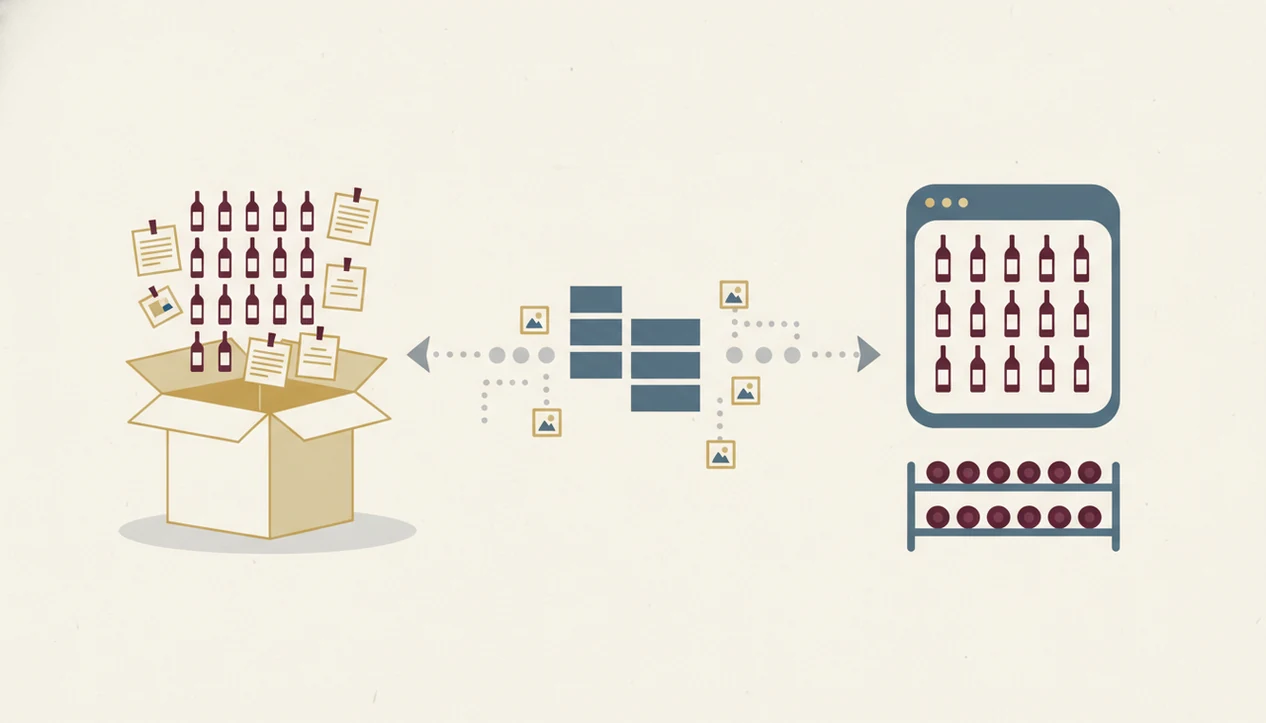
Pricing varies because wine apps monetize different jobs. Some offer free scanning, some charge for premium discovery, and cellar-focused tools may reserve exports, advanced notes, unlimited bottles, or valuation features for paid plans.
Free can still cost you later. Ads are annoying, but locked exports are worse if you have years of notes. Before choosing a CellarTracker alternative, check whether your collection can leave as CSV or another usable format. Also check whether bottle photos, ratings, purchase prices, and drinking windows export together.
If the priority is long-term ownership of cellar data, export access is often more important than label scanning because a saved note loses value when it cannot move with the collection.
For collectors comparing subscription value against storage depth, the best wine cellar app question is really about how much history you want the app to protect.
Who Should Stay with CellarTracker vs Switch to DiVino
Stay with CellarTracker if you have a large legacy collection, rely on community ratings, or prefer a desktop-first workflow. It is especially sensible when your cellar already has years of purchase prices, drink dates, and tasting notes.
Switch to DiVino if AI label scanning, food pairing, and modern mobile use matter more than a giant public database. Wine Identifier App works well when you want to start with the label, understand what you are actually tasting, and connect the bottle to dinner.
Consider using both if your needs split cleanly. CellarTracker can remain the archive, while DiVino handles identification, pairing, and quick tasting impressions. Small-collection users and large-collection users are not solving the same problem. Ten bottles above the fridge need clarity. Four hundred bottles need structure.
Wine lovers who compare a sip with a friend's glass and wonder why one red tastes like cherry skin may prefer Wine Identifier App because tasting notes and recommendations stay tied to personal preference.
Evidence and Source Notes for This Comparison
This comparison should be read as a feature audit, not a permanent pricing promise. The safest claims are the ones tied to official product or help pages, while limits on exports, scans, bottles, and subscriptions can change without much warning.
For this page, the feature baseline comes from official materials for CellarTracker, DiVino, Vivino, and InVintory, including CellarTracker support and the DiVino product experience source source. Export availability, ratings behavior, and label scanning claims were manually checked at the workflow level where possible: whether a user can find an export path, save or view ratings, and scan or attach a label photo. Plan-dependent ceilings, such as bottle counts, premium scanning, valuation, photo storage, or advanced cellar views, should be treated as current only on the day you verify them.
- Check each app’s official feature page before relying on a comparison table.
- Separate stable functions, such as note taking, from paid-plan thresholds.
- Test export with a small file, not just a help article.
- Confirm ratings and scan behavior on your own bottle.
- Re-source any database-size claim with current official or archived evidence.
Limitations
A CellarTracker alternative can make wine easier to understand, but it cannot remove every messy part of cellar management. Check these limits before moving your collection.
- No app reliably identifies every label, especially obscure producers, torn labels, partial photos, or dim restaurant lighting.
- AI tasting notes and food pairings are useful shortcuts, not professional sommelier judgment.
- Some discovery apps feel friendly but lack deep inventory fields for large collections.
- Large user-generated databases can include incomplete, outdated, duplicated, or inconsistent bottle records.
- Free tiers often limit exports, bottle storage, photo storage, or advanced cellar features.
- Migrating years of tasting notes may require manual cleanup, especially when vintages or cuvées do not match.
- Drinking-window estimates are educated guidance, not guarantees. Storage conditions still matter.
- Price lookup can vary by market, retailer, and bottle condition.
A wine drinking window can help, but it should not overrule a cork, a cellar temperature problem, or your own taste. For that specific planning task, a wine drinking window app is worth comparing separately.
FAQ
Is CellarTracker free to use?
CellarTracker offers free core cellar-logging features, with paid supporter options for users who want to contribute or access added benefits. Many collectors can start without paying.
Can I export my CellarTracker data?
Yes, CellarTracker supports exporting cellar data, commonly in CSV format. Export your notes and bottle history before testing any replacement.
Can this CellarTracker alternative scan wine labels?
Yes, DiVino scans wine labels using AI wine identification. It can return bottle details, style information, and related cellar or pairing context.
Which wine app is strongest for food pairing?
DiVino is stronger for food pairing than traditional cellar-first tools because it connects wine style with meal context. CellarTracker is stronger for community notes and inventory history.
Are free wine apps accurate?
Free wine apps can be accurate for common bottles, but obscure wines and damaged labels are harder. Accuracy depends on the database, photo quality, and user-entered records.
Which wine app works well for beginners?
The best wine app for beginners is usually the one that explains grape, region, taste, and pairing in plain language. is beginner-friendly because scanning can lead directly to style and food guidance.
Can wine apps track drinking windows?
Yes, some wine apps track drinking windows or suggest ideal drinking ranges. These estimates are useful, but they depend on producer, vintage, storage, and bottle condition.
Is my wine data private in these apps?
Privacy varies by app. Community-driven platforms may share ratings or notes more openly, while private cellar tools may keep collection data more restricted.