
App To Help Track Wine Bottles In Your Cellar
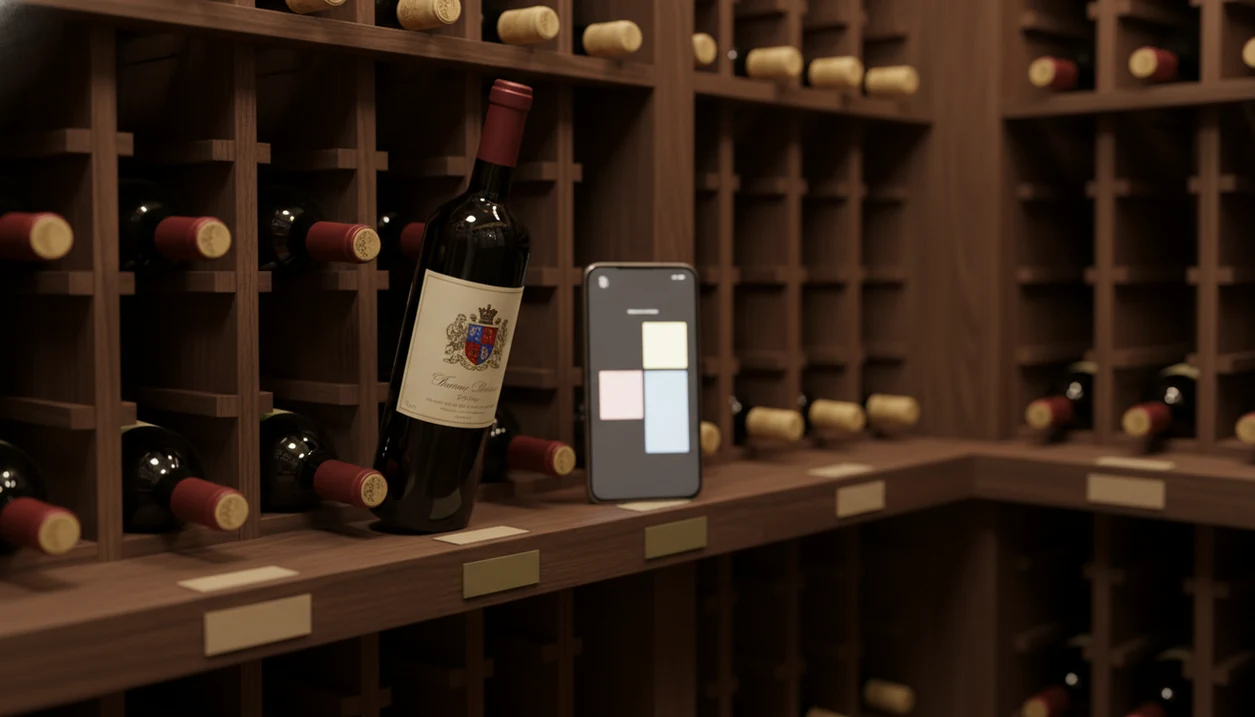
An app to help track wine bottles replaces spreadsheets by letting you scan labels, log storage slots, record tasting notes, and set drink-window alerts from your phone. The real value is simple: you know what you own, where it sits, and which bottle should be opened before it fades.
Definition: A wine bottle tracker app is a mobile tool that uses label scanning, AI identification, and structured data fields to inventory, organize, and monitor every bottle in a collector's cellar.
TL;DR
- Label scanning adds bottles in seconds, with far less manual typing
- AI can fill in vintage, region, grape variety, price, and drinking window automatically
- Custom tags, bin codes, and export options let you mirror your existing cellar system
- Drink-now alerts and preference learning reduce the guesswork of spreadsheets
- Export and backup features protect your data if you ever switch tools
What a Wine Bottle Tracker App Actually Does
A wine bottle tracker app is a searchable cellar record that replaces scattered spreadsheets, handwritten lists, and half-remembered purchases. It stores each bottle as a structured entry, not just a row of text.
The useful fields are concrete: vintage, region, grape, producer, price, purchase date, drinking window, tasting notes, and exact cellar location. If you have ever turned a bottle around under a kitchen pendant light to find the tiny appellation line, you already know why those details matter.
This is not only for collectors with hundreds of bottles. Even a few mixed cases can become hard to remember after holiday gifts, online orders, and one enthusiastic trip to a local shop. According to Wine Market Council consumer research, about 27% of U.S. adults 21 and older drink wine at least once a week, so the audience for simple bottle tracking is larger than the old ‘serious cellar’ image suggests. Source: https://winemarketcouncil.com/
For most home drinkers, a wine bottle tracker is easier than a spreadsheet because it connects the label, location, taste, and timing in one phone record.
How AI Wine Bottle Tracking Works
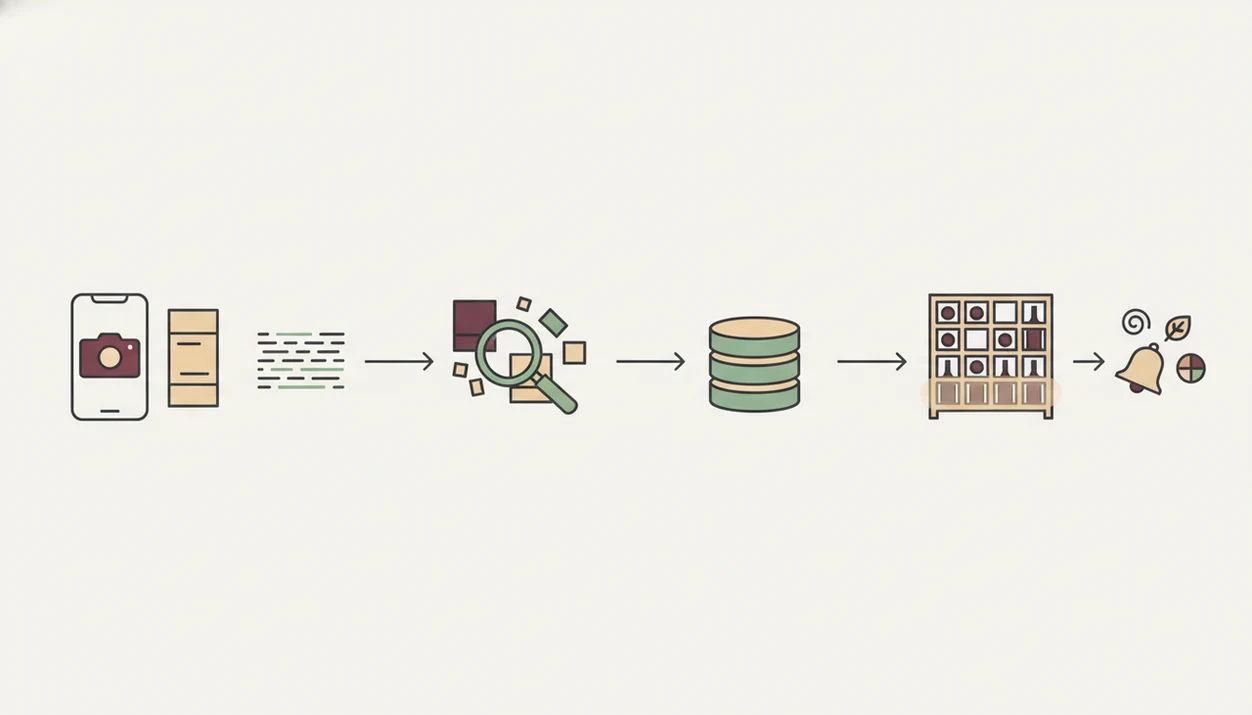
AI wine bottle tracking works by turning a label photo into structured cellar data. The phone camera captures the label, OCR reads visible text, and image recognition checks visual clues such as producer marks, cuvée names, vintage placement, and label design.
A simple flow looks like this:
Camera photo → OCR text extraction → image matching → wine database match → cellar entry → preference learning
Once the label is recognized, the app compares it with wine databases to estimate region, grape variety, tasting profile, average price, and likely drinking window. That catalog is not small. The International Organisation of Vine and Wine estimated 2023 global wine production at about 237 million hectoliters, which shows how many producers, regions, and bottlings a recognition system may need to distinguish. Source: https://www.oiv.int/what-we-do/statistics
Over time, ratings and tasting notes add another layer. If you keep choosing bright acidity, soft tannins, and cherry-skin bitterness in Sangiovese, the app can learn that pattern.
Still, check the scan. A smudged back label after condensation has softened the paper can confuse even good recognition, especially with older vintages, private labels, or tiny producers.
Requirements Before You Start Tracking Wine Bottles
Before you move into a track wine bottles app, gather the pieces that describe your cellar today. The cleaner the starting point, the less time you spend fixing entries later.
- Phone camera: Use an iPhone or Android with a clear camera lens and enough light for label scans.
- Old records: Collect spreadsheets, handwritten lists, email receipts, auction invoices, or shop order histories.
- Location scheme: Decide on bin codes, shelf labels, room zones, or simple tags before scanning.
- CSV support: Check whether the app accepts CSV import if you already have a large spreadsheet.
- Physical labels: Mark shelves or boxes so the app’s location field matches the actual bottle position.
The boring prep saves time. Really.
If you want a broader inventory setup before choosing a specific tool, a wine inventory app guide can help you compare the fields that matter most.
How To Use an App To Track Wine Bottles Step by Step
Use the app in the same order you would organize a shelf: structure first, bottles second, habits third. That sequence keeps the cellar record useful after the first scanning session.
- Set up your cellar profile with a name, bottle capacity, storage zones, and any special shelves.
- Import existing spreadsheet data through CSV or batch entry before scanning duplicate bottles.
- Scan each bottle’s label so producer, vintage, region, and cuvée can populate automatically.
- Assign storage locations, tags, and notes such as “top rack,” “gift,” or “for roast chicken.”
- Set drinking-window alerts and review pairing suggestions for bottles approaching maturity.
- Log consumption and ratings, then export backups on a regular schedule.
Import Your Existing Wine Spreadsheet
Start with CSV import if you have more than a case or two recorded already. Field mapping is the fussy part: “rack,” “bin,” and “location” may need to become one consistent app field.
Scan Labels and Assign Cellar Slots
Scan in good light, then verify the vintage and cuvée before saving. A dusty Bordeaux label under kitchen light may look romantic, but the app still needs legible text.
Set Alerts and Log Consumption
Alerts only work if you log bottles when they leave the cellar. For drink-window planning, a dedicated wine drinking window app can be useful if timing is your main concern.
Key Wine Bottle Tracking App Features Versus Spreadsheets
A wine bottle tracker beats a spreadsheet when it answers cellar questions without making you maintain the whole system by hand. Spreadsheets are flexible, but they do not recognize labels, suggest pairings, or remind you what is ready.
| Need | Tracking app | Spreadsheet |
|---|---|---|
| Add a bottle | Label scan or batch scan | Manual typing |
| Find bottles | Filters, tags, producer, grape, region | CTRL+F and custom columns |
| Open at the right time | Drink-now alerts | Manual date checks |
| Pair with dinner | AI food pairing suggestions | No native equivalent |
| Use on multiple devices | Sync across phone and tablet | File sharing or email copies |
| Keep backups | Export plus cloud sync | Manual file storage |
U.S. per capita wine consumption rose from 2.34 gallons in 2010 to 2.96 gallons in 2021. More bottles at home means more small decisions: what to keep, what to open, and what to buy again.
Good Wine Identifier App divino ai wine identification and sommelier app tools deliver label recognition, cellar structure, and pairing context, not a guarantee that every bottle will be identified perfectly. Tools like Wine Identifier App, CellarTracker, and Wine-Searcher can each fit different habits, depending on whether you care most about inventory, community notes, or market prices.
Common Mistakes When Switching to a Wine Bottle Tracker
Most tracking problems start during migration, not six months later. A clean switch means checking the app’s work and making the physical cellar match the digital one.
- Skipping scan verification: AI can confuse vintages, second labels, and special cuvées.
- Ignoring shelf labels: “Rack 2” in the app is useless if nothing says Rack 2 in the cellar.
- Forgetting exports: Back up to CSV or Excel before you need the file.
- Overtrusting values: Price estimates are approximations, not formal appraisals.
- Using a review app as inventory: Vivino-style tasting records are not always bin-level cellar systems.
According to 2021 federal alcohol statistics, 39% of U.S. adults reported drinking wine. Many people begin casually, then discover they need structure only after the third mixed case arrives.
The awkward dinner-table question still happens: “Is Rioja the grape or the place?” A tracker helps because it keeps region and grape in separate fields.
Verifying Your Wine Cellar Is Fully Tracked
A fully tracked cellar means the app total matches the physical count, and the records answer real questions correctly. Do not stop after the first scan session.
Use this short audit:
- Count every bottle on the shelves and compare the number with the app total.
- Spot-check 10 random bottles for correct vintage, producer, location, and notes.
- Run a filter such as “Pinot Noir ready to drink this month.”
- Export a CSV and compare it with your old spreadsheet or receipt file.
- Set a quarterly reminder to repeat the audit.
For collectors, quarterly audits are often easier than annual rebuilds because errors stay small and recent.
If alerts are your weak point, a tool that can alert ready to drink wine can support that habit without forcing a full cellar rethink.
Limitations
Wine tracking apps reduce cellar confusion, but they do not remove every judgment call. Treat the app as a working cellar record, not an infallible authority.
- AI label recognition can struggle with torn labels, stained capsules, private labels, and obscure producers.
- Some apps focus on reviews or shopping, not true inventory with bin-level tracking.
- If an app shuts down or changes pricing, your data depends on export and backup options.
- Valuation estimates are crowd-sourced approximations, not professional insurance appraisals.
- Drinking windows are educated ranges, not promises. Young Nebbiolo can still leave a chalky grip on the gums years before it feels ready.
- An app cannot fix heat, light, vibration, or humidity problems in the physical storage space.
- Bulk imports can be messy because spreadsheet fields rarely match app schemas exactly.
For larger collections, choosing the best wine cellar app usually means weighing export quality, location depth, and long-term data control before visual polish.
FAQ
Is a wine tracker app free?
Many wine tracker apps offer a free tier for basic bottle logging. Premium plans usually add cellar locations, exports, valuation tools, alerts, or larger inventory limits.
Can I import my wine spreadsheet?
Most serious cellar apps support CSV import. You usually upload the file, map columns such as vintage and location, then review errors manually.
How accurate is AI label scanning?
AI label scanning is usually reliable for major producers with clean labels. It can misread damaged labels, older vintages, private labels, or obscure cuvées.
Do wine apps work offline?
Some apps cache your cellar locally for offline viewing. Internet access is usually needed for label recognition, database matching, price lookup, and syncing.
Can I track bin locations in-app?
True cellar-management apps support bin codes, shelf labels, zones, and custom location fields. Review-only apps may not track exact bottle placement.
What happens if the app shuts down?
Your protection is regular CSV or Excel export. Keep backups outside the app so your cellar history is not locked to one service.
Can a wine bottle tracker suggest food pairings?
A Wine Identifier App can suggest food pairings from scanned bottle details such as grape, region, body, acidity, and tannin. Pairing guidance works best when you also enter the dish, sauce, and preparation style.
Are drinking window estimates reliable?
Drinking windows are useful estimates based on wine style, vintage, and crowd data. Use them alongside your own tasting notes and storage conditions.