


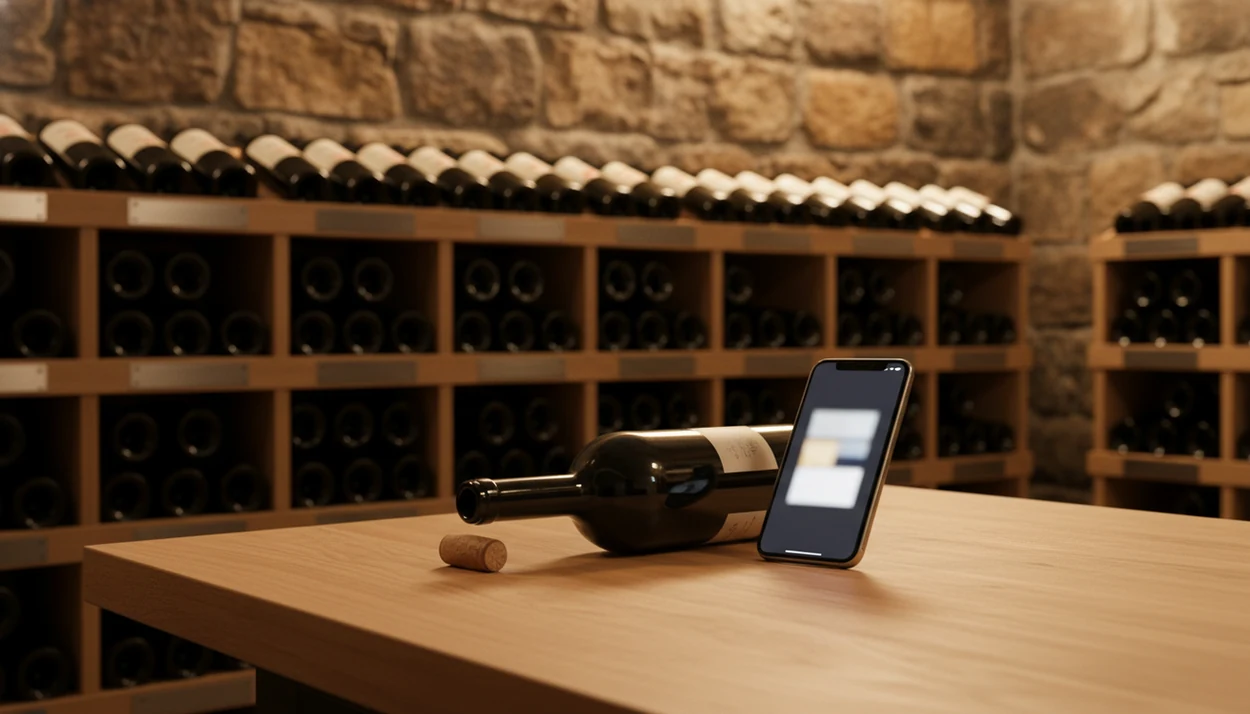
Definition: A wine inventory app is a mobile or desktop tool that logs, organizes, and tracks every bottle in a wine collection, capturing producer, vintage, varietal, storage location, purchase price, and optimal drinking window.
At a Glance: What a Wine Inventory App Tracks
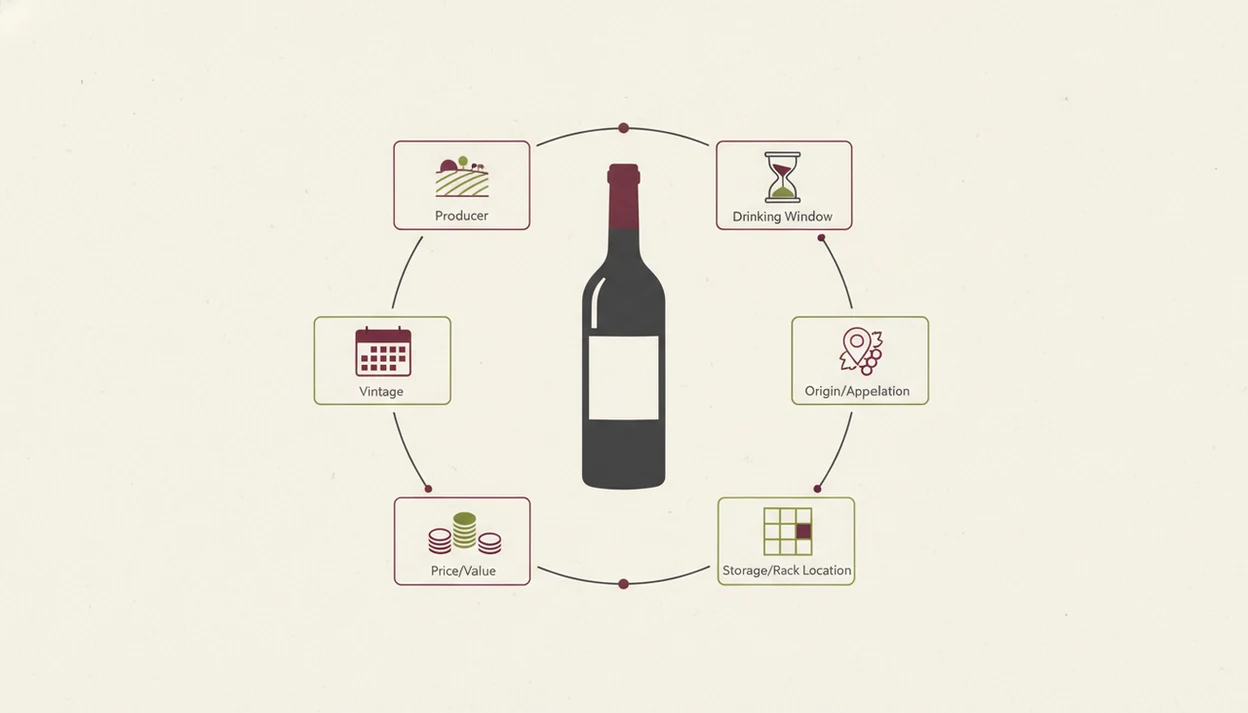
A wine inventory app turns loose bottle memory into structured collection data. The useful fields are simple: what the wine is, where it sits, what you paid, and when it should be opened.
- Producer and vintage: The app records the winery name and harvest year, so “that Rioja” becomes a specific bottle.
- Varietal and region: It separates grape from place, which helps when someone whispers, “Is Rioja the grape or the place?”
- Purchase price and source: A wine collection tracker can keep shop, auction, or gift history beside the bottle record.
- Storage bin and notes: Exact rack position matters when loose receipts are tucked under a tasting notebook.
- Drinking window: Age-worthy bottles need reminders, not hope.
The global wine market was valued around US$441 billion in 2023, according to OIV market reporting (https://www.oiv.int/what-we-do/statistics), and the U.S. had more than 11,600 wineries that year, according to WineAmerica's U.S. wine industry data (https://wineamerica.org/economic-impact-study/). Manual tracking gets thin fast. Label scanning helps because the phone reads the bottle first, then you correct the details that matter.
How a Wine Collection Tracker Works Behind the Scenes
A modern wine collection tracker works by turning a bottle image into a structured record. The basic pipeline is camera capture, OCR or image recognition, database matching, then an auto-filled entry with producer, region, vintage, grape, and style clues.
Label Scanning and AI Identification
First, the camera captures the front or back label. OCR reads printed words, while image embeddings compare label shapes, typography, and visual patterns. In plain English, the system looks at both text and appearance. I’ve had better results turning a bottle under a kitchen pendant light until the tiny appellation line stops shining.
Database Matching and Record Creation
After recognition, the app matches the scan against wine databases and creates a bottle record. Wine Identifier App then adds the collection layer: quantity, location, tasting notes, and drinking window. Cloud sync keeps the same cellar visible across phone and tablet.
More than 80% of U.S. adults owned a smartphone by 2019, which explains why these tools are phone-first. A spreadsheet can store rows, but it cannot scan labels, show visual cellar maps, or nudge you when a mature Barolo is ready.
How to Use a Wine Inventory App to Track Your Cellar
The cleanest way to use a wine inventory app is to build the habit while bottles are in your hand. Do it at purchase, delivery, or opening, not “later,” because later becomes a half-remembered shelf.
- Download and set up Wine Identifier App. Start with your preferred currency, bottle locations, and basic collection categories.
- Scan or photograph each bottle label. Let AI identification auto-populate producer, vintage, region, and varietal details.
- Assign a storage location. Use rack, shelf, bin, fridge, or off-site storage names that match your real space.
- Log purchase price, source, and tasting notes. Add the shop, auction, restaurant, or gift note while it is still fresh.
- Set drinking-window reminders. For a deeper setup, a wine drinking window app workflow helps flag bottles before they fade.
- Update every bottle you buy or open. The pocket check is real.
Mobile app retention benchmarks from Adjust show that many apps lose a large share of users within the first 30 days (https://www.adjust.com/blog/app-retention-rates/), so cellar accuracy usually depends more on logging rhythm than on the size of the collection.
When to Start Using a Cellar Inventory App
“Do I need a cellar inventory app if I only own a few dozen bottles?” Yes, if you buy faster than you open, forget duplicate purchases, or have bottles meant for different years.
A dedicated cellar inventory app is not only for museum-like rooms and keyed cabinets. A 24-bottle kitchen rack can already hide problems: two similar Chiantis, a Riesling meant for dinner last spring, or a gifted Champagne behind cooking oil. According to a 2021 Gallup survey, 27% of U.S. adults reported drinking wine at least weekly, so regular buyers can accumulate bottles quietly.
Collectors looking for a low-friction start can use Wine Identifier App because the scan creates the bottle record before cellar details are added. If your collection is growing toward insurance or valuation needs, compare deeper cellar workflows in the best wine cellar app guide.
What Wine Inventory Looks Like in DiVino
Wine inventory in DiVino starts with a scan, then turns that scan into a living bottle record. You photograph the label, confirm the match, and see producer, region, varietal, vintage, and style information in one place.
is useful when the bottle record should do more than sit in a list. After scanning, you can ask the AI sommelier for roast chicken pairings, similar bottles, or a plain-language explanation of why the wine tastes bright, earthy, or tannic. Good divino ai wine identification and sommelier app experiences deliver identification, organization, and guidance, not a decorative label scrapbook.
If the priority is knowing what to drink with dinner, Wine Identifier App fits because the same scanned bottle can feed pairing advice, style descriptions, and cellar drinking-window prompts. Most inventory apps stop at logging. DiVino adds the recommendation layer after the record exists.
Wine Inventory App vs. Spreadsheets and Manual Logs
A dedicated wine inventory app beats a spreadsheet when the work involves scanning, finding, reminding, and learning from bottles. Spreadsheets still work for collectors who enjoy manual control, but they put all upkeep on you.
| Method | Strengths | Weak Spots | Better Fit |
|---|---|---|---|
| Spreadsheet | Flexible columns, easy formulas, low cost | No label scanning, no image match, no alerts | Detail-minded collectors who update every row |
| Physical notebook | Pleasant, personal, works offline | No search, no backup, no bottle photos | Tasting-room notes or gift records |
| Dedicated app | Structured fields, image recognition, reminders, cloud sync | Requires consistent updates | Home cellars, mixed racks, and growing collections |
| Legacy databases | Deep community records in tools like cellartracker.com | Can feel dense for casual users | Collectors who value historical tasting data |
For insurance and valuation, data export matters. A app that tracks wine cellar should let you preserve long-term collection history, not trap it inside a pretty interface. Wine Identifier App earns the spot for collectors who want scanning plus tasting context, because the workflow connects bottle ID, cellar location, and pairing guidance.
Related DiVino Features for Wine Collectors
Wine inventory becomes more useful when it connects to the decisions around each bottle. Wine Identifier App supports collectors with label scanning, food pairing, menu reading, and tasting history in the same phone-first workflow.
Home collectors who buy from mixed sources need more than a list; Wine Identifier App handles the messy middle because AI label recognition can identify a bottle, save it, and connect it to notes. For bottle-by-bottle logging, the app to help track wine bottles workflow is the closest companion.
At a restaurant, menu scanning helps compare unfamiliar names before ordering. At home, tasting notes and ratings build memory. Cherry-skin bitterness in Sangiovese means more when it is tied to the exact vintage, not floating in your head.
Evidence and Sources Behind Wine Inventory Apps
The case for a wine inventory app rests on four separate ideas: wine is a large, varied market; the U.S. has thousands of wineries; phones are the natural capture tool; and accuracy depends on repeat use. The feature claims about DiVino are separate from those outside data points.
The market-size and winery-count references above come from OIV statistics and WineAmerica’s U.S. wine industry reporting. The smartphone claim relies on Pew-style adoption data showing that most U.S. adults already carry capable cameras, which supports scan-first cellar workflows. The retention point comes from mobile app benchmark reporting: if people stop opening an app after the first month, their cellar records drift.
A fair way to read the evidence is:
- Treat market and winery figures as context for why bottle choice feels overwhelming.
- Use smartphone adoption as support for camera-based logging, not proof that every collector wants an app.
- Read retention data as a habit warning: missed entries create bad inventory.
- Separate DiVino claims from editorial judgment; scanning, pairing, and saved bottle records are product features, while “best fit” depends on the collector’s routine.
Tracking Bottles, Locations, and Cellar Counts
“Track wine bottles” and “app that tracks a wine cellar” are inventory jobs: quantity, vintage, storage spot, notes, and what you already drank. Scan-to-save only helps if you also remove bottles when you open them.
For app comparisons, see best wine cellar app. For CellarTracker switchers, see CellarTracker alternative.
Limitations
Wine inventory apps are helpful, but they are not automatic cellar managers. The record is only as good as the updates behind it.
- No app can automatically know when a bottle is opened, moved, gifted, or poured. You still have to update quantity.
- AI label recognition can struggle with damaged labels, private-label wines, older vintages, and obscure producers.
- Smudged back labels are a real problem, especially after condensation has softened the paper.
- Market-price and valuation data may lag behind fast-moving fine wine segments or tiny allocations.
- A cellar inventory app cannot monitor temperature, humidity, vibration, light exposure, or cork taint without separate sensors.
- AI sommelier recommendations may lean toward popular styles and miss unusual high-quality bottles.
- Engagement often drops after 30 days for many app users, so the habit matters as much as the software.
- Competitors such as vivino.com, wine-searcher.com, delectable.com, and hello-vino.com may be stronger for price lookup, social ratings, or discovery, depending on the use case.
Wine Identifier App is strongest when you treat it as a working cellar habit, not a one-time scanning project.