
Do Wine Apps Store Location Data From Scans?


Download App: do wine apps store location data
Yes, many wine apps can store location data from scans and other interactions, depending on the permissions you grant and the features you use. Whether a wine app collects GPS coordinates, approximate location, or no location at all depends on its tools, such as nearby store finders, restaurant recommendations, and local deal features. Understanding when and why do wine apps store location data helps you make informed choices about your privacy.
> Wine app location data refers to any geographic information, including GPS coordinates, approximate area, or IP-based location, collected by a wine identification or cellar management app during scans, searches, or feature use, and governed by the app's privacy policy and device-level permissions.
- Wine apps with “find nearby” or local deal features typically collect some form of device location data when you use those tools.
- Scan events can be tagged with timestamps and optional location metadata, even if you only intended to identify a label.
- Device-level permissions on iOS and Android give you direct control over whether any wine app accesses your location.
What Wine App Location Data Collection Actually Covers
Wine app location data can mean precise GPS coordinates, approximate city-level location, or IP-based location inferred from your connection. It can also mean a saved cellar slot, but that is not the same as tracking your phone.
Device Location vs. Cellar Location
Device location is where your phone is when you scan a dusty Bordeaux label under the kitchen light, search for a bottle, or use a nearby retailer feature. Cellar location is more like “Rack B, shelf 3” or “off-site locker.” Both use the word location, but they describe different things.
Active collection happens when you tap “find this wine near me” and grant location access. Passive inference can happen through IP address, scan timestamp, store search, or photo metadata. Retailers and advertisers value scan-plus-location data because it connects a bottle, a place, and likely intent. That pattern can suggest what you buy, where you shop, and which prices make you pause.
How Location Tracking in Wine Apps Works
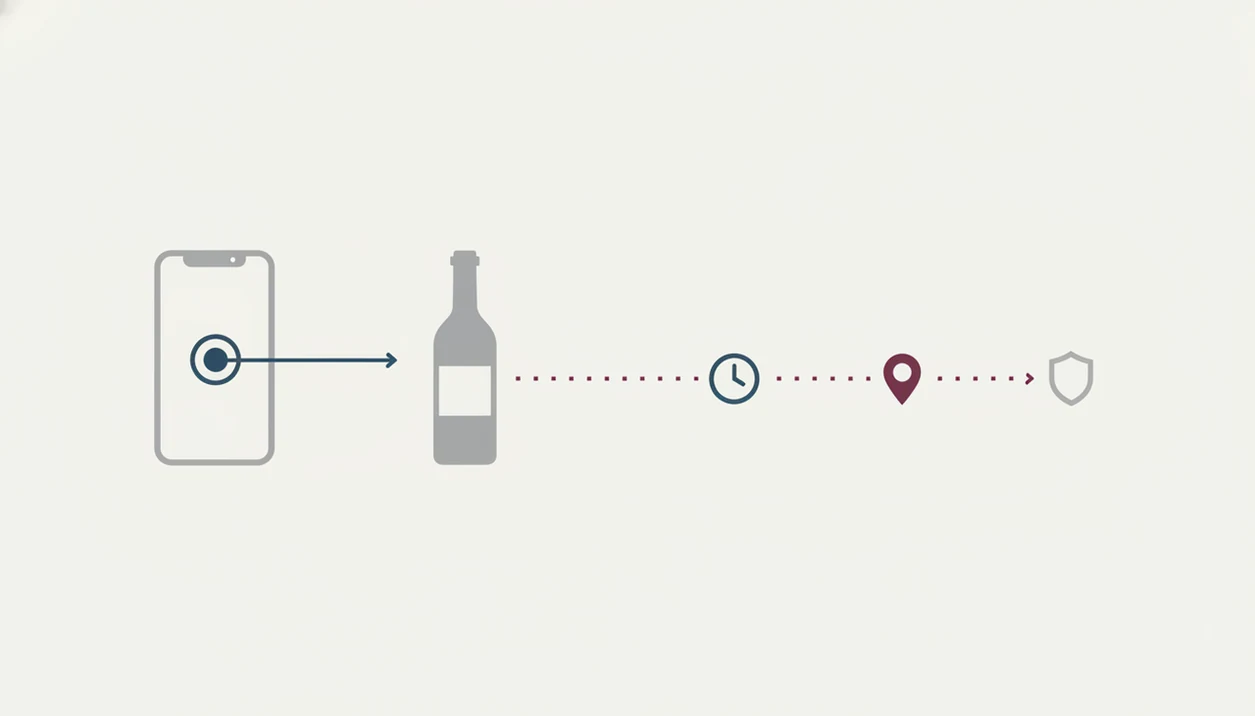
Location tracking in wine apps usually starts with a permission prompt from iOS or Android. The app may ask for location “While Using,” “Once,” “Always,” or not at all, depending on the platform and feature.
Scan Metadata and Geotag Attachment
A scan is rarely just an image. It can include a timestamp, device type, app version, and optional geotag. I notice this most when scanning a smudged back label after condensation has softened the paper; the photo feels simple, but the event around it can be richer. If location permission is on, the scan may be tied to a restaurant, shop, or neighborhood.
On-Device Processing vs. Cloud Upload
Some apps process label images on the phone using image embeddings, a compact mathematical summary of the picture. Others upload the image to a server for recognition. Cloud processing can improve matching, but it also creates more places where metadata may travel. Photo EXIF data can leak location too, especially if geotagging is enabled in the camera roll. For label-photo safety, the related guide on is it safe to upload wine label photos covers the image side in more detail.
Five Facts About Wine App Location Privacy
- Most “find nearby,” “available near me,” and local deal features need at least approximate location access to return useful results.
- Anonymized location traces can still be re-identified; a mobility privacy study found that four spatio-temporal points could uniquely identify 95% of people in one dataset source.
- Apple and Google require developers to disclose location collection in App Store privacy labels or Google Play Data Safety sections.
- Turning off in-app personalization does not necessarily disable location access; system settings control whether the app can use device location.
- In a 2023 Pew Research Center survey, 81% of U.S. adults said they were concerned about how companies use collected data source.
Tiny detail, large trail.
For privacy-conscious drinkers, checking system permissions is often safer than trusting a vague app toggle because device settings control the actual location pipe.
Specific Privacy Guarantees for Wine App Users
Privacy guarantees come from three places: app store disclosure rules, privacy laws, and the app’s own design choices. None is a full shield, but each gives you something to inspect.
App Store and Play Store Disclosure Rules
Apple requires apps to disclose precise or coarse location collection in the App Privacy section. Google Play requires developers to state whether location is collected, why it is used, and whether it is required or optional. These labels are useful before installing, especially if you only want label recognition and not retailer targeting. Apple explains App Privacy labels at developer.apple.com/app-store/app-privacy-details, and Google explains Play Data Safety disclosures at support.google.com/googleplay/android-developer/answer/10787469.
GDPR and CCPA Location Data Rights
GDPR and CCPA may give eligible users rights to access, delete, or opt out of certain data uses. The Norwegian Consumer Council has also reported broad third-party sharing in mobile apps, including precise location sharing in several cases. Tools like Wine Identifier App should use minimization and opt-in controls for location-sensitive features. A good divino ai wine identification and sommelier app should deliver label recognition, cellar context, and pairing help, not quiet background profiling. Broader controls are covered in our wine app privacy guide.
Authoritative Sources for Wine App Location Privacy
Authoritative wine app location privacy checks should start with official rules, not the app’s feature copy. Store labels, privacy laws, and independent research tell you what to verify before trusting a scan history or nearby-store promise.
Use this order when you want a cleaner read on a wine app’s location claims:
- Check Apple’s App Privacy label guidance at developer.apple.com/app-store/app-privacy-details and Google Play’s Data Safety guidance at support.google.com/googleplay/android-developer/answer/10787469 for how developers must describe location collection.
- Compare those disclosures with official rights explainers, including the European Commission’s GDPR overview at commission.europa.eu/law/law-topic/data-protection/data-protection-eu_en and California’s privacy rights page at oag.ca.gov/privacy/ccpa.
- Weigh “anonymous” claims against mobility research, including the Nature Scientific Reports study showing how a few time-and-place points can single out many people.
- Separate mandatory disclosures and legal rights from app-specific marketing, such as “private,” “secure,” or “personalized,” unless the policy explains the actual data path.
What Wine App Location Policies Do Not Cover
Wine app location policies often explain the main categories of data, but they may not show every derived use. Aggregate location trends, inferred shopping areas, and analytics events can still exist even when the app avoids storing precise GPS.
Not every developer documents location handling in granular detail. Third-party SDKs for analytics, crash reporting, ads, or attribution may collect signals independently, depending on configuration. Regulations improve transparency, but they do not remove every risk.
Offline mode can be confusing. You might scan two similar bottles side by side in a shop with poor signal, then the app syncs later when connectivity returns. If the scan event held queued metadata, the upload may still include time and location context. For accuracy questions separate from privacy, are wine scanner apps accurate is the better starting point.
How to Check and Control Location Data in Your Wine App
You can control wine app location privacy by checking store disclosures first, then tightening device permissions after installation. Do this before the next restaurant scan, not after you have already built months of history.
- Review app privacy labels before installing, especially “Location,” “Data Linked to You,” and “Tracking.”
- Open iOS or Android system settings and check the app’s location permission directly.
- Choose “While Using” or “Never” instead of “Always” unless a feature truly needs background access.
- Disable photo EXIF geotagging for scan images if you use camera roll uploads.
- Request data access or deletion under GDPR or CCPA if those rights are available to you.
Look for the region before the romance, and look for permissions before the feature pitch. Apps such as Wine Identifier App can make label scans and pairing suggestions more useful, but the permission screen tells you what the phone is allowed to share.
Scope: What This Wine App Privacy Guide Can and Cannot Tell You
This guide can help you understand common wine app privacy risks, especially around scans, location permissions, and metadata. It is privacy education, not legal advice, and it cannot promise how any one app will behave tomorrow.
App behavior can shift after a version update, a new analytics tool, a changed privacy policy, or a feature rollout such as local offers. A label scanner that once used only approximate location might later request precise access for nearby inventory. Laws also vary by country, state, and user eligibility; GDPR, CCPA, age rules, shipping restrictions, and consent standards do not apply to everyone in the same way.
Before relying on any privacy claim, use a quick check:
- Open the app store listing and read the current privacy or data safety disclosure.
- Check the app’s own privacy policy for location, photos, analytics, ads, and third-party sharing.
- Review your phone’s system permissions after each major app or operating system update.
- Choose the least invasive setting that still lets the wine feature work.
- Ask the developer for clarification if a permission request does not match the feature you are using.
Limitations
Current privacy protections around wine app location data have real gaps.
- Peer-reviewed research rarely studies wine apps specifically; most privacy insight comes from broader mobile app and mobility datasets.
- Even “anonymized” location datasets can be re-identified with as few as four time-and-place points in some research settings.
- Zero data collection is hard to guarantee because analytics, crash logs, and security events may still record technical signals.
- Not all developers explain location handling beyond the minimum required by Apple or Google.
- Regulations vary by jurisdiction; users outside the EU or California may have fewer enforceable rights.
- Third-party SDKs may collect location-related data outside the app developer’s direct control.
- Offline scans may sync later, so “I had no signal” does not always mean “nothing was logged.”
No setting is magic.
If a bottle scan involves buying, shipping, or local availability, location may also connect with legal rules; wine shipping rules apps explains that separate layer.
When to Contact the App Developer or a Privacy Professional
Contact the app developer when your scan history shows places you do not recognize, or when a location permission request does not match the feature you used. Bring in official reporting channels or a privacy professional when the concern is misleading, formal, workplace-related, legal, or high-risk.
- Save screenshots of the scan record, permission screen, app version, and privacy disclosure before changing settings.
- Ask the developer to explain why the location record exists, whether it is precise or approximate, and which third parties received it.
- Report the app through Apple or Google if the store disclosure appears to understate location collection or tracking.
- Submit a formal access or deletion request if your region or the app’s policy gives you that right.
- Consult a privacy professional, workplace representative, or qualified legal adviser if scans could expose employment patterns, sensitive travel, personal safety concerns, or a dispute.
A strange pin on a map may be a harmless sync artifact. It may also be the first sign that the app’s privacy story and its data trail do not line up.
FAQ
Do wine apps track GPS in the background?
Most wine apps do not need continuous background GPS. They usually request location for on-demand features like nearby stores or local availability.
Does scanning a label share my location?
A label scan can share location if the app has permission and attaches geotags to scan events. Without permission, the app may still infer rough location from IP address.
Can anonymized wine app data identify me?
Yes, re-identification can be possible when location patterns are combined with other data. Anonymization reduces direct exposure but does not erase all risk.
Can a wine app store my scan location?
Yes, if location permission is enabled or if the app infers rough location from IP address, store search, or synced metadata. Check the app's privacy disclosure and your phone's system-level location settings.
How do I turn off wine app location?
On iOS or Android, open system settings, choose the wine app, and change location access to “Never” or “While Using.” In-app personalization toggles are not a substitute.
Is cellar location the same as GPS tracking?
No. Cellar location usually means a rack, shelf, locker, or storage note, while GPS tracking refers to the physical location of your device.
Do wine apps share location with advertisers?
Some apps may share location-related data through ad networks, analytics tools, or third-party SDKs. The app’s privacy label and policy should disclose these uses.
Does GDPR protect my wine app location data?
GDPR can give EU users rights to access, delete, restrict, or object to processing of location data. These rights depend on the app, the data use, and jurisdiction.