
Tool That Can Alert Ready-to-Drink Wine: How Maturity Reminders Work
A tool that can alert ready to drink wine estimates when a bottle is entering its likely drinking window, then sends a reminder before it fades. It uses vintage, region, grape, producer style, and storage details, so the alert is a guide, not a prophecy.
Definition: A ready-to-drink alert tool is software that calculates a wine's projected peak drinking window from its vintage, style, and aging curve, then sends a notification when the bottle is approaching, inside, or leaving that window.
TL;DR
- Ready-to-drink alerts estimate a drinking window, not an exact peak day, using vintage, region, varietal, and storage data.
- AI label scanning auto-populates bottle details so alerts are more accurate with less manual entry.
- A Wine Market Council survey found that 90% of retail wine is consumed within a week of purchase; alerts help the smaller group of age-worthy bottles get opened with better timing.
What a Tool That Can Alert Ready-to-Drink Wine Actually Does
A ready-to-drink alert tool is cellar software that tracks bottles and pushes drink-window notifications when a wine is likely ready, still improving, or starting to decline. It turns a shelf of bottles into a dated plan.
A static aging chart might say “Barolo: 10 to 20 years.” A dynamic alert system asks for more: vintage, producer, storage type, and sometimes critic or community tasting windows. That matters because the bottle on your wooden rack row with handwritten tags may not behave like a regional average.
Most retail wine is not cellared at all. A Wine Market Council survey found that 90% of wine purchased at retail in the United States is consumed within one week, according to this source. For the bottles you do hold, timing becomes the point.
Tools like Wine Identifier App can use AI label recognition to reduce manual entry, then connect the bottle to a maturity estimate.
How a Wine Maturity Reminder System Works
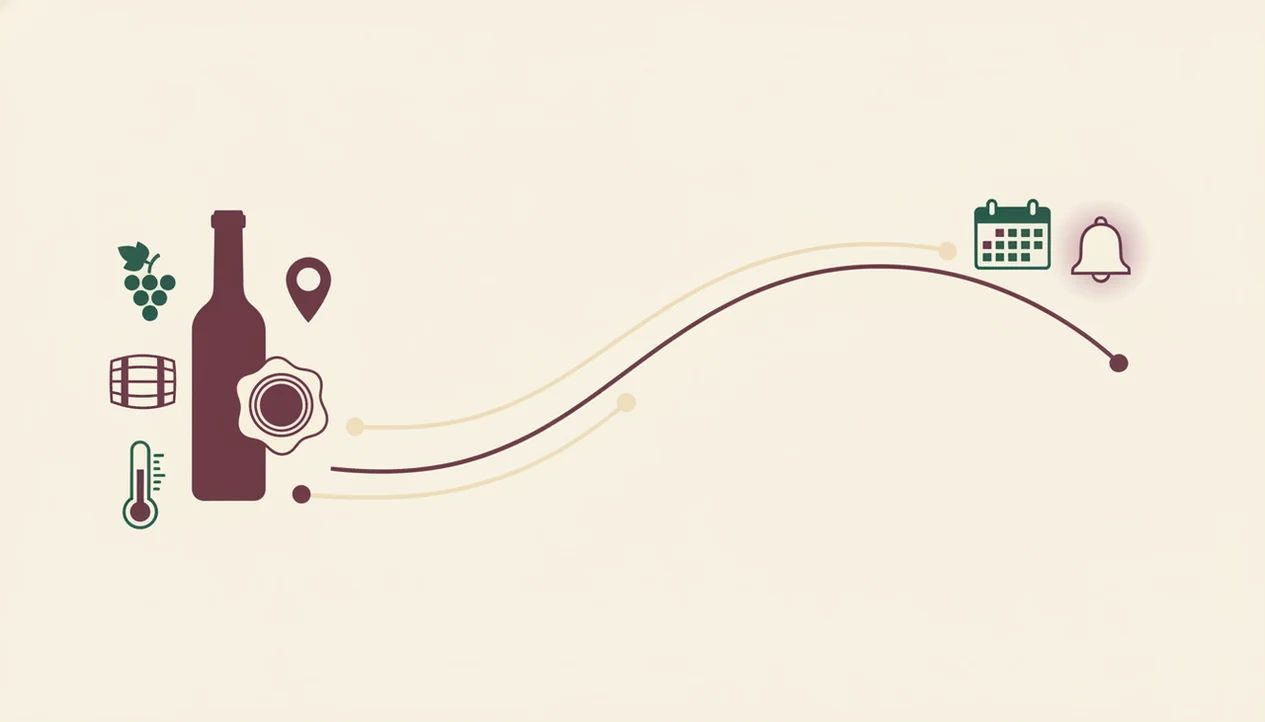
A wine maturity reminder system works by matching bottle data to an aging curve, then adjusting the alert based on storage and confidence. The useful part is not the notification itself; it is the reasoning behind the date.
Data Inputs That Shape Each Alert
The main inputs are vintage year, grape variety, region, producer style, and published drinking windows. Start with the label. A 2019 Rioja needs different assumptions than a 2019 Napa Cabernet, and the awkward dinner-table question, “Is Rioja the grape or the place?” actually matters here.
Storage changes the answer. Warm closets can move a window earlier. A stable wine fridge can preserve freshness longer. Humidity and bottle position matter most for cork-sealed wines.
Aging-Curve Algorithms vs. Static Charts
Aging-curve algorithms compare broad regional averages with producer-specific data when available. In plain English, the system asks, “How do wines like this usually develop?”
AI label recognition helps by filling vintage, appellation, and grape fields from a photo. Then the app can notify you when a wine is entering the window, sitting near its expected peak, or leaving the range. For many collectors, a wine drinking window app is easier than a spreadsheet because the reminder travels with the bottle record.
How to Use Wine Identifier App for Ready-to-Drink Alerts
Use a ready-to-drink alert tool by scanning the bottle, confirming the data, adding storage details, and reviewing the reminder when it arrives. The first scan is quick, but the small corrections matter.
- Scan the wine label with Wine Identifier App’s AI camera, keeping glare away from the vintage line.
- Verify the auto-populated details, especially vintage, region, producer, and grape.
- Log storage conditions and location, such as wine fridge, basement shelf, closet, or off-site storage.
- Set or accept the suggested drinking window, then adjust it if you know the producer’s style.
- Review alerts when notified, especially for bottles entering or leaving their window.
- Use pairing and serving guidance at opening time, including decanting and temperature notes.
Phone-first tools that deliver divino ai wine identification and sommelier app features should identify the bottle, organize the cellar, and guide serving, not pretend every wine has one exact destiny.
Requirements Before Setting Up Wine Maturity Reminders
Wine maturity reminders work best when the bottle record is complete enough to support a reasonable estimate. You do not need collector jargon, but you do need accurate basics.
- Camera access: A smartphone camera helps capture the front and back label, especially when the vintage is small.
- Bottle identity: If the label is torn, enter the producer and vintage manually.
- Storage honesty: “Kitchen rack” and “temperature-controlled cellar” should not receive the same alert.
- Aging relevance: Most wine is made for near-term drinking; Wine Folly estimates that roughly 90% of wines are intended to be consumed within a year of release (source), so not every bottle needs a long maturity plan.
- Location tracking: Shelf, bin, or row information keeps the alert useful when you own more than a few bottles.
Tiny type causes trouble.
If you are building a larger collection, a wine inventory app can keep quantity, location, and maturity reminders in the same record.
Common Mistakes When Setting Wine Maturity Reminders
The most common mistakes are accepting a reminder before the bottle record is clean and treating every wine in a broad category the same. A good alert starts with correct identity, realistic storage, and a reason to age the bottle at all.
- Check the scanned label details before saving the wine. Vintage, appellation, and producer can be misread when the label is glossy, stained, or crowded with small type.
- Avoid applying one regional window to every bottle from the same place. A lean, traditional producer and a plush modern producer may mature on different schedules, even in the same appellation.
- Adjust for warm storage instead of accepting the suggested date without thought. A closet above a dishwasher should pull the alert earlier than a stable wine fridge.
- Skip long alerts for simple near-term wines unless you are tracking inventory rather than maturity. Many inexpensive bottles are better served fresh, not forgotten.
- Update the bottle location after moving cases, shelves, or off-site inventory. An accurate alert is less useful if the bottle has vanished into the wrong bin.
Common Myths About Ready-to-Drink Wine Alerts
Ready-to-drink alerts are helpful, but they are often misunderstood. The biggest mistake is treating the alert like a laboratory result.
Myth one: the tool predicts the exact peak day. It does not. It estimates a window, often several years wide, because wine changes gradually.
Myth two: alerts are only for expensive aged wines. Not true. Mid-range Chianti Classico, Rioja Reserva, German Riesling, and cru Beaujolais can all benefit from better timing. Cherry-skin bitterness in young Sangiovese may soften with a little patience.
Myth three: the app already knows your cellar. It does not. You must scan or enter each bottle before the system can remind you.
Myth four: “past peak” means ruined. Usually, it means the wine may have less fruit, less structure, or more savory flavor. It can still be pleasant with dinner.
For casual collectors, maturity reminders are often better than memory because they connect each bottle to a dated drinking window.
Why Storage Conditions Change Your Wine Maturity Reminder
Storage conditions change a wine maturity reminder because heat, light, humidity, and bottle position affect how quickly the wine ages. Two bottles with the same label can taste different after five years in different homes.
Temperature swings are the main problem. A hallway cabinet near a radiator can push a wine forward faster than a cool basement shelf smelling of cork and dust. Humidity and horizontal storage help protect natural corks from drying, though screw-cap bottles are less sensitive to position.
In the United States, off-premise retailers account for the majority of wine sales by volume (Wine Institute), where buyers may get little cellaring advice. Global wine production reached 237 million hectoliters in 2021, according to the OIV’s sector report source. That is a lot of bottles, styles, and aging needs.
Wine Identifier App lets users enter storage type so alerts can be adjusted rather than treated as fixed dates.
Verification: Confirming a Bottle Matches Its Ready-to-Drink Alert
Confirm a ready-to-drink alert by checking the wine’s appearance, recent notes, and first taste. The alert tells you when to look; the glass tells you what happened.
Older reds often shift from purple or ruby toward garnet or brick. Whites may move from pale lemon toward deeper gold. These colors are clues, not verdicts.
Cross-reference critic notes or community tasting data when the bottle is important. If several recent notes say “still firm,” you may wait. If they mention fading fruit, plan dinner soon.
A quick decant test helps with wines on the young side of the window. Pour a small amount, wait 20 minutes, then taste again. Chalky grip on the gums in young Nebbiolo is different from a wine that simply feels tired.
For notes over time, a best wine tasting notes app can help connect your own palate to future alerts.
Limitations
Ready-to-drink alerts are estimates, not guarantees. Use them as a practical shortcut, not a rule.
- Algorithms rely on aggregated data, so cork variation, shipping heat, and producer style may not be captured.
- Niche producers, natural wines, and unusual vintages are often poorly modeled.
- Tools cannot detect cork taint, volatile acidity, premature oxidation, or heat damage before opening.
- Older vintages and small-production wines may have data gaps, which can create very wide generic windows.
- Storage entries depend on honesty. “Cool room” means different things in Maine and Arizona.
- A wine can be technically past peak and still enjoyable with the right food.
- Over-reliance on alerts can keep you from learning basic aging signs, such as color shift, softened tannin, and fading fruit.
Still, reminders are useful. They keep good bottles from disappearing into the back row and becoming a mystery later.
FAQ
How accurate are ready-to-drink wine alerts?
Ready-to-drink wine alerts estimate a drinking window, not an exact peak day. Accuracy depends on correct vintage, region, producer, storage, and available tasting data.
Do wine maturity reminders work for cheap wine?
Most inexpensive wines are made to drink young, so long maturity reminders are often unnecessary. Mid-range bottles with acidity, tannin, or sweetness can still benefit from timing.
Can a wine label scanner identify any bottle?
Wine Identifier App can scan many standard wine labels and identify key details from the image. Very obscure bottles, damaged labels, or smudged back labels may require manual correction.
Does storage temperature affect drinking windows?
Yes, warmer storage usually accelerates aging, while cooler stable storage slows it. A ready-to-drink alert should shift when storage conditions are changed.
Is “past peak” wine still safe to drink?
Past peak usually means the wine has lost freshness, fruit, or complexity. It does not mean unsafe unless the bottle has a fault or visible spoilage.
How do I add bottles to a cellar tracker?
You add bottles by scanning the label or entering producer, vintage, region, and location manually. DiVino supports a scan-to-log flow for cellar records.
What wines actually improve with aging?
Wines most likely to improve include tannic reds, high-acid whites, structured sparkling wines, and many sweet dessert wines. Around 70 to 80% of wine is intended to drink young.
Can alerts replace a sommelier’s advice?
No, alerts complement professional advice but cannot fully replace tasting experience. A sommelier can judge condition, context, food, and service in real time.