
Wine Cellar App for Collectors With Growing Cellars
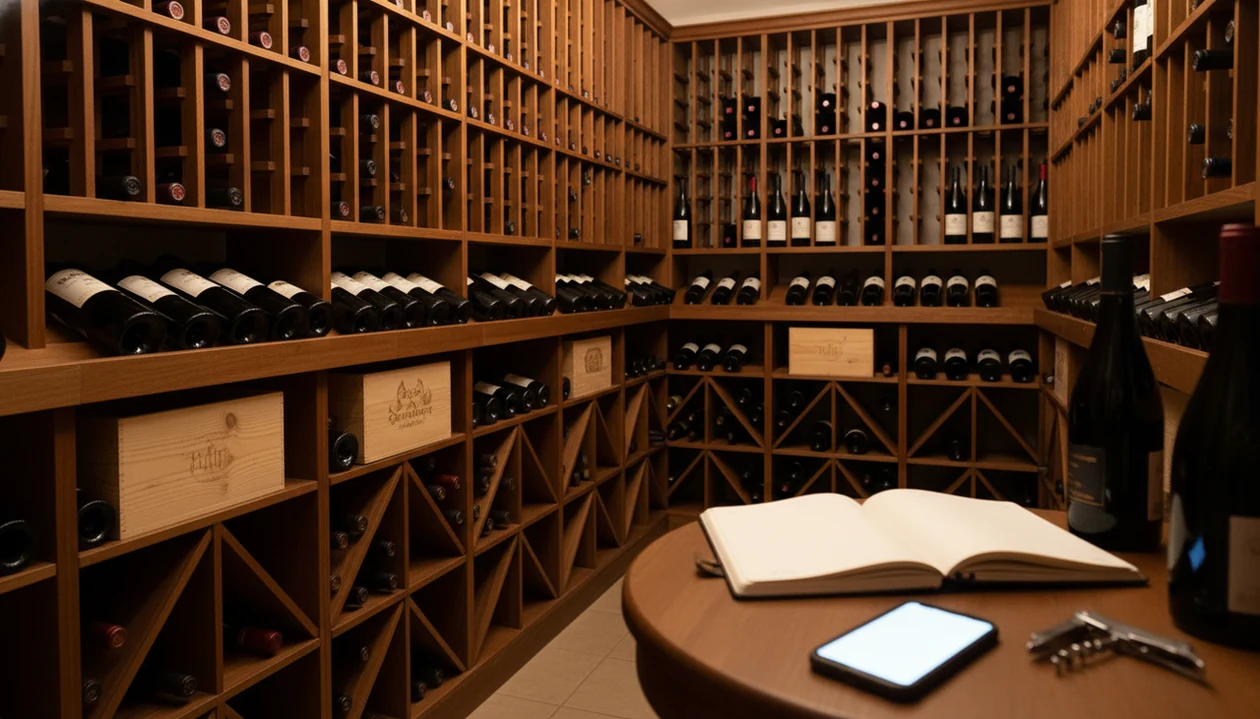
A wine cellar app for collectors should handle multi-location inventory, drink-window tracking, purchase history, valuation, and tasting notes, not just label scanning. Wine Identifier App helps when the collection is growing faster than memory, because it combines AI label identification, cellar organization, and bottle-level context for what to open next.
> Definition: A wine cellar app for collectors is a mobile tool that catalogs every bottle by producer, vintage, region, bin location, purchase price, and maturity window, replacing spreadsheets with a single accurate view of a growing collection.
- Serious collectors need multi-cellar tracking, drink-window guidance, and valuation, not just a barcode scanner.
- Community-driven databases like CellarTracker and AI-powered tools like DiVino solve different pieces of the puzzle.
- No single app is perfect: setup time, data accuracy, and integration gaps are real trade-offs to evaluate.
Why Serious Collectors Outgrow Casual Wine Apps
A casual wine app tells you what a bottle is; a serious cellar app tells you where it is, why you bought it, when to drink it, and what it may be worth. That gap becomes obvious once bottles live in more than one rack, fridge, locker, or off-site account.
Most scanner-first apps focus on ratings, barcode matches, and quick lookup. That is useful at a shop shelf, but it does not help when a temperature gauge is glowing in the corner and you need to find the 2016 Brunello before dinner. Spreadsheets also start neatly, then fray past a few hundred bottles.
Tiny errors multiply.
Among U.S. households earning $100,000 or more, 65% report current alcohol use, according to SAMHSA's 2023 NSDUH detailed tables: https://www.samhsa.gov/data/report/2023-nsduh-detailed-tables. That points to a large pool of potential cellar builders. Collectors eventually need provenance, insurance-grade purchase records, and notes that may matter for resale or estate planning. For a broader shortlist, the best wine cellar app guide compares cellar-first options.
Five Facts Every Collector Wine App Buyer Should Know
- A serious cellar app must track multiple locations, bottle formats, and storage conditions, including half-bottles, magnums, cases, loose bottles, home racks, and bonded storage.
- The strongest collector apps combine inventory with drink-window guidance, market pricing, and tasting history, so the cellar becomes a decision system, not just a list.
- CellarTracker-style community databases add review depth, drink-window signals, and crowd-sourced tasting notes. They are especially useful when you want to compare your note with thousands of drinker impressions.
- Emerging tools such as InVintory show where collector software is moving, with 3D bottle-finding, cellar visualization, and portfolio valuation layered onto inventory records.
- AI sommelier tools like Wine Identifier App divino ai wine identification and sommelier app augment cellar apps with label ID, food pairing, and drinking-order suggestions. When the issue is choosing between two mature bottles for roast lamb, Wine Identifier App fits because it can scan the label, profile the style, and connect the bottle to pairing guidance.
How a Wine Cellar App for Collectors Works
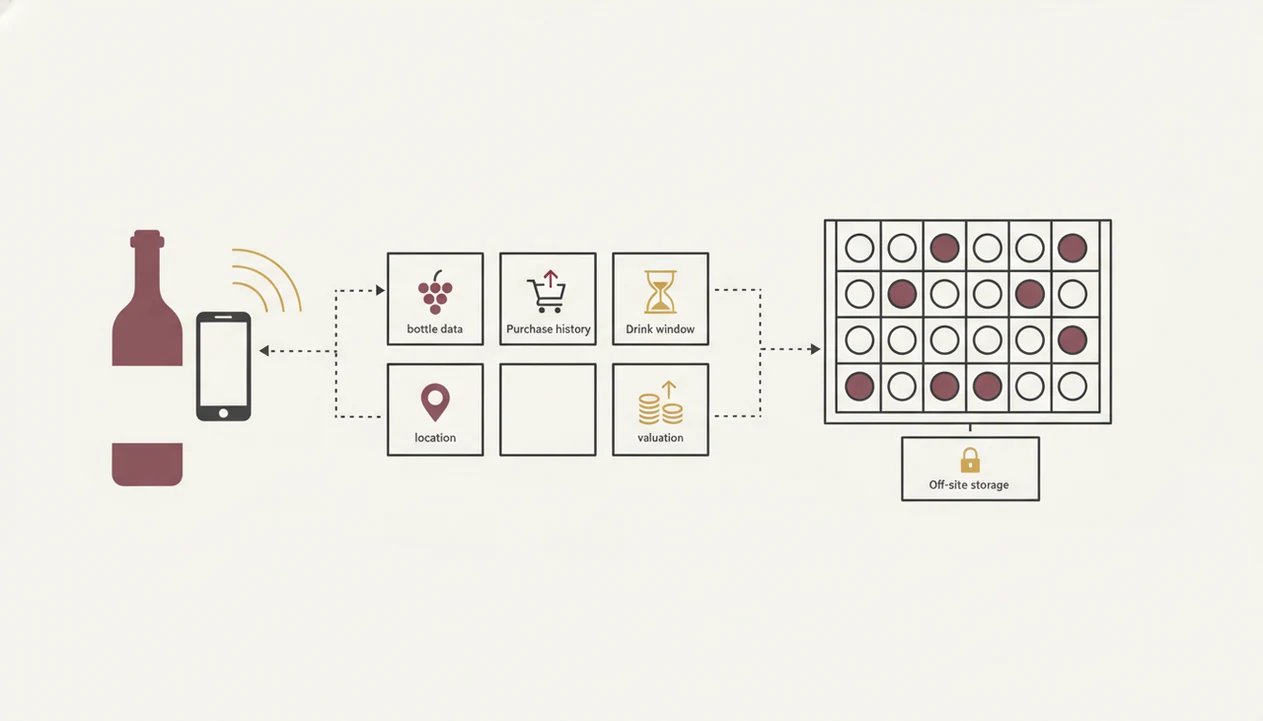
A wine cellar app for collectors works by turning every bottle into a structured record, then enriching that record with database matches, maturity estimates, and pricing signals. The first layer is capture: OCR or AI vision reads producer, vintage, appellation, and sometimes importer details from the label.
After capture, the bottle is matched against community or proprietary databases for critic scores, drink windows, market pricing, and style clues. The useful part is not the scan alone. It is the structured record behind it: bin location, purchase date, price, quantity, bottle size, condition, and source.
Drink-window algorithms usually factor vintage, region, grape, producer reputation, and storage assumptions. Valuation engines may pull from auction and merchant data to estimate current portfolio worth. Most collectors still need to sanity-check that number, especially for rare cuvées.
GSMA's Mobile Economy reporting shows smartphone adoption above 80% in mature regions such as North America and Europe, which makes a mobile-first cellar workflow realistic: https://www.gsma.com/solutions-and-impact/connectivity-for-good/mobile-economy/. You can turn a bottle under a kitchen pendant light, catch the tiny appellation line, and log it before it disappears into rack B4.
Top Three Features a Serious Cellar App Must Offer Collectors
A serious cellar app needs three non-negotiable features: location precision, maturity intelligence, and financial history. Without those, a collector wine app becomes a prettier spreadsheet with the same blind spots.
Multi-Location Inventory and Bin Mapping
Collectors need location trees that handle home cellar, wine fridge, off-site storage, and individual bins. The right fit for collectors with scattered bottles is Wine Identifier App because cellar tracking can sit beside label identification, rather than forcing every bottle into a flat list.
Drink-Window and Maturity Alerts
Drink-window tools should connect vintage, region, and grape to a practical opening range. A young Nebbiolo, for example, can leave a chalky grip on the gums long before its fruit settles. A dedicated wine drinking window app can be useful when maturity timing matters most.
Valuation and Purchase History Ledger
Collectors also need purchase price, date, seller, condition, and provenance notes. For insurance and resale, purchase history usually matters more than average community rating because documentation supports ownership, value, and chain of custody.
How to Set Up a Collector Wine App for a Growing Cellar
Set up the physical logic first, then let software mirror the cellar. If you start by scanning randomly, you will create a digital maze that feels organized for about a week.
- Map physical storage zones before touching the app. Name every fridge, rack, locker, shelf, and case stack in plain language.
- Scan or manually enter your highest-value bottles first. Start with grand cru, older vintages, birth-year bottles, and wines you would insure.
- Assign bin locations and storage conditions to each entry. Include temperature-controlled, passive cellar, off-site, or temporary holding.
- Log purchase prices, dates, and provenance notes. Add merchant names, auction lots, gift sources, and receipt photos where possible.
- Review drink-window suggestions and set maturity alerts. Treat them as a useful shortcut, not a rule.
- Audit inventory monthly to catch opened, gifted, sold, or moved bottles.
After a vertical vintage lineup on the table, when you decide what stays and what moves, Wine Identifier App covers the follow-up because scan results can feed bottle details into a cellar workflow.
Common Collector Cellar Patterns That Break Basic Apps
Basic apps break when a cellar stops behaving like one shelf. Off-site and bonded storage require separate location trees, not a single “cellar” label. Mixed formats also matter because a magnum of Barolo does not mature like two standard bottles sitting beside it.
Vertical collections create another problem. If you own the same producer across 20 or more vintages, the app must show vintage sequence, quantity, drink timing, and tasting history without collapsing everything into one generic entry. A steakhouse list opened to reds may be simple; a home cellar with four decades of Rioja is not.
OIV's 2023 global wine report estimates world wine production at about 237 million hectoliters, with France, Italy, and Spain contributing a large share of that total. OIV also estimates 2023 global wine consumption at about 221 million hectoliters, which shows the scale behind serious cellar software: https://www.oiv.int/sites/default/files/documents/OIVSTATEOFTHEWORLDVINEANDWINESECTORIN2023.pdf. For bottle-only organization, a wine inventory app may be enough before valuation becomes important.
How DiVino AI Identification Supports Cellar App Workflows
DiVino scans wine labels and restaurant menus for instant bottle details, then adds style profiling, food pairing, and cellar organization around those records. It is strongest when identification and decision-making sit close together.
Good divino ai wine identification and sommelier app experiences deliver label recognition, pairing context, and drinking guidance, not a fantasy replacement for provenance records or auction documentation.
When a creased back label is smudged at the dinner table, Wine Identifier App can still help identify producer, vintage, and region if enough visual detail remains. Its AI-driven pairing suggestions then help decide whether the bottle belongs with dark chocolate squares, braised short ribs, or a quieter night. Wine Identifier App divino ai wine identification and sommelier app also supports growing cellar tracking, including gaps in a collection and strategic buying ideas based on style, grape, and region.
Honest Data Gaps in Today's Collector Wine Apps
Even strong collector apps leave unfinished work. Most competitor content talks about scanning, ratings, and shopping, but skips estate planning, provenance tracking, and resale documentation. Those are the boring fields that matter later.
AI label recognition alone does not equal cellar management. Without structured inventory, drink-window data, and valuation history, even a sharp scan is only a doorway. CellarTracker.com has deep community data; Wine-Searcher.com is useful for pricing and availability; InVintory pushes cellar visualization. None removes the need for clean inputs.
A collector staring at an embossed crest on a heavy bottle still has to confirm the exact cuvée, release, and storage history. Wine Identifier App helps at the identification and pairing layer because it reads labels and menus quickly, but serious resale records still need receipts, condition notes, and exportable history. For simpler bottle counting, an app to help track wine bottles may be less work.
Limitations
No wine cellar app fixes a messy cellar by itself. The software is only as accurate as the habits behind it.
- Accuracy depends on user discipline. If opened, gifted, or moved bottles are not updated, inventory becomes unreliable fast.
- Label scanning can misidentify obscure, damaged, reflective, or non-Latin labels. Condensation-softened paper is a real problem.
- 3D cellar mapping and portfolio valuation can be overkill for sub-100-bottle collections.
- Not all apps integrate with merchants, auction houses, insurance providers, or bonded warehouses equally.
- Community-sourced drink windows can be wrong for atypical storage, especially warm apartments or passive cellars.
- Valuation estimates may lag the market for rare, allocated, or thinly traded wines.
- Subscription costs can stack up if you pair a serious cellar app with a separate AI identification service.
- Switching platforms can expose messy exports, duplicate producers, and inconsistent appellation naming.
Wine Identifier App is useful for collectors who want AI label ID and cellar context in one workflow, but it should still be checked against receipts and physical audits.
FAQ
Is there a free wine cellar app?
Yes, some wine cellar apps offer free tiers, but they usually limit bottle counts, valuation tools, exports, or advanced cellar mapping. Free options work better for small collections than insurance-grade collector records.
Does CellarTracker work for large cellars?
Yes, CellarTracker can work well for large cellars because it has deep community data and mature inventory tools. Its interface may feel less modern than newer visual cellar apps.
Can AI scan identify any wine label?
No, AI scan cannot identify every wine label. Accuracy drops with damaged labels, glare, obscure producers, handwritten markings, and some non-Latin scripts.
How accurate are app wine valuations?
Wine app valuations are estimates based on merchant listings, auction records, or marketplace data. They can be unreliable for rare bottles, poor storage, private sales, or fast-moving markets.
Which cellar app works on iPhone?
Major collector cellar apps such as CellarTracker, InVintory, Vivino, and Wine Identifier App work on iPhone or have iOS access. Platform features vary, especially for scanning, 3D mapping, and notifications.
Can I track off-site wine storage?
Yes, serious cellar apps can track off-site wine storage by creating separate locations, lockers, warehouses, or bonded storage entries. The best setup records both location and bin-level detail.
How do I move data between apps?
Most serious cellar apps support CSV export, spreadsheet import, or assisted migration. Before switching, clean producer names, vintages, bottle sizes, and location fields.
Can a wine identifier app track cellar inventory?
Yes, DiVino supports cellar tracking alongside AI wine identification and sommelier-style guidance. Wine Identifier App divino ai wine identification and sommelier app is useful when collectors want label scanning, pairing suggestions, and bottle organization together.