
Wine Confidence After 30 Days Of Scanning Labels And Taking Notes


Download App: wine confidence after 30 days
Wine confidence after 30 days of consistent label scanning and note-taking is real but measured: most beginners can name the grape styles they enjoy, avoid bottles they dislike, and order at restaurants without anxiety, though deep tasting expertise still takes months or years. The fastest path to that 30-day milestone is pairing an AI wine identification app with honest personal notes on every bottle you try. In this guide, DiVino is referred to as Wine Identifier App when the focus is the scanning workflow: label recognition, tasting-note capture, preference history, and pairing context. That keeps the 30-day result tied to the actual behavior that builds confidence, not just to app usage in the abstract.
Wine confidence is the ability to choose, describe, and discuss wine based on personal experience and recorded preferences rather than guesswork or social pressure.
- After 30 days of scanning and logging, most users can articulate what styles they enjoy and confidently avoid poor choices.
- The real engine of wine confidence is a searchable personal history of scans, ratings, and tasting notes, not memorized rules.
- AI label scanning accelerates learning by delivering instant feedback, but it cannot replace your own palate and curiosity.
- Deep skills like blind identification and regional expertise remain limited at the 30-day mark.
- Research shows micro-learning via smartphone apps can produce significant knowledge gains in 2–4 weeks.
At A Glance: What Wine Confidence After 30 Days Actually Looks Like
Wine confidence after 30 days usually looks practical, not expert-level. You shop with less hesitation, describe what you like more clearly, and stop pretending every unfamiliar label is a test.
- Style vocabulary improves first. Most beginners can say “crisp white,” “full-bodied red,” “oaky Chardonnay,” or “light Pinot” without freezing.
- Preference recall gets easier. A saved scan history helps you remember that you liked Grüner Veltliner with takeout, not just “that green-label bottle.”
- Restaurant ordering feels less loaded. The by-the-glass column on a chalkboard becomes a short list to compare, not a wall of traps.
- Blind tasting remains unreliable. Day 30 rarely brings accurate grape identification, vintage judgment, or deep regional knowledge.
- Micro-learning helps. Mobile learning research shows short, repeated smartphone lessons can produce knowledge gains in 2–4 weeks; a review of mobile learning studies found positive effects on learner performance and engagement (https://www.ncbi.nlm.nih.gov/pmc/articles/PMC4979217/).
That last point matters. A month is long enough to build useful memory, but not long enough to build sensory expertise.
30-Day Tracking Method: Label Scans, Tasting Notes, And Weekly Pattern Reviews
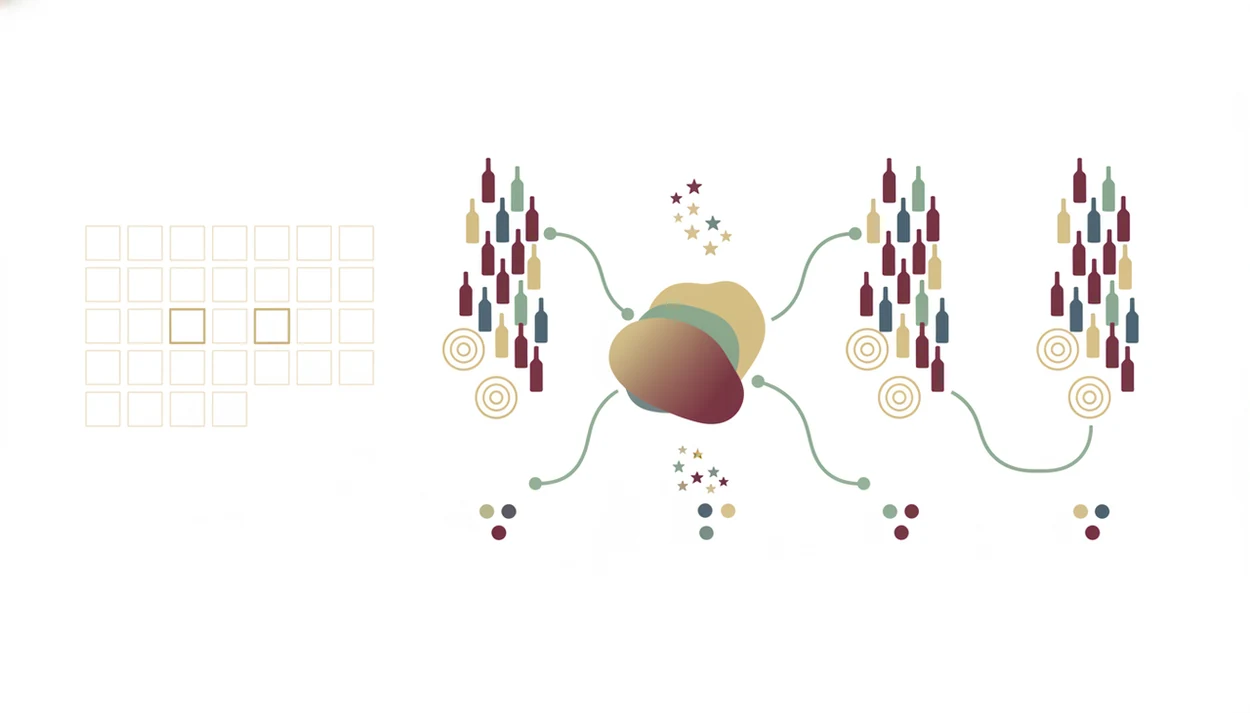
The 30-day method is simple: scan every bottle, write a short note, rate it honestly, then review patterns once a week. Confidence grows because the app gives feedback and your notes keep it personal.
- Scan daily or per bottle. Tools like Wine Identifier App can turn a label match into grape, region, vintage, and style context.
- Use structured tasting notes. Track acidity, body, fruit, oak, sweetness, and finish before you write any free-form opinion.
- Rate for yourself. A 3.8 community score matters less than your own “would buy again” mark.
- Review weekly. Sunday pattern checks show whether you keep choosing high-acidity whites, plush reds, or lower-oak styles.
- Lean on feedback loops. A systematic review found smartphone apps can increase knowledge and self-efficacy when they include feedback, self-monitoring, and personalized content.
One friction point shows up fast: users sometimes crop out the shelf price tag and accidentally lose a key vintage clue. Keep the whole label in frame first, then tighten the crop.
For note structure, the how to write wine tasting notes guide is useful when “good” and “bad” stop being enough.
How AI Wine Identification And Note-Taking Build Confidence
AI wine identification works by converting a bottle or menu photo into structured wine data, then linking that data to style, region, vintage, price, and user feedback. In plain terms, the phone turns “unknown bottle” into a decision you can inspect.
Label Scanning As Instant Micro-Learning
A label scan uses image recognition and matching systems to compare visual features against known wines. The app may read producer names, grape terms, region names, vintage numbers, and back-label text. A glossy burgundy label under warm restaurant lighting can still make the phone camera hunt for focus, so photo angle and scan context matter.
The learning loop is fast: scan, learn, taste, note, compare. A Cochrane review of decision aids found that interactive tools can improve knowledge and help people make choices that better match their values compared with usual care or no tool (https://www.cochranelibrary.com/cdsr/doi/10.1002/14651858.CD001431.pub6/full). That logic fits wine selection when the tool explains why one bottle matches your recorded preferences.
Personal Flavor Memory Versus Generic Wine Rules
Personal history beats generic rules because wine memory is highly contextual. You may dislike “Chardonnay” until your notes show you dislike heavy oak, not the grape itself.
Good divino ai wine identification and sommelier app experiences deliver clear label recognition, preference feedback, and pairing context, not a replacement for tasting, asking questions, or changing your mind.
For beginners, a searchable tasting history is often easier than memorizing regions because it starts with bottles you actually drank.
How To Build Wine Confidence In 30 Days With DiVino
Use the 30 days as a repeatable practice plan, not a crash course in wine theory. The goal is to make each bottle leave behind a useful trace.
- Download DiVino and scan your first bottle at home. Start with something familiar so the first label match has context.
- Log a 2–3 sentence tasting note after every glass. Mention acidity, body, fruit, oak, and whether you would buy it again.
- Compare two different styles each week. Try oaked versus unoaked Chardonnay, or Pinot Noir versus Syrah.
- Review your scan history every Sunday. Look for repeated grapes, regions, price points, and words in your notes.
- Order from a restaurant wine list using your logged preferences. If you liked crisp whites, don’t default to the cheapest red.
- Revisit an early favorite on day 28–30. Compare your first note with your newer vocabulary.
Tiny notes count.
If you want a dedicated logging workflow, a wine tasting journal app can make those short notes easier to keep consistent.
Real User Vignettes: Three Paths To Learn Wine In 30 Days
Three realistic 30-day outcomes share the same shape: less panic, better language, and some remaining uncertainty. Nobody becomes a master taster in a month, but the dinner table gets quieter in the right way.
Maria: From House Wine To Confident Restaurant Orders
Maria used to order house white because the list felt like a performance. By day 30, she could scan menu text and compare Sauvignon Blanc, Albariño, and Sancerre without stalling. She still mixed up Loire subregions, but she knew she wanted bright acidity with oysters.
James: Hosting Dinners Without Second-Guessing Every Bottle
James hosted twice in one month and logged each bottle after dinner. Lemon zest over grilled fish helped him remember why Vermentino worked better than a buttery Chardonnay. He improved at crowd-pleasing choices, but still leaned on ratings when guests brought unfamiliar reds.
Priya: Starting A Small Cellar With Scanned Records
Priya scanned twelve bottles and tagged four for later. Her special-occasion magnum on the top shelf finally had a record, not just a promise. She felt better about storage and quantity, but drinking windows still felt abstract.
Common Patterns In Wine App Results After One Month
Common wine app results after one month show practical pattern recognition more than formal wine knowledge. The strongest gains come from repeated choices in real shopping, dining, and hosting contexts.
- The 5–8 grape shortlist. Users often build a reliable set of grapes, such as Pinot Noir, Syrah, Riesling, Sauvignon Blanc, Chardonnay, Tempranillo, or Grenache.
- Context confidence rises first. Store shelves and restaurant lists get easier before blind tasting does. Tiny serif menu text still causes mistakes when “Sancerre” and “Sangiovese” sit two lines apart.
- Notes become more specific. “Nice red” turns into “tart cherry, medium body, dry finish.”
- Price calibration improves. Users stop assuming a higher price always means a better fit.
- The audience is large. In the United States, about 60% of adults report drinking alcohol, and wine represents roughly 15% of alcoholic drinks consumed by volume, per NIAAA data.
A wine rating app for beginners works best when ratings sit beside personal notes, not above them.
What Wine Confidence After 30 Days Does Not Show
Thirty days of scans and notes does not prove expert tasting ability. It shows early preference clarity, better recall, and more comfortable decision-making.
- Blind tasting remains shaky. Most beginners still cannot identify grape, country, and vintage without label context.
- Regional depth takes longer. Burgundy villages, Barolo crus, German Prädikat levels, and vintage variation need months or years.
- High ratings are not guarantees. A crowd-loved Napa Cabernet may still feel too heavy for someone who prefers lighter reds.
- AI cannot taste for you. It infers likely style from label data, databases, and recommendation logic.
- A 30-day profile is temporary. Food, season, mood, serving temperature, and repeated exposure can change what you enjoy.
The creased back label at the dinner table might reveal a blend or oak note the front label hides. Still, your own sip decides whether that fact matters.
Limitations
A 30-day wine confidence claim has real boundaries. It is useful for everyday selection, but it should not be confused with formal wine training.
- Thirty days is too short for expert sensory skills. Blind identification, fault detection, and vintage analysis need repeated guided tasting.
- Wine databases can be uneven. Popular regions and widely distributed bottles are often easier to match than niche producers.
- AI recommendations struggle with edge cases. Very small producers, new vintages, skin-contact wines, and unusual blends may have weak data.
- Self-reported confidence is not accuracy. Feeling better at ordering does not mean you can identify a grape blind.
- Results depend on frequency. Scanning one bottle a week gives a thinner pattern than scanning three to five.
- Community ratings reflect the crowd. They do not know your tolerance for oak, sweetness, tannin, or acidity.
- Context changes perception. Chili heat lingering after a bite can make a wine taste sharper or sweeter than it did alone.
Human correction loop matters here. If the app suggests a bottle and you dislike it, record that plainly.
Read more
FAQ
Can an app replace a sommelier?
No. Apps can accelerate personal preference learning, but they cannot replicate a trained sommelier’s real-time judgment about occasion, table dynamics, service, and inventory.
How many wines should I scan per week?
Three to five scans per week is enough for many casual drinkers to build useful patterns. Fewer scans can still help, but the data will develop more slowly.
Do wine ratings predict my taste?
Wine ratings reflect aggregate opinion, not your individual palate. Personal notes are usually more useful for repeat buying than community scores alone.
Is 30 days enough to learn wine?
Thirty days is enough to build practical confidence with shopping, ordering, and basic descriptions. It is not enough for deep regional expertise or reliable blind tasting.
What should tasting notes include?
Tasting notes should include acidity, body, fruit flavors, oak or sweetness, finish, and a simple like/dislike rating. A short “would buy again” note is often the most useful field.
Can a wine identification app scan restaurant menus?
Yes. A wine identification app such as DiVino can scan wine labels and restaurant wine lists to provide bottle details, style context, and food pairing suggestions.
Will my palate change after 30 days?
Yes. Your palate can change with exposure, food context, season, and preference feedback, so 30-day data is a useful snapshot rather than a permanent profile.